

PixelCrew IA Principais insights
What is PixelCrew AI?
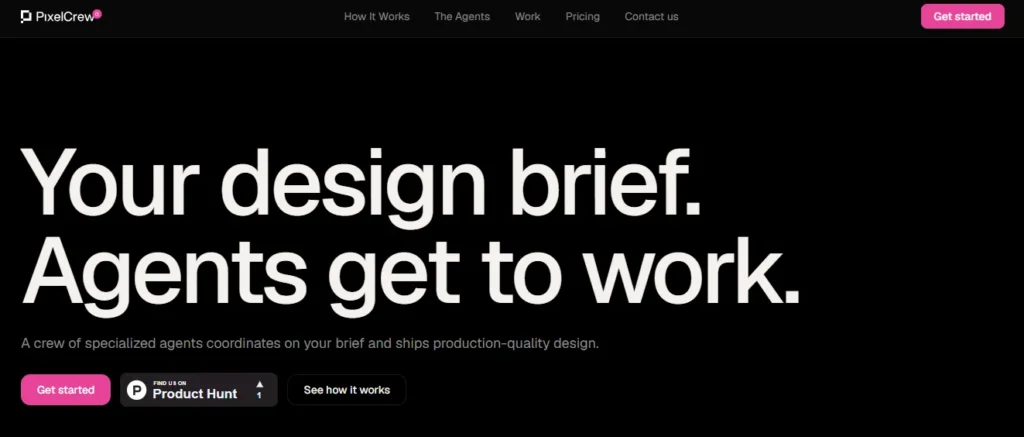
PixelCrew IA é um AI powered design workspace that converts written creative briefs into production quality design deliverables using a coordinated team of specialised AI agents. Instead of relying on a single prompt to generate an entire page, PixelCrew splits the design process into distinct stages handled by named agents. Elena manages research and strategy. Marcus handles art direction. Mira builds the wireframes and UX architecture. Additional agents handle copywriting, design system assembly, and quality assurance.
The final output is production ready HTML and Tailwind CSS that engineering teams can ship directly or hand to developers. PixelCrew eliminates the gap between a creative idea and a deployable front end, making it a powerful AI ferramenta de design for startups, freelancers, and product teams that need to move fast without hiring a full design department.
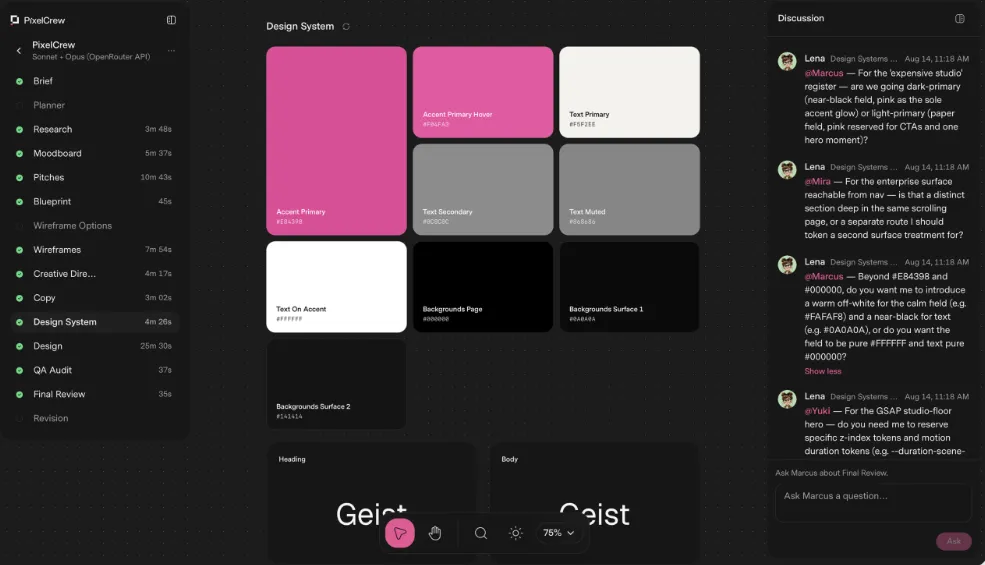
PixelCrew does not throw a single AI model at your entire design problem. Instead, it uses a crew of specialised agents that work in a defined order with clear handoffs. Elena, the researcher, runs first and produces audience personas, competitive audits, jobs to be done mapping, and information architecture recommendations.
Her output feeds directly into Marcus, the art director. This structured approach means every design decision rests on validated research rather than assumptions. The result is a workflow that mirrors how a real design team operates, where each member owns their scope and passes context forward.
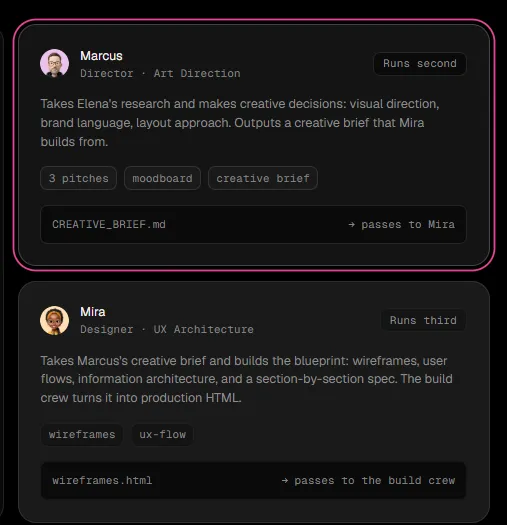
Marcus, the art direction agent, takes Elena’s research foundation and makes creative decisions. He generates three distinct visual pitches with moodboards, selects the strongest direction, and produces a full creative brief. This brief includes palette recommendations, typography choices, layout direction, and section by section composition guidance. For teams that struggle with the blank canvas problem, this feature removes the hardest part of design. You get opinionated, research backed creative direction in minutes rather than days.
Mira, the UX architecture agent, builds directly from Marcus’s creative brief. She produces wireframes, user flows, navigation specifications, and interaction designs. Every screen gets covered, including edge cases and component states. The wireframe output comes as HTML so you can view it in a browser immediately. This is not a static mockup. It is a functional blueprint that shows how sections connect, how users move through the page, and how information is structured.
The final deliverable from PixelCrew is not a design file that needs to be rebuilt. It is clean, production ready HTML paired with Tailwind CSS. This output includes a complete design system with tokens, type scale, colour definitions, and reusable components. Engineering teams can take this code and ship it directly. For solo founders and indie developers, this means skipping the design to development handoff entirely. You go from a written brief to deployable front end code in under an hour.
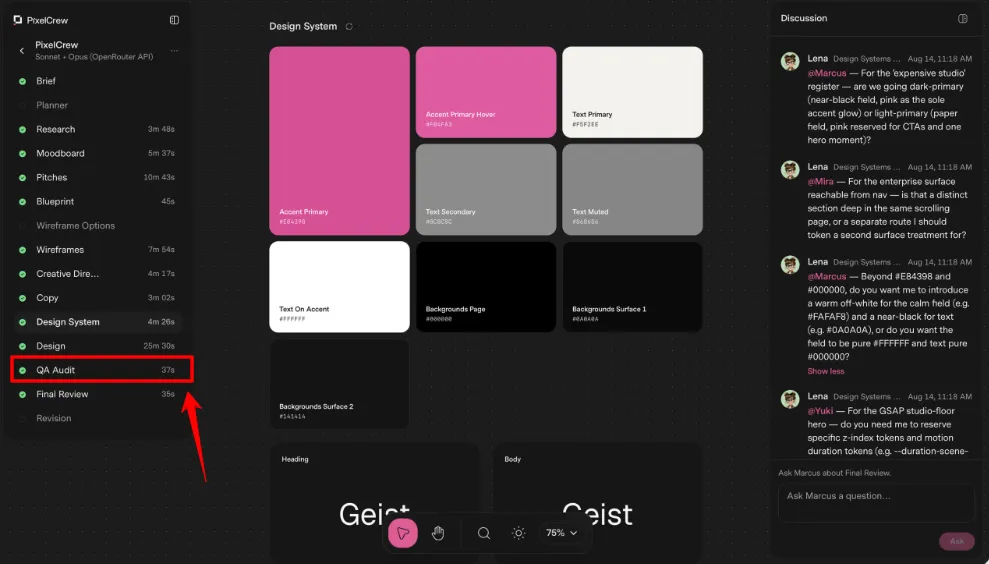
Before any output reaches you, PixelCrew runs a QA audit across every screen. Issues get flagged, revised, and rechecked automatically. The QA report documents what was found and what was fixed. This layer of automated quality control catches visual inconsistencies, layout problems, and missing states that would normally require a dedicated QA pass from a human reviewer. It adds a safety net that most AI design tools lack entirely.
PixelCrew goes beyond static landing pages. It can generate fully functional web application interfaces like the MicroProject gerenciador de tarefas shown above. This output includes a project sidebar with nested lists, task views with assignment tags, due date tracking, overdue state indicators, and a complete component set built in a clean light theme. The HTML is production grade and teams can build on it directly.
This capability sets PixelCrew apart from tools that only produce marketing pages, making it a strong fit for SaaS dashboards, internal tools, and productivity applications.
PixelCrew AI Planos de preços
| Nome do Plano | Custo | Principais funcionalidades |
|---|---|---|
| Traga sua própria bebida | $0 from PixelCrew (BYOK model costs only) | Full agent crew, unlimited briefs, HTML and Tailwind output, design systems, landing pages, dashboards |
| Pro | Em Breve | Hosted keys, no API key required, model costs included, priority processing, brief history, versioning, team seats |
| Empreendimento | Preços personalizados | Custom agent configuration, your design system baked in, SSO and security review, invoice billing |
PixelCrew AI for Non Designers and Technical Founders
PixelCrew AI removes the biggest barrier technical founders face when building products. You do not need to know colour theory, typography rules, or layout principles. You write a plain English brief describing what you want and the agent crew translates that into professionally structured design output. A backend developer can describe a Painel de controle SaaS in a few sentences and receive production ready HTML with proper visual hierarchy, spacing, and component organisation.
The tool acts as an entire design department compressed into a single text input. For bootstrapped founders who cannot afford to hire a designer at $100 per hour, PixelCrew offers a practical path from idea to polished front end. The research agent even handles the strategic thinking most non designers skip entirely, like audience analysis and competitive positioning.
The Role of Research in PixelCrew AI's Fluxo de Trabalho de Design
Os mais AI design tools jump straight from prompt to pixels. PixelCrew does something different by placing research at the very start of the pipeline. Elena, the research agent, runs before any visual work begins. She analyses your brief and produces structured discovery output that includes audience personas, competitive audits with gap mapping, jobs to be done frameworks, and information architecture recommendations.
This research document becomes the foundation that every subsequent agent builds on. Marcus does not pick colours based on trends. He picks them based on Elena's findings about your target audience and competitive landscape. This research first approach means the final design is not just visually appealing but strategically sound. It answers the question of why each section exists, not just how it looks.
Prós e Contras
- Full design pipeline in one tool.
- Production ready HTML and Tailwind output.
- Research backed creative decisions by default.
- No design skills required to start.
- Multiple API provider support.
- QA audit included automatically.
- No native Figma export available.
- Requires external API key setup.
- No real time collaborative editing.
- Pro plan not yet launched.
Limitations and Considerations Before Using PixelCrew AI
PixelCrew is impressive but not without gaps worth noting. The tool does not export to Figma, which means teams that rely on Figma for client approvals or collaborative editing will need a workaround. There is no real time collaboration feature, so multiple team members cannot work on the same brief simultaneously. The output is limited to web based formats like HTML and Tailwind CSS, with no support for native mobile app designs.
Multi page applications with complex routing and state management fall outside the tool's current scope. Setting up an Chave API through OpenRouter, Anthropic, or Google Gemini adds a step that less technical users may find unfamiliar. The Pro plan with hosted keys has not launched yet, so the BYOK model is the only option for now. Understanding these boundaries will help you decide if PixelCrew fits your specific workflow needs.
Best PixelCrew AI Alternativas
| AI Design Agent Platform | Built In UX Research Agent | Production Ready HTML Output |
|---|---|---|
| v0 by Vercel | ❌ | React and Next.js (requires framework setup) |
| Relume IA | ❌ | Exports to Webflow or Figma (not standalone HTML) |
| Armador AI | ❌ | Locked inside Framer hosting (no raw HTML export) |
| Adorável | ❌ | Full stack app code (requires deployment setup) |



