

wisecut AI Nøkkelinnsigelser
Hva er Wisecut AI?
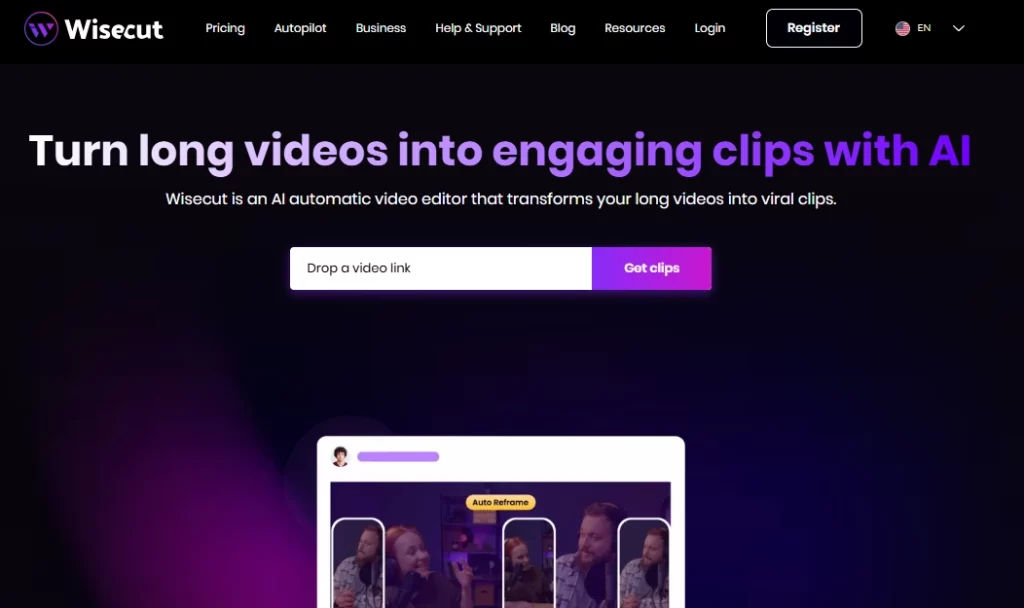
Wisecut AI er en skybasert automatisk videoredigerer som bruker kunstig intelligens og stemmegjenkjenning for å gjøre lange videoer om til korte, engasjerende klipp klare for sosiale medier. Plattformen er bygget for innholdsskapere, YouTubere, podkastere og markedsføringsteam som trenger å gjenbruke opptak raskt uten tradisjonelle redigeringsferdigheter. Ved å laste opp én enkelt video får brukerne AI genererte høydepunkter, automatiske tekstinger, fjerning av stillhet og smart bakgrunnsmusikk påført på få minutter.
wisecut AI fjerner det manuelle slitet med tidslinjeredigering og erstatter det med en tekstbasert storyboard-arbeidsflyt. Dette betyr at hvem som helst kan produsere polert kortformatinnhold for TikTok, Instagram Reels, YouTube Shorts og LinkedIn uten å berøre et tradisjonelt redigeringsprogram. Det er betrodd av over én million innholdsskapere og medieteam over hele verden.
Wisecut skanner opptakene dine i full lengde og identifiserer automatisk de mest engasjerende øyeblikkene. AI identifiserer segmenter med sterke talemønstre, emosjonelle topper og temaendringer for å generere klipp som er klare for deling på sosiale medier. Dette sparer timer med manuell gjennomgang av råopptak.
I stedet for å bruke en tradisjonell tidslinje med nøkkelbilder, genererer Wisecut en fullstendig transkripsjon av videoen din og gjør den om til et redigerbart storyboard . Du omorganiserer eller sletter scener ved ganske enkelt å flytte tekstblokker. Dette gjør redigeringsprosessen tilgjengelig for alle som kan lese og dra, uten behov for teknisk kunnskap.
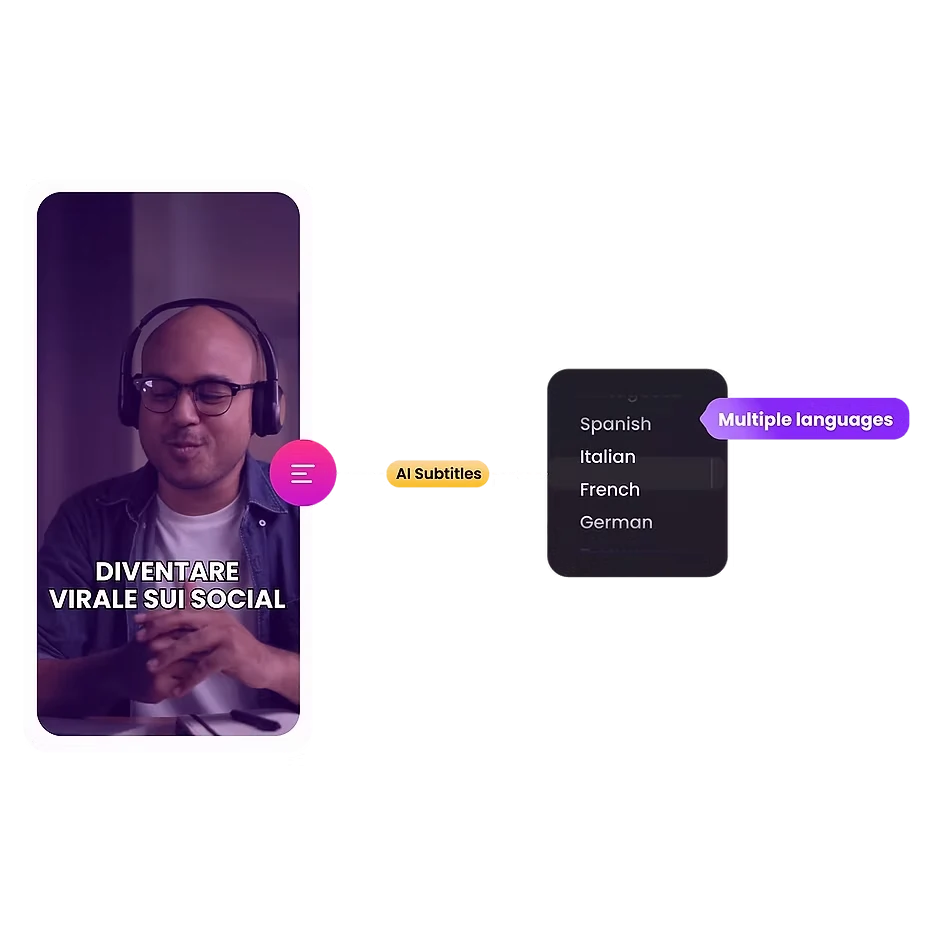
Plattformen genererer nøyaktige undertekster automatisk og støtter 13 språk for oversettelse. Gitt at nesten 70 % av seerne ser videoer uten lyd offentlig, øker denne funksjonen engasjementet direkte og utvider publikums rekkevidden på tvers av globale markeder.
Wisecut velger royaltyfri bakgrunnsmusikk som passer til tonen i videoen din. Deretter bruker den automatisk lyddemping, som senker musikkvolumet når noen snakker og hever det i pauser. Resultatet er lydbalanse i kringkastingskvalitet uten manuell miksing.
Død luft dreper seerens oppmerksomhet. Wisecut oppdager og fjerner stille pauser i hele videoen på sekunder. Den bruker også automatiske zoomoverganger i viktige øyeblikk, og skaper punch-in-effekter som holder på oppmerksomheten under lengre segmenter med snakkehoder.
wisecut AI Prisplaner
| Plan Navn | Kostnad | Behandlingstid | Maks oppløsning | Maks filstørrelse |
|---|---|---|---|---|
| Gratis | $0 | 30 minutter/måned | 720p | 4 GB |
| Starter | $ 15.75 / måned | 480 minutter/måned | 1080p full HD | 4 GB |
| Starter+ | $ 23.25 / måned | 480 minutter/måned | 1080p full HD | 4 GB |
| Profesjonell | $ 75.67 / måned | 1800 minutter/måned | 4K Ultra HD | 5 GB |
| Profesjonell+ | $ 83.25 / måned | 1800 minutter/måned | 4K Ultra HD | 5 GB |
| Enterprise | Custom | Custom | Custom | Custom |
Komme i gang med Wisecut AI
- Trinn 1: Besøk wisecut.ai og registrer deg for en gratis konto med e-postadressen din eller Google-påloggingen din.
- Trinn 2: Last opp den lange videofilen din (opptil 4 GB med gratisabonnementet) direkte fra enheten din.
- Trinn 3: Velg dine foretrukne utdatainnstillinger, inkludert språk, sideforhold (vertikalt, firkantet eller horisontalt) og tekststil.
- Trinn 4: La AI behandle videoen din. Wisecut vil generere høydepunkter, fjerne stillhet, legge til teksting og bruke bakgrunnsmusikk automatisk.
- Trinn 5: Gjennomgå AI generert storyboard, gjør eventuelle tekstbaserte redigeringer du trenger, og eksporter eller planlegg klippene dine direkte til sosiale medier.
Hvem bør bruke Wisecut AI?
wisecut AI er ideell for solo-YouTubers, podkastverter med videoinnhold, og sosiale medier-administratorer som håndterer store mengder gjenbrukt innhold. Hvis arbeidsflyten din innebærer å spille inn lange intervjuer, vlogger eller webinarer og deretter klippe dem ned i små klipp for plattformer som TikTok eller Reels, vil dette verktøyet spare deg for betydelig tid.
Markedsføringsbyråer som administrerer flere kundekontoer vil også dra nytte av funksjonene for planlegging på sosiale medier og automatisk publisering. Når det er sagt, bør profesjonelle redaktører som trenger tidslinjer for flere spor, fargegradering eller visuelle effekter, se andre steder.
Hvor klokt AI Håndterer lydbehandling
Lydkvalitet skiller ofte amatørinnhold fra profesjonelt innhold. Wisecut løser dette med innebygd støyreduksjon som fjerner bakgrunnsstøy og summing fra opptakene dine. Lydforbedringsfunksjonen forbedrer stemmeklarheten for å høres nærmere ut som en studioinnspilt podkast eller kringkasting.
Kombinert med det automatiske duckingsystemet for bakgrunnsmusikk, leverer plattformen polert lyd uten behov for en separat DAW eller mikseprogramvare. For innspillere som spiller inn i uperfekte miljøer, kan dette alene rettferdiggjøre abonnementet.
Fordeler og ulemper
- Konvertering av video til klipp med ett klikk.
- Tekstbasert redigering krever ingen ferdigheter.
- Støtte for automatisk teksting på 13 språk.
- Smart bakgrunnsmusikk med dukking.
- Innebygd planlegging for sosiale medier.
- Støyreduksjon og lydforbedring.
- Ingen støtte for redigering av flere kameraer.
- Begrensede manuelle redigeringskontroller.
- Prosjekter utløper etter 30 dager.
wisecut AI for innholdsgjenbruk i stor skala
Den virkelige styrken til Wisecut AI viser når du trenger volum. Et enkelt opptak på én time kan produsere dusinvis av korte klipp uten å måtte gå tilbake til råopptaket manuelt. AI Høydepunktsdeteksjon kombinert med automatisk omforming betyr at vertikale TikTok-klipp og horisontale YouTube-miniatyrbilder kommer fra samme opplasting.
For innholdsteam som kjører ukentlige eller daglige publiseringsplaner på tvers av flere plattformer, forsterkes denne hastighetsfordelen over tid. «Plus»-nivåabonnementene med automatisk publisering gjør hele arbeidsflyten fra opptak til publisering nesten helt håndfri.
Beste Wisecut AI Alternatives
| AI Videoredigerer / Verktøy for gjenbruk av video | Fjerning av automatisk lydløshet | Språk støttes |
|---|---|---|
| Opus klipp | ✅ | 8 språk |
| beskrivende | ✅ | 23+ språk |
| SE | ✅ | 125+ språk |
| Kapwing | ✅ | 75+ språk |



