

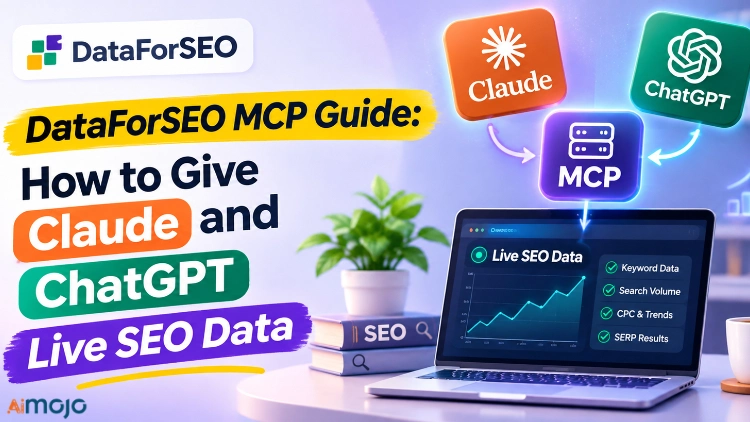
Raskt svar: The DataForSEO MCP server connects your AI assistant to live search data.
Paste one URL, https://mcp.dataforseo.com/v3/mcp, into Claude or ChatGPT, approve the connection, and you can ask for keyword volumes, Google results, backlinks and AI-answer mentions in plain English. New accounts get $1 of free credit to try it.
What Is the DataForSEO MCP Server?
It is an official connector between AI assistenter and the DataForSEO APIs. MCP stands for Model Context Protocol, the standard that lets an AI model call outside tools.
Without it, your assistant guesses at search volumes from old training data. With it, the assistant fetches today's number and shows you the source.
Language models are confident about SEO-data and frequently wrong about it. This fixes the “wrong” part.
Hva kan du gjøre med det?
Once connected, the assistant can call ten families of tools:
| Verktøyfamilie | What you can ask for |
|---|---|
| SERP | Live Google, Bing and YouTube results for any keyword and location |
| Keywords Data | Google Ads search volume, CPC, competition and trends |
| DataForSEO Labs | Keyword ideas, a domain's ranked keywords, competitors, search intent |
| Tilbakekoblinger | Referring domains, anchors, spam score, new and lost links |
| På side | Page audits, content parsing, Lighthouse scores |
| Domain Analytics | Technologies a site uses, WHOIS data |
| Innholdsanalyse | Brand and phrase mentions across the web |
| Forretningsdata | Business listings and reviews |
| Kjøpmann | Amazon product and seller data |
| AI Optimalisering | Which ChatGPT and Google AI Overview answers mention a brand |
That last row is the interesting one for anyone tracking AI Søk. The LLM Mentions database holds more than 280 million real prompts.
How Do You Connect DataForSEO MCP to Claude?
It takes four steps and no code.
- Lag en DataForSEO account. You start with $1 of trial credit.
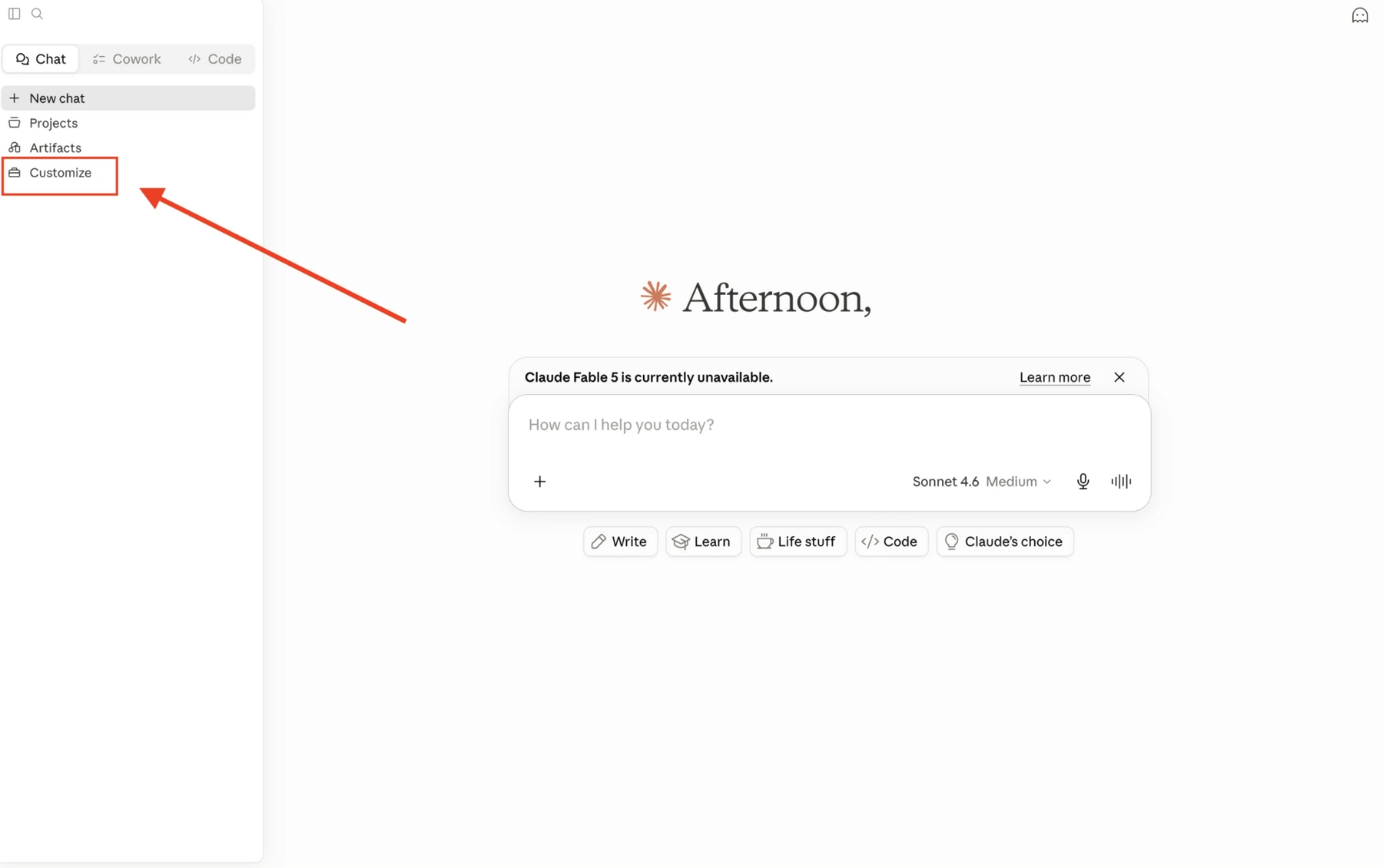
- In Claude, open Customize → Connectors og klikk Legg til en tilpasset kobling.
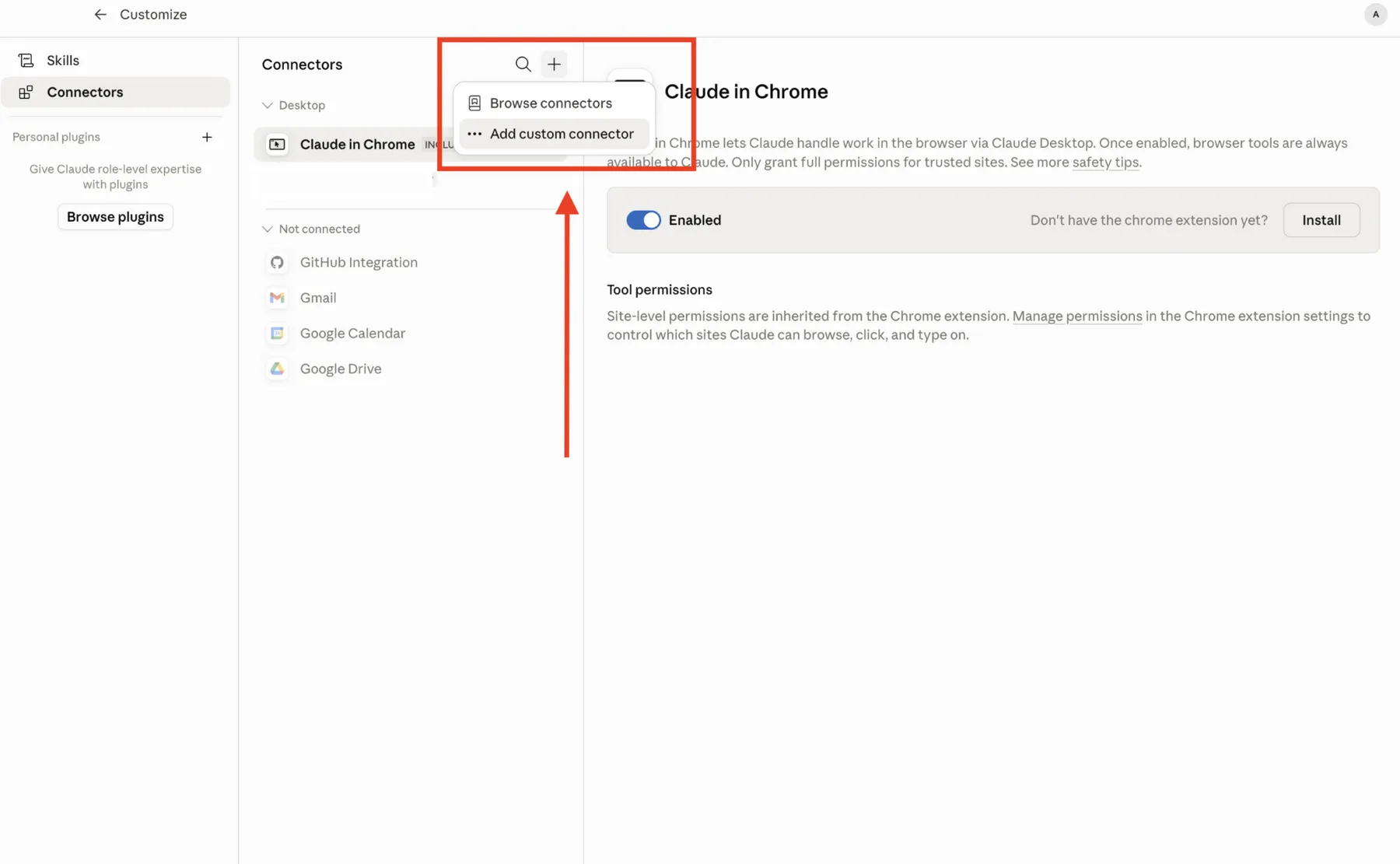
- Paste the server URL: https://mcp.dataforseo.com/v3/mcp
- Approve the authorization request, then start a new chat.
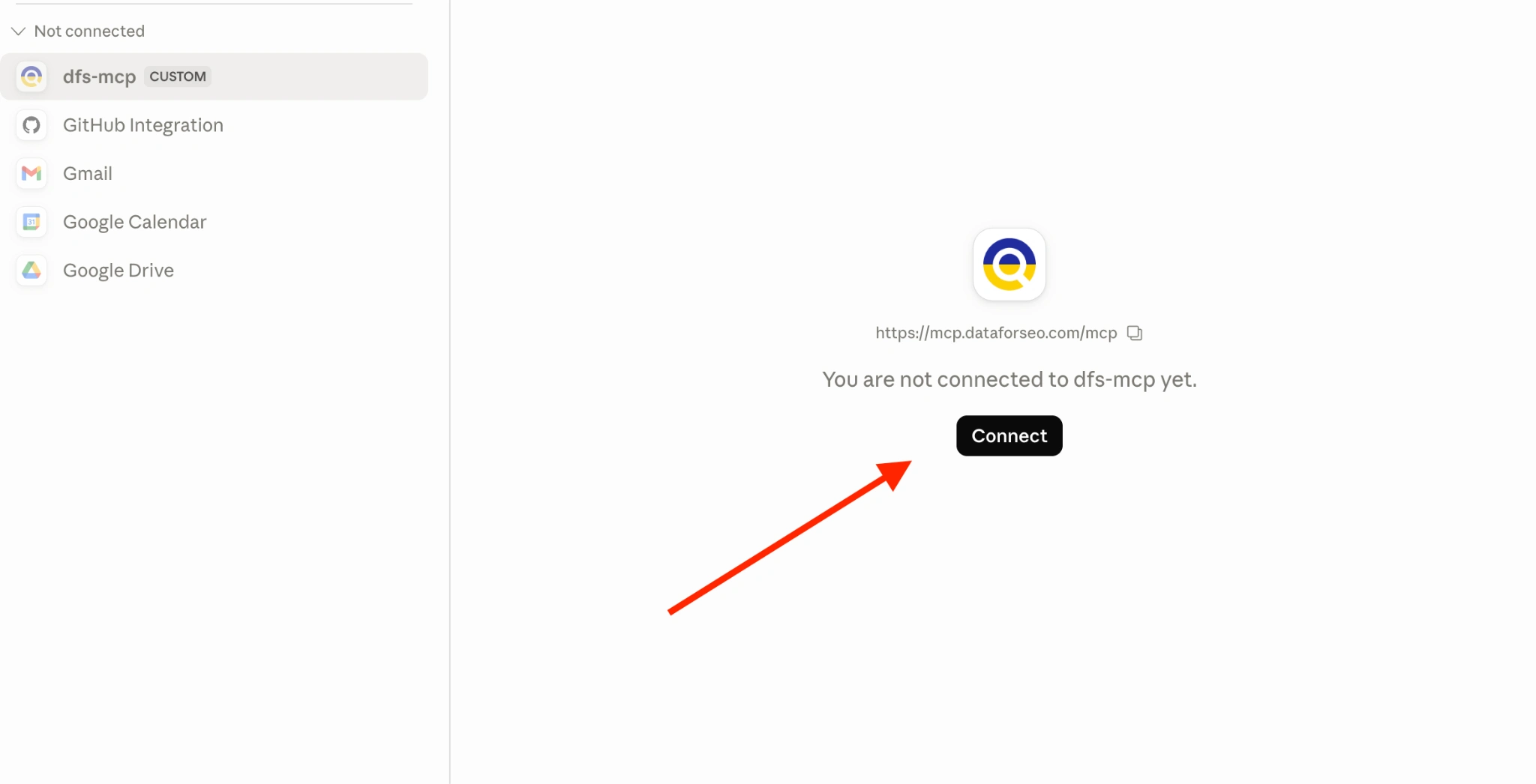
Claude asks for your approval the first time it calls a DataForSEO tool.
How Do You Connect It to ChatGPT?
ChatGPT needs developer mode switched on first.
- In settings, enable Utviklermodus under Plugins.
- Create a new plugin and paste https://mcp.dataforseo.com/v3/mcp
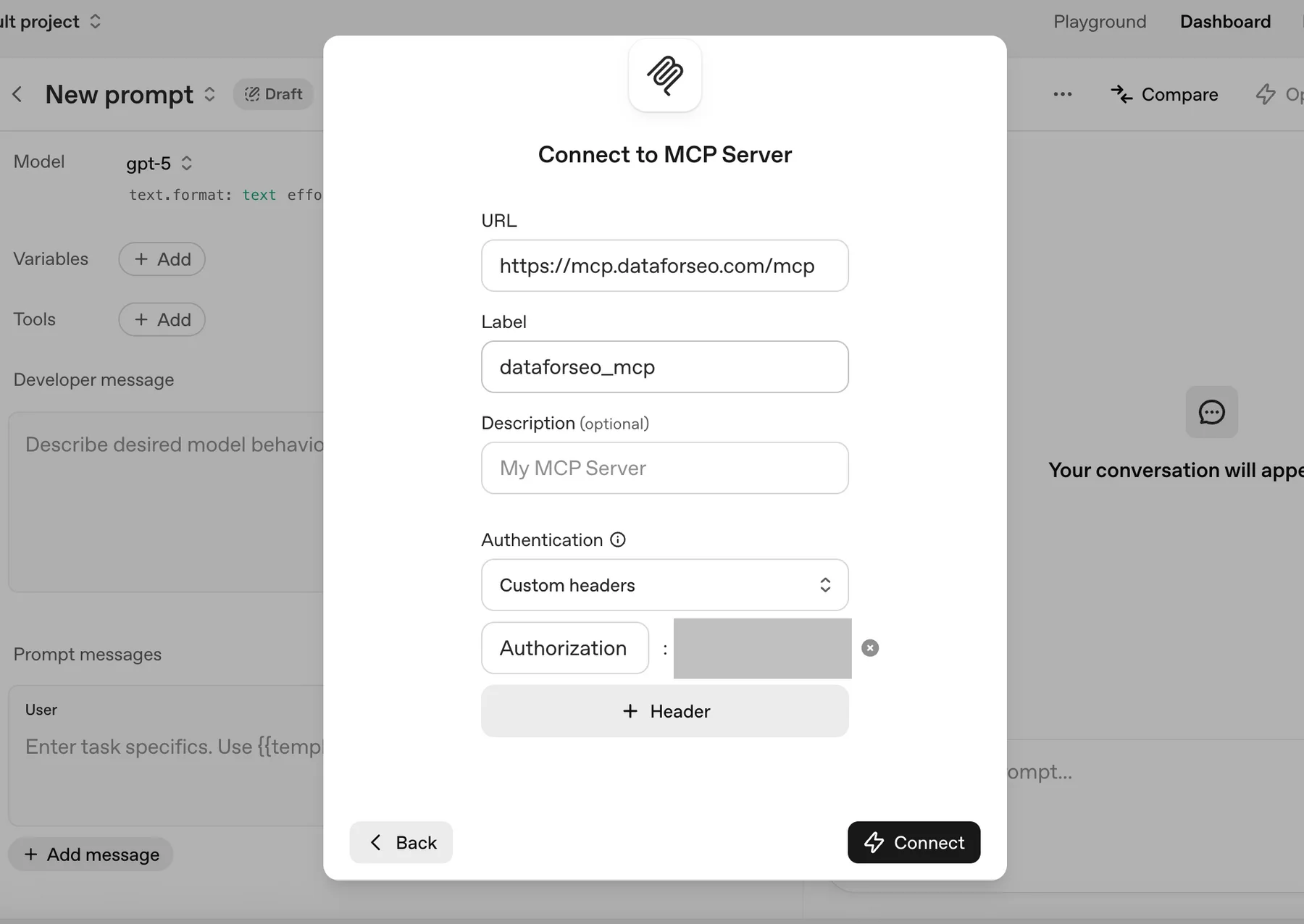
- Velg OAuth as the authentication method and click Opprett.
- Approve the authorization request and open a new chat.
How Do You Connect It to Cursor or Claude Code?
Both support the remote server and a local version. The local version needs Node.js 18 or newer.
Claude Code, local server:
claude mcp add dataforseo \
  --env DATAFORSEO_USERNAME=your_api_login \
  --env DATAFORSEO_PASSWORD=your_api_password \
  -- npx -y dataforseo-mcp-server
Run claude mcp list to confirm it connected.
Cursor, config file at ~/.cursor/mcp.json:
{
  "mcpServers": {
    "dataforseo": {
      "command": "npx",
      "args": ["-y", "dataforseo-mcp-server"],
      "env": {
        "DATAFORSEO_USERNAME": "your_api_login",
        "DATAFORSEO_PASSWORD": "your_api_password"
      }
    }
  }
}
Your API login and password are in the API-tilgang section of the DataForSEO dashboard. They are not the same as your website login.
One Cursor warning: it supports up to 40 active MCP tools. DataForSEO ships more than that, so switch off the modules you don't need.
There is also a Docker image, dataforseo/mcp:latest, for teams that want to host the server themselves.
Which Prompts Actually Work?
Specific prompts get clean answers. Vague ones burn credit. These seven are the ones we keep reusing.
Always include the country, a limit and a sort order. Those three details decide both the quality of the answer and the size of the bill.
What Does a Real Session Look Like?
We ran a working session through the MCP-server. Nine live calls, three tool families, zero lines of code.
One call sent 30 keywords and got full data back for 27 of them: volume, CPC, bid ranges, difficulty, intent and a year of monthly trend.
It surfaced one useful stat about the tool itself. Searches for “dataforseo” climbed from 1,600 a month in October 2025 to 8,100 in September 2026. “dataforseo mcp” alone now gets 210 searches a month, up 86% in a year.
One call failed. A live Google request with several site: operators joined by OR returned an intern server error. Splitting it into separate, simpler requests is the fix.
How Much Does DataForSEO MCP Cost?
The MCP server itself is free. You pay only for the API calls your assistant makes, at normal DataForSEO rates.
| What the assistant fetches | Sats |
|---|---|
| One Google results page, Standard queue | $0.0006 |
| One Google results page, Live mode | $0.002 |
| Keywords Data request | from $0.0012 per task |
| Labs request (keyword ideas, ranked keywords) | $0.012 per task + $0.00012 per item |
| On-page check | from $0.00015 per page |
| LLM Mentions | $0.001 per row |
There is no subscription. New accounts get $1 of free credit, the minimum paid top-up is $50, and the balance never expires.
Set a daily spending limit in the dashboard before you hand an AI agenten the keys. An agent in a loop can make a lot of calls.
How Does It Compare With the Ahrefs and Semrush MCP Options?
All three now connect to AI assistants. They differ in how you pay.
| SEO Tool | DataForSEO | Ahrefs | Semrush |
|---|---|---|---|
| MCP-tilgang | Free to connect | From the $129 / month Lite plan | On paid plans |
| Billing | Per forespørsel | Monthly plan with a unit allowance | Månedsplan |
| Quiet month | $0 | Full plan price | Full plan price |
| Dashbord inkludert | Nei | Ja | Ja |
Pick a suite if you also want its interface. Pick DataForSEO if the AI assistant is your interface.
What Are the Limits?
It is a strong tool with real edges. Know them before you rely on it.
DataForSEO MCP vs Firecrawl MCP: Which Do You Need?
They do different jobs, and plenty of agent builders run both.
Firecrawl reads pages. It turns any URL into clean text your model can use. Our Firecrawl guide covers that setup.
DataForSEO measures the search market. It tells you how many people search for something, who ranks, who links, and which brands AI svar nevne.
Use Firecrawl when the question is “what does this page say?” Use DataForSEO when the question is “what is worth writing, ranking or bidding on?”
Hvem skal bruke det?
Skip it if you need a visual dashboard with saved projects and scheduled reports. This is data on request, not a workspace.
FAQ About DataForSEO MCP
Is the DataForSEO MCP server free?
The server is free to connect. The API calls it makes are billed to your DataForSEO balance at standard pay-as-you-go rates. New accounts get $1 of trial credit.
Hvilken AI tools work with DataForSEO MCP?
Claude, Claude Code, ChatGPT, Cursor and Gemini CLI all have official setup steps. Any other MCP-compatible client can use the remote URL or the Docker image.
Trenger jeg å vite hvordan jeg koder?
In Claude and ChatGPT you paste one URL and approve access. Cursor and Claude Code need a short config or one terminal command.
What is the DataForSEO MCP server URL?
The remote endpoint is https://mcp.dataforseo.com/v3/mcp. The local alternative runs with npx -y dataforseo-mcp-server.
Can it track my brand in ChatGPT answers?
Ja. De AI Optimization tools search a database of more than 280 million prompts across ChatGPT and Google AI Overviews, and return the answers and sources that mention your brand or domain.
How do I stop an AI agent overspending?
Set a daily spending limit in the DataForSEO dashboard, for the whole account or per endpoint. Add a result limit to every prompt as well.
Is DataForSEO data better than what ChatGPT already knows?
Yes, for anything numeric or current. A model's built-in knowledge of search volumes and rankings is old and often invented. The MCP server returns live figures.
Bunnlinjen
If you already ask an AI assistant SEO questions, connect it to ekte data. The setup takes about five minutes and the first dollar is free.
Paste the URL, run the keyword-check prompt above, and compare the answer with what your assistant told you yesterday.
AiMojo anbefaler:



 BONUS: Få våre 200 dollarAI «Mestringsverktøysett» GRATIS når du registrerer deg!