
nasynchronisatie AI is een van de interessantste AI voice changers for gamers, Discord users, streamers, and VTubers, especially if you want to sound like an anime character, gaming personality, or an entirely different person while speaking.
Met 500+ AI voices, 100,000+ community sounds, real-time voice conversion, and custom voice cloning, it packs several entertainment and audio tools into one platform.
What interests me most is its ability to change your voice directly through a virtual microphone. You don't have to record your dialogue, process it, and export an audio file every time.
But is Dubbing AI actually good, or is its massive voice library doing most of the selling?
In deze nasynchronisatie AI beoordelen, I'll explain its voice quality, features, processing performance, pricing, compatibility, and limitations to help you decide if the free version is enough or Premium is worth purchasing.
My Verdict on Dubbing AI
nasynchronisatie AI is worth trying if you want an AI stemvervormer for live gaming, Discord conversations, and character-based content creation. Its biggest advantage is the variety of character voices combined with real-time microphone processing.
I'd recommend the free version for occasional gaming and Premium for creators who regularly use specific character voices or custom voice cloning.
| nasynchronisatie AI Overzicht | Details |
|---|---|
| Tool Naam | AI nasynchroniseren |
| Categorie | Real-Time AI Stemvervormer |
| beste voor | Gaming, Discord, Streaming, VTubing |
| AI Voices | 500+ |
| Stem klonen | Yes, paid access |
| Soundboard | 100,000+ advertised community sounds |
| Talen | 40+ talen en dialecten |
| Compatibiliteit | Windows, macOS, Discord, OBS, popular games |
| Mobiele Ondersteuning | Mobile options and dedicated hardware |
| Gratis abonnement | Beschikbaar |
| Beginprijs | Published plans from $8/month |
| Officiële website | dubbingai.io |
What Is Dubbing AI and How Does Its Voice Conversion Work?
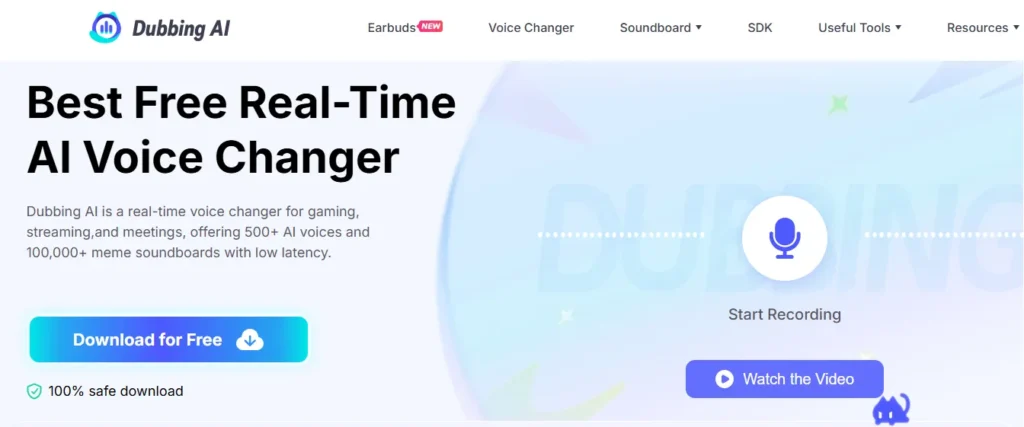
AI nasynchroniseren is een realtime AI voice changer that transforms your microphone input into another voice using neural network-based audio processing.
Unlike traditional voice filters that simply shift pitch or add effects, Dubbing AI attempts to modify the vocal identity while retaining speech patterns, pronunciation, and emotional delivery.
Its processing works through a straightforward audio chain:
Microphone Input → AI Voice Model → Virtual Microphone → Discord, OBS, or Game
Once you activate a voice preset, applications receiving audio from the Dubbing virtual microphone hear the modified voice instead of your original microphone signal.
The software also supports expressive vocal behaviors such as whispering, laughing, singing, and shouting.
Een belangrijk onderscheid: nasynchronisatie AI is primarily designed for live voice transformation, not automatic video translation and playback multilingual dubbing.
That makes it more suitable for gaming conversations, livestreams, roleplay, and character-based audio production.
nasynchronisatie AI Kenmerken
nasynchronisatie AI combines real-time voice processing with a character library, audio effects, and custom voice creation.
Here are the features I'd pay the most attention to.
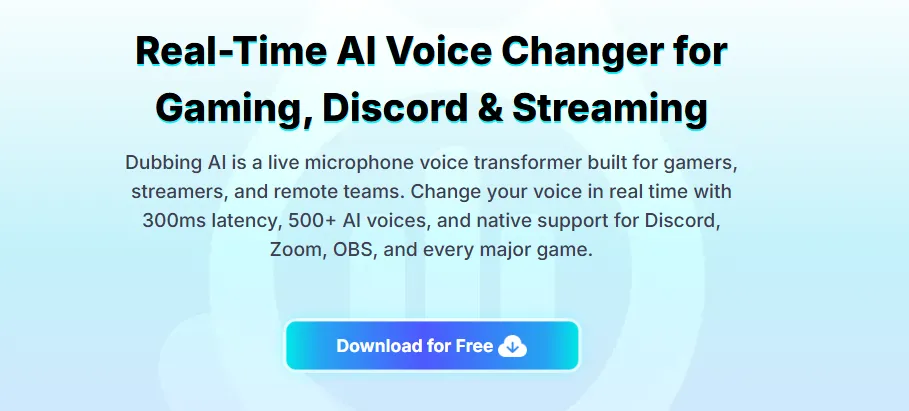
Real-Time AI Voice Changer With 500+ Character Voices
nasynchronisatie AI biedt meer dan 500 AI voorinstellingen voor stemmen, including anime characters, gaming personalities, celebrity-style impressions, and fictional voices.
You can choose character voices inspired by popular games and anime, including:
You can preview voices, mark favorites, and switch between available presets without rebuilding your microphone setup.
Voor mij, voice consistency matters more than the number of presets. A character voice should remain recognizable during fast dialogue, laughter, and changes in volume.
ZIJN's met de meeste AI voice conversion becomes more demanding than a basic pitch changer.
Op Maat AI Voice Cloning for Original Characters
nasynchronisatie AI voice cloning lets subscribers create custom vocal identities from uploaded or recorded audio samples.
Instead of choosing a prebuilt character, you can create a voice that better fits your own virtual persona, fictional character, or recurring content series.
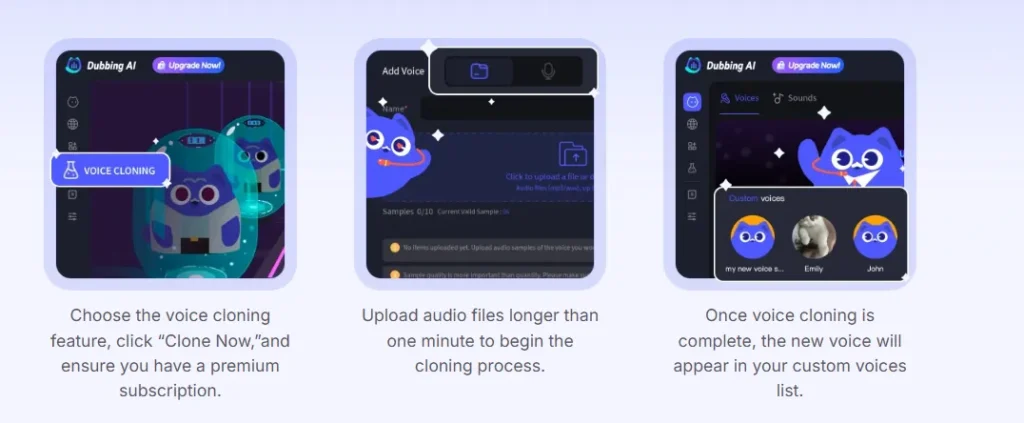
Het proces is relatief eenvoudig:
- Open the Voice Cloning feature.
- Selecteren Clone Now.
- Upload a clean voice recording that meets the displayed requirements.
- Submit the recording for processing.
- Access the completed voice from your custom voice collection.
Abonnees ontvangen three voice cloning opportunities per month, with additional opportunities available through D-Coins.
An active subscription is required to use cloned voices.
I see this feature as particularly valuable for VTubers, fictional storytelling, and creators who want a recognizable voice identity rather than a generic preset.
Een beperking: Voice cloning quality depends heavily on the recording. Background noise, overlapping speakers, inconsistent volume, and poor pronunciation can reduce accuracy.
Only clone voices you own or have permission to use.
Custom Soundboard With 100,000+ Community Sounds
nasynchronisatie AI functioneert ook als een soundboard for Discord, gaming, and livestreaming, with a large collection of community-created clips.
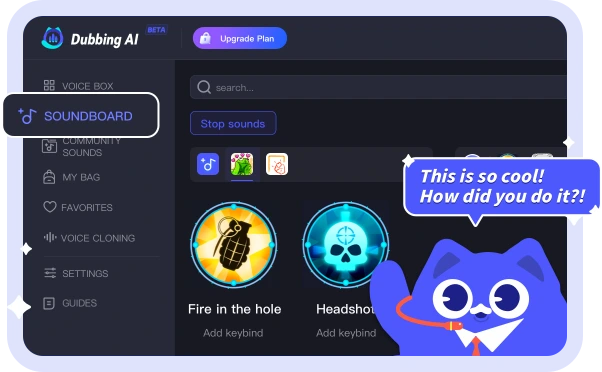
Its sound library includes:
You can organize clips, assign shortcuts, and trigger audio during conversations or livestreams.
The Community Sounds section is useful when you want recognizable meme audio without creating every clip yourself.
What I like about this feature is its practicality. A streamer can switch between character voices and trigger reactions without constantly moving between different audio applications.
Still, I'd recommend adjusting soundboard volume carefully. Loud clips can easily overpower your speaking voice.
Gratis online AI Voice Changer Without Installation
nasynchronisatie AI has a browser-based voice changer for converting short audio recordings without installing its desktop software.
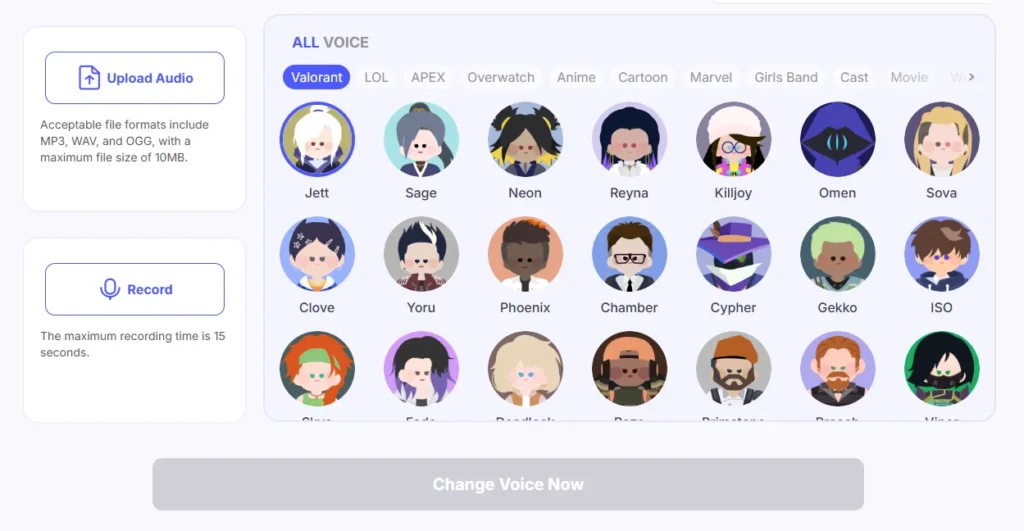
Its Online Voice Changer supports:
| Specificaties | Beperken |
|---|---|
| ondersteunde formaten | MP3, WAV, OGG |
| Maximum audio upload | 10 MB |
| Microfoonopname | Tot 15 seconden |
| Free conversions | Maximaal 10 dag |
| Stemselectie | Available character presets |
Simply upload your audio, select a voice, and generate the converted recording.
I would use this for short voice clips, memes, or checking how a character preset sounds before committing to the desktop application.
For continuous Discord calls or livestreaming, the installed realtime stemwisselaar is de betere optie.
Multilingual Voice Processing and Additional Audio Tools
nasynchronisatie AI ondersteunt 40+ talen en dialecten, including English, Hindi, Japanese, Korean, Spanish, French, German, and several others.
Its models are intended to retain expressive speech characteristics across supported languages.
Echter, language support doesn't mean automatic speech translation. The platform primarily changes how your voice sounds, not what language you're speaking.
Beyond voice changing, Dubbing AI offers several browser-based utilities.
| Extra hulpmiddel | Wat het doet |
|---|---|
| Vocaal verwijderaar | Separates vocals from music |
| Instrumentale verwijderaar | Extracts vocal tracks |
| Voice Recorder | Records microphone audio |
| audio Converter | Converts common audio formats |
| Geluidseffectgenerator | Creates audio effects from text prompts |
| SDK voor ontwikkelaars | Adds voice conversion to supported software projects |
These tools expand its usefulness for creators, although they're separate functions with their own workflows and possible restrictions.
How to Use Dubbing AI With Discord, OBS, and Online Games
nasynchronisatie AI works by creating a virtual microphone that other applications recognize as an audio input device.
You don't need complicated audio production software to get started.
Step: Download Dubbing AI and Select Your Microphone
Bezoek de official Dubbing AI website and download the Windows or macOS application.
Create an account, launch the software, and select your physical microphone as the input source.
Step: Select an AI Voice and Enable Real-Time Conversion
Open the Voicebox library and choose your preferred character.
Schakel de Stemvervormer toggle, then activate Hear Myself to monitor the converted voice through your headphones.
This is where I'd check pronunciation, volume, and audio clarity before using it with other people.
Step: Connect the Dubbing Virtual Microphone
For Discord, go to:
User Settings → Voice & Video → Input Device → Microphone (Dubbing Virtual Device)
For OBS Studio, select the Dubbing virtual microphone under your audio input source.
The same method works with supported applications that allow custom microphone selection.
Step: Check Audio Quality Before Going Live
Speak normally, then try faster sentences, laughter, and changes in volume.
If the output sounds distorted, inspect your physical microphone level, operating-system input settings, and monitoring configuration.
Mijn aanbeveling: Use headphones instead of speakers. Otherwise, audio from your speakers can feed back into your microphone and create echo.
nasynchronisatie AI provides setup information for popular applications, including Valorant, Fortnite, Roblox, PUBG, Apex Legends, VRChat, Zoom, and Steam-based games.
Voice Quality and Latency
nasynchronisatie AI is designed for low-latency voice conversion and advertises processing below 300 milliseconds. That makes live conversation one of its primary intended uses.
However, actual performance depends on the computer, microphone, audio settings, selected voice model, and communication software.
How Realistic Are Dubbing AI Stemmen?
I judge the usefulness of an AI voice changer by four things:
| Kwaliteitsfactor | Waar je op moet letten |
|---|---|
| Voice Similarity | Does it maintain the selected character's vocal identity? |
| Spraakhelderheid | Are words understandable during fast conversations? |
| Emotion Preservation | Does laughter, whispering, and shouting sound believable? |
| Audio Stability | Does the voice avoid clipping, metallic sounds, and sudden pitch shifts? |
AI nasynchroniseren's neural voice conversion aims to preserve expression while modifying vocal characteristics.
That gives it more creative potential than simple pitch-shifting software, although the results won't be identical across every preset.
I'd prioritize a clear, consistent voice over one that sounds impressive during a short preview but struggles with normal conversation.
Does Dubbing AI Cause Lag or High CPU Usage?
nasynchronisatie AI advertises low CPU-verbruik, with published figures ranging from approximately 2% tot 5% depending on the product description.
Its main site also describes sub-300ms latency.
These are company-reported performance figures, not guaranteed results for every PC.
What Actually Affects Voice Changer Latency?
Live audio passes through microphone capture, processing, virtual microphone routing, and the receiving application's audio system.
Network delay adds another layer during online calls.
For competitive gaming, I'd keep other audio effects to a minimum and check that the virtual microphone is using compatible sample-rate settings.
Bottom line: nasynchronisatie AI is built for real-time use, but don't assume every hardware configuration will deliver identical latency or audio quality.
nasynchronisatie AI Abonnement
nasynchronisatie AI offers free access alongside Standard, Premium, and previously advertised one-time purchase options.
Its published subscription references include the following pricing:
| Plannen | Gepubliceerde prijs | Belangrijkste voordelen |
|---|---|---|
| Gratis | $0 | Rotating free voices, basic soundboard |
| Standaard | $ 8 / maand | Expanded voice library, unlimited soundboards, cloning allowance |
| Premium | $ 14 / maand | 500+ voice access, additional premium benefits, cloning allowance |
| Permanent Premium | $ 98 eenmalig | Previously advertised long-term premium access |
Prices and plan benefits can change. Confirm the current amount and license terms at checkout.
What Do You Get With Dubbing AI Gratis?
The free version provides at least 10 rotating voices, giving new users a chance to experiment with character-based voice conversion.
You can also explore basic soundboard functionality, with some additional character unlocks available through in-app rewards.
For occasional gaming and Discord conversations, I think the free plan is the sensible starting point.
The main restriction is limited access to the full character library.
Is Its Premium Worth Paying For?
Premium makes more sense when you need consistent access to particular voices, a wider character library, or voice cloning.
I would consider upgrading for regular livestreaming, VTubing, or content creatie where voice identity matters.
For casual gaming, however, the free version offers enough functionality to determine if the software suits your microphone and speaking style.
Mijn advies is simpel: Don't purchase Premium just because it has 500+ voices. Upgrade when you find voices you'll actually use.
Best Use Cases for Gamers, Streamers, and Creators
nasynchronisatie AI is most useful in situations where changing your voice live adds value to the experience.
| Use Case | Praktisch voordeel |
|---|---|
| Discord Voice Chat | Use character voices during conversations and gaming |
| Twitch-streaming | Switch voices and trigger soundboard effects live |
| VTubing | Create a consistent voice identity for a virtual avatar |
| Roblox and VRChat | Match voice styles to fictional characters |
| YouTube-korte broek | Create character dialogue and comedic voice clips |
| Roleplay Gaming | Give different identities to characters |
| Audioverhalen vertellen | Produce dialogue using multiple voice personalities |
For me, the strongest use case is live character-based entertainment.
If your content involves frequently switching between fictional identities, Dubbing AI removes much of the manual audio-editing work.
For professional narration or translated video dubbing, dedicated voice-generation and localization tools may be more suitable.
nasynchronisatie AI Voors en tegens
- 500+ advertised character voices.
- Real-time AI voice conversion.
- Gratis versie beschikbaar.
- Discord and OBS compatibility.
- Op Maat AI voice cloning.
- Large community sound library.
- Low CPU usage advertised.
- Useful audio creation tools.
- Full library requires paid access.
- Voice quality varies across presets.
- Rotating free voice selection.
- Virtual microphone setup may need troubleshooting.
- Requires active subscription.
- Community sounds may have usage restrictions.
- Actual performance depends on hardware.
- Not designed primarily for translated video dubbing.
The biggest strength is flexibility. The biggest weakness is that the voices and features you want most may require a subscription.
nasynchronisatie AI vs Voicemod vs Voice.ai: Which Voice Changer Is Better?
nasynchronisatie AI is particularly attractive for character-based voice conversion, while Voicemod and Voice.ai offer different approaches to live effects and AI voice creation.
| Kenmerk | AI nasynchroniseren | voicemod | Stem.ai |
|---|---|---|---|
| Realtime stemverandering | Ja | Ja | Ja |
| AI Karakter stemmen | Ja | Ja | Ja |
| Custom Voice Tools | Stem klonen | Voicelab and custom effects | AI stem klonen |
| Soundboard | Ja | Ja | Available voice and audio tools |
| Free Access | Ja | Ja | Ja |
| Hoofdfocus | Gaming and character voices | Live voice effects and soundboards | AI voice creation and cloning |
nasynchronisatie AI vs Voicemod: Which Is Better for Gaming?
Ik zou kiezen voor nasynchronisatie AI for its character-focused AI stembibliotheek, especially when anime or game-inspired voices are the priority.
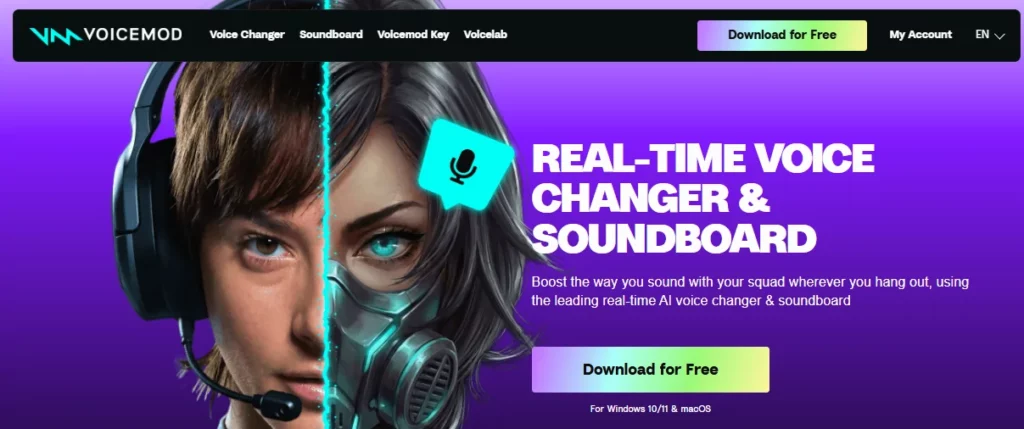
Voicemod is appealing if you prefer manually adjusting voice effects, building custom sound profiles, and using soundboards frequently.
Both work with popular communication and streaming setups, so the better choice depends on your preferred voice presets and controls.
nasynchronisatie AI vs Voice.ai: Which Is Better for Voice Cloning?
nasynchronisatie AI focuses strongly on live character transformation, while Voice.ai also provides broader AI voice-generation and cloning capabilities.

For Discord roleplay and casual gaming, Dubbing AI offers a straightforward workflow.
For creators who prioritize generated narration or other voice-production tasks, I'd compare Voice.ai's available tools and output quality before choosing.
Is Dubbing AI Safe and Legit for Voice Changing?
nasynchronisatie AI is een legitieme AI voice-changing product with desktop downloads, published service terms, and privacy documentation.
The company says its live AI voice conversion is processed locally on the user's device, reducing the need to send live microphone audio to external servers.
However, that shouldn't be interpreted as a guarantee that every related service processes all data locally. Uploaded cloning samples, accounts, and browser-based features can involve different data handling.
I recommend downloading it directly from the official website instead of unknown third-party installers.
For content creators, it's also important to distinguish between using a character voice for entertainment and having legal rights to commercially exploit that character's identity or associated sound clips.
AI nasynchroniseren's terms permit certain social-media monetization uses, but other commercial applications may require additional rights or permission.
Avoid cloning real people without consent and review the subscription's cancellation terms before purchasing.
nasynchronisatie AI Veelgestelde vragen
Is Dubbing AI gratis te gebruiken?
Yes. Dubbing AI has a free plan with at least 10 rotating AI voices and basic features. Access to the full voice library and custom voice cloning requires paid access.
How much does Dubbing AI Premium cost?
nasynchronisatie AI has published Standard pricing at $8/month and Premium at $14/month. Current subscription offers, billing discounts, and one-time purchase options may differ.
Can I use Dubbing AI op Discord?
Ja. Selecteer uw voorkeur AI voice in Dubbing AI, then choose Dubbing Virtual Device as the microphone input in Discord's Voice & Video settings.
Does Dubbing AI support Android and iPhone?
nasynchronisatie AI offers mobile voice-changing options, including dedicated earbuds and hardware accessories. Mobile routing and available features can differ from the Windows and macOS application.
Can Dubbing AI clone my own voice?
Yes. Subscribers can create custom AI voice clones using voice recordings. nasynchronisatie AI includes three cloning opportunities per month for subscribed accounts.
Does Dubbing AI work without a GPU?
nasynchronisatie AI advertises CPU-based voice processing with low hardware usage. Performance depends on the computer, selected voice model, and audio configuration.
Is Dubbing AI better than Voicemod?
nasynchronisatie AI is a good choice for anime, gaming, and character-style AI stemmen. Voicemod may be preferable if custom effects, manual sound controls, and soundboard creation are your main priorities.
Final Verdict: Is Dubbing AI Worth Using in 2026?
Yes, Dubbing AI is worth trying if you want an AI voice changer for Discord, gaming, VTubing, or livestreaming.
Its biggest attractions are the 500+ character voices, live microphone transformation, custom voice cloning, and extensive soundboard library.
I particularly like that its core workflow doesn't require repeatedly recording and exporting audio. Once the virtual microphone is configured, you can use available character voices directly inside supported applications.
That said, I wouldn't call it the perfect voice changer for everyone. Premium access costs money, voice realism depends on the model, and processing delay will vary across devices.
Mijn aanbeveling: Start with Dubbing AI Free and check how your preferred voices sound with your microphone. If you're regularly streaming, creating character content, or need custom voices, Premium is worth considering.
For occasional Discord conversations and casual gaming, the free version may be all you need.



