

Guideless Key Insights
What is Guideless?
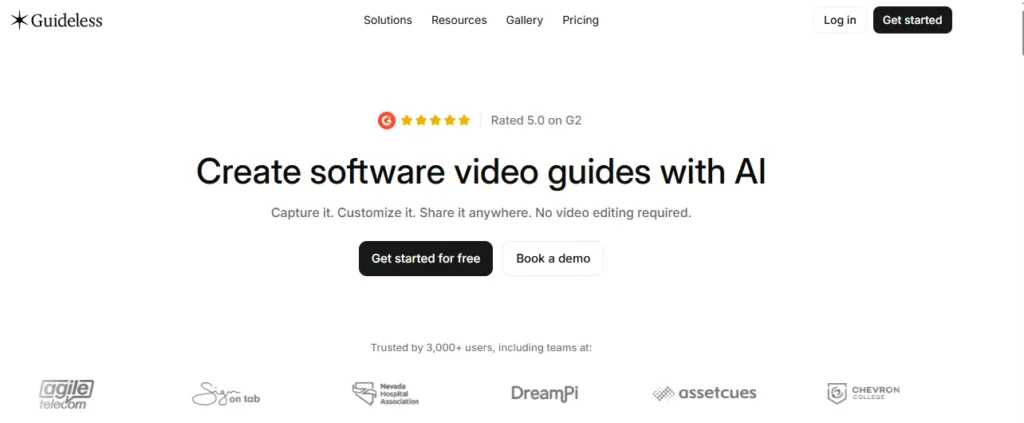
Tanpa panduan merupakan AI video documentation platform that turns software workflows into narrated video guides and step by step written instructions. You click through a task once in Chrome while the Guideless extension captures every action. The AI then writes the instructions and adds a natural voiceover, captions, smart zoom and highlights. You don’t need a script, a microphone or a timeline editor.
Teams use it for employee onboarding, customer education, SOPs, product walkthroughs, AI pakai training and help centre content. Each guide is built from separate editable steps rather than one locked video. So when your UI changes, you fix only the step that changed, and every shared link and embed updates on its own. For businesses, that means fewer repeat support tickets, faster onboarding and training content that stays accurate.
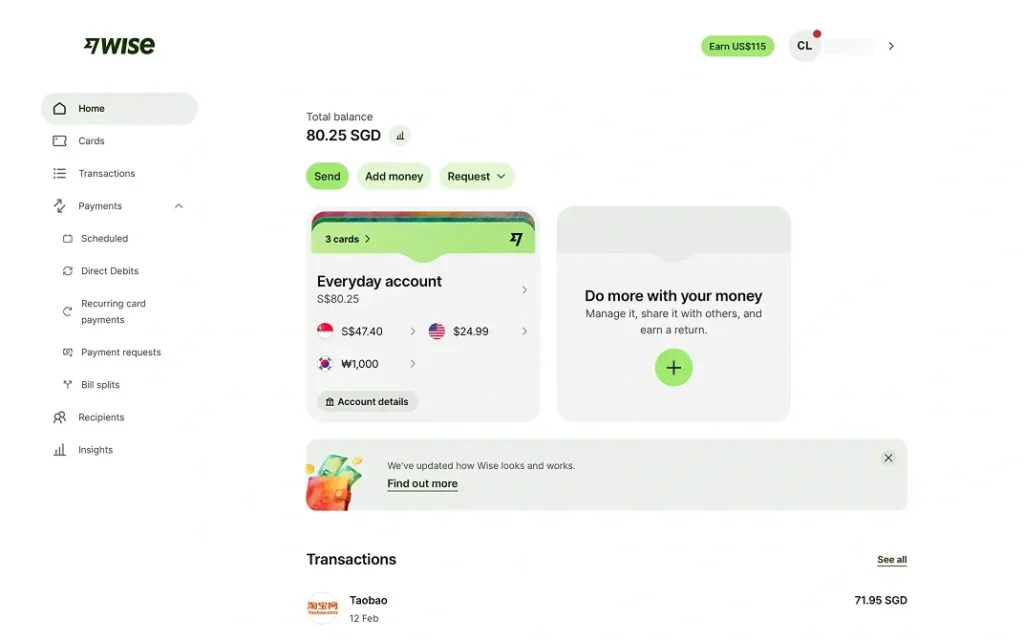
The Chrome extension records your clicks, text inputs and menu choices while you work as normal. You pick the browser tab, press record and do the task. Every click becomes a numbered step with a screenshot. You don’t have to narrate live or plan ahead, so subject matter experts can document a process without any video skills.
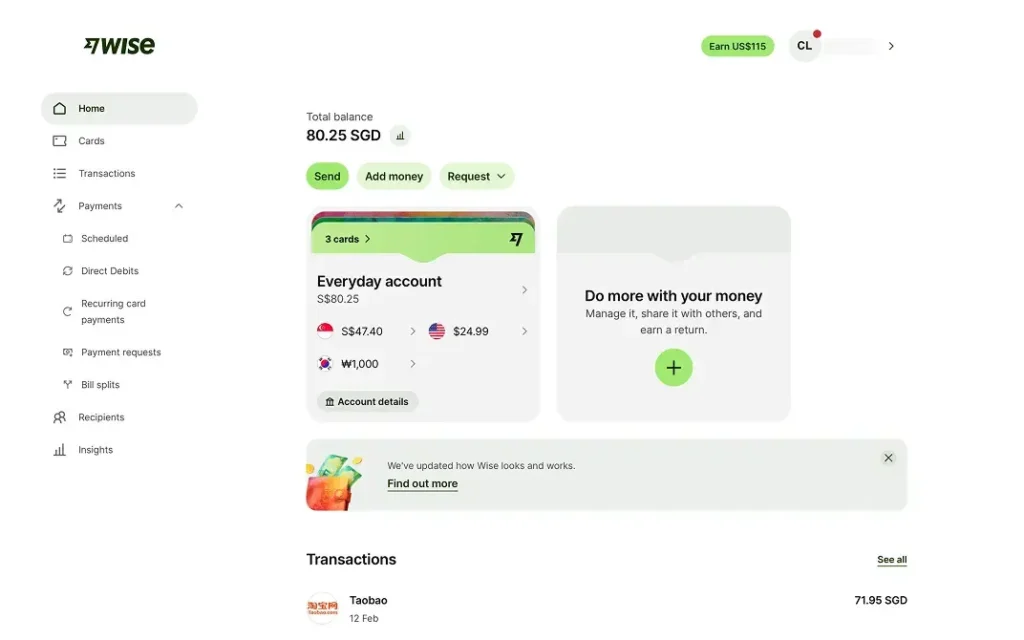
Guideless handles the whole guide creation process in one place. You do the task as normal in your browser while the Chrome extension records every click and screen change in the background, so you don't narrate or explain anything.
When you stop, the AI writes each step and adds a natural voiceover with captions. It also applies your branding for you. You can then publish the guide as a share link, an embed or an MP4 export up to 4K, and built in analytics track views, play rates and completion. Teams go from a raw workflow to a polished training video in minutes, without a script, a microphone or a timeline editor.
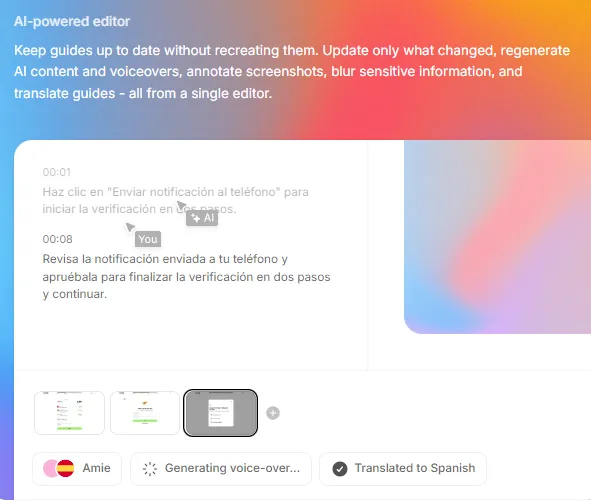
Each guide is made of separate editable steps rather than one locked video. When your software changes, you update only what changed and regenerate its AI kandungan and voiceover. The same editor lets you annotate screenshots, blur sensitive data and translate guides into more than 42 languages.
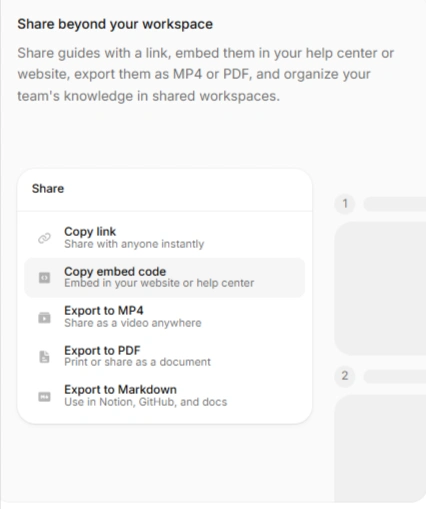
One share menu then covers every way to distribute the guide. You can copy a link or an embed code for your help centre, or export to MP4, PDF or Markdown for Notion, GitHub and other docs platforms. Shared workspaces keep the whole team's guides in one central library, so your documentation stays accurate after every product release.
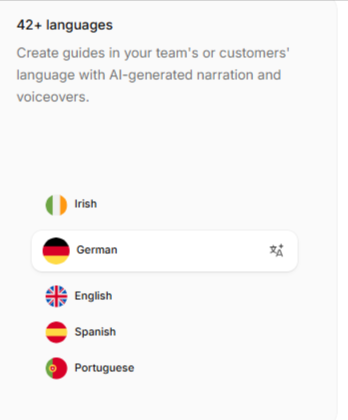
You can translate a finished guide and regenerate the voiceover in more than 42 languages from the same editor. One recording can then serve global teams, partners and customers in their own language. This makes localising training much cheaper because you never have to re record or hire voice talent.
AI voices often stumble over brand names, acronyms and technical terms, and that makes a training video sound amateur. Guideless fixes this with a built in pronunciation dictionary. You tell it once how a word should sound, and every guide in your workspace says it the same way from then on.
You can also pick from several natural AI voices and adjust narration speed and volume for each guide. Product names like “HubSpot” or “SaaS”, or your own internal tool names, are pronounced correctly every time. Your customer onboarding and internal training videos sound polished and professional without hiring a voiceover artist.
Most documentation tools stop once you hit publish. Guideless keeps going with built in insights on Pro and Enterprise plans. For each guide, you can track views, play rates and completion rates, and workspace level data shows how your whole library is performing.
Enablement managers and customer success teams can see which SOPs people actually finish and where they drop off. They can also see which workflows still cause confusion. Rather than guessing, you can rewrite weak guides, retire unused ones and prove the business value of your training content with real usage data.
You can blur client data, emails or financial fields in screenshots before you publish. The editor also lets you set backgrounds, borders, cursor styles, colours and themes, so every guide matches your brand. Consistent styling across a team’s library makes customer facing documentation look more trustworthy.
Guideless Pricing Plans
| Nama Rancang | Kos (Tahunan) | Panduan yang diterbitkan | pengguna | AI Written Narration | AI Voiceover | MP4 Exports | Watermark |
|---|---|---|---|---|---|---|---|
| Percuma | $0 | 3 panduan | 1 | Termasuk | Termasuk | ❌ | Ya |
| setiap | $29/pencipta/bulan | Unlimited | 10 | Unlimited | Unlimited | Unlimited, up to 4K | Tidak |
| Enterprise | Petikan tersuai | Unlimited | Unlimited | Unlimited | Unlimited | Unlimited, up to 4K | Tidak |
Guideless vs Traditional Screen Recording Tools
Tools like Loom record you talking in real time. That works well for quick async updates but poorly for reusable training. Each mistake means a retake, and each UI change means recording the whole video again. Guideless takes the presenter out of the process.
. AI writes and voices the guide, so the quality stays the same no matter who on the team made it. It also differs from Scribe and Tango, which mostly produce screenshot based written SOPs without narration. Guideless gives you both outputs from one capture. You get a narrated video guide for people who learn by watching and a written guide for people who prefer to read.
Guideless Case Studies on Faster Training Video Updates
Vinted was an early adopter and now runs its large internal knowledge base on Guideless. Group CEO Thomas Plantenga says the team once spent weeks rebuilding guides by hand after every UI update. Those same updates now happen quickly with little manual work.
OpenLegacy, an enterprise legacy modernisation platform, had training videos that went stale faster than one person could fix them. Its support team now records product flows, lets Guideless add narration and structure, then exports MP4 files to its LMS for customer courses. Its first deliverable was a scenario built from seven short videos of 30 to 60 seconds each. Systems integrators such as Deloitte and Accenture train on the same library, and the R&D team now records sprint demos with it.
Kebaikan dan keburukan
- Captures workflows without any narration.
- asli AI suara dalam 42+ bahasa.
- Fix one step, not whole videos.
- Live links update automatically.
- Viewers never need accounts.
- Unlimited 4K exports on Pro.
- Works only in Chrome browser workflows.
- Pro seats capped at ten.
- AI scripts still need proofreading.
pekerja AI Training and Software Implementation With Guideless
Most companies have a few power users who work out how to use each new AI tool well while everyone else is left guessing. Guideless lets those early adopters capture their real AI workflows and turn them into narrated, step by step training for the whole team.
The same approach suits new software rollouts such as a CRM or ERP. Rather than relying on one go live session, teams build short guides for the tasks people do every week and embed them in an LMS, Tanggapan, Confluence, Slack or Teams. When an AI model or vendor interface changes, you update only the affected steps. Narration in 42+ languages means every region gets the same training in its own language.
Best Guideless Alternatives
| AI Video Documentation and Software Guide Creator | Narrated Video Plus Written Guide From One Capture | Unlimited AI Voiceover and 4K Exports |
|---|---|---|
| Guidede | Mainly narrated video, with fewer text export formats | No, advanced features are gated behind higher tiers |
| Scribe | Written screenshot guides only, no narrated video | Tidak AI voiceover or video export |
| Tango | Screenshot guides only, no MP4 file export | Tidak AI voiceover on standard plans |
| Dangau | Live presenter video only, no step guide | Tidak AI voiceover, and you narrate it yourself |



