

Kemas Kini Penting 2026
BukaAI menghentikan pengalaman web dan aplikasi Sora pada 26 April 2026. API Sora dijadualkan dihentikan pada 24 September 2026. Oleh kerana itu, artikel ini bukan lagi panduan untuk membina aliran kerja baharu di sekitar Sora. Ia telah ditulis semula untuk membantu pencipta membandingkan alternatif Sora, penggantian Sora dan aplikasi aktif. AI alat aliran kerja video.
Jika anda menggunakan Sora untuk AI Penjanaan video, langkah selamatnya mudah: eksport kandungan sedia ada anda, hentikan pembinaan sistem pengeluaran baharu di sekitar Sora dan pilih pengganti berdasarkan apa yang sebenarnya anda cipta.
Sesetengah pencipta memerlukan teks-ke-video sinematik. Ada yang memerlukan klip imej-ke-video untuk iklan dan siaran sosial. Ada yang memerlukan AI avatar untuk latihan, jualan atau kandungan kursus. Avatar lain memerlukan kapsyen, templat, penyuntingan, penyetempatan, papan cerita atau aliran kerja pemasaran gesaan-ke-video.
Tiada satu pun pengganti Sora terbaik untuk semua orang. Alat yang betul bergantung pada tugas yang dilakukan oleh Sora dalam saluran kandungan anda.
Panduan ini membandingkan alternatif Sora terbaik mengikut aliran kerja, dengan parameter yang jelas untuk setiap alat supaya anda boleh memilih dengan lebih pantas dan mengelakkan daripada membina semula keseluruhan proses pengeluaran anda dari sifar.
Jawapan Pantas: Penggantian Sora Terbaik mengikut Kes Penggunaan
Jika anda memerlukan sinematik AI penjanaan video, mulakan dengan Kling AIJika anda memerlukan papan cerita, watak, rujukan visual dan pra-produksi kreatif, uji OpenArtJika anda memerlukan avatar yang boleh bercakap, penyampai berbilang bahasa atau video latihan, HeyGen adalah lebih sesuai. Jika anda memerlukan kapsyen, penyuntingan sosial, penggunaan semula dan kelajuan penerbitan, gunakan LIHATJika anda ingin menukar gesaan atau skrip kepada video pemasaran penuh, bandingkan AI DalamVideo.
| Aliran kerja Sora Lama | Pengganti Sora terbaik |
|---|---|
| Klip teks-ke-video sinematik | Kling AI |
| Animasi imej-ke-video | kling AI atau OpenArt |
| Papan cerita berbilang tangkapan | OpenArt atau Kling AI |
| Pembangunan konsep visual | OpenArt |
| Video avatar bercakap | HeyGen |
| Latihan, onboarding dan penjelasan jualan | HeyGen atau VEED |
| Kapsyen dan suntingan sosial | LIHAT |
| Seluar Pendek YouTube, Gulungan, TikTok | VEED atau AI Dalam Video |
| Video gesaan pemasaran | AI DalamVideo |
| Video promosi produk | Kling AI, OpenArt, VEED atau InVideo AI |
| Penghasilan kandungan mingguan yang pantas | VEED atau AI Dalam Video |
Kesilapannya adalah mengejar yang paling dihebohkan AI alat video. Langkah yang lebih baik adalah memilih alat yang menggantikan aliran kerja tepat anda.
Apa yang terjadi kepada Sora?
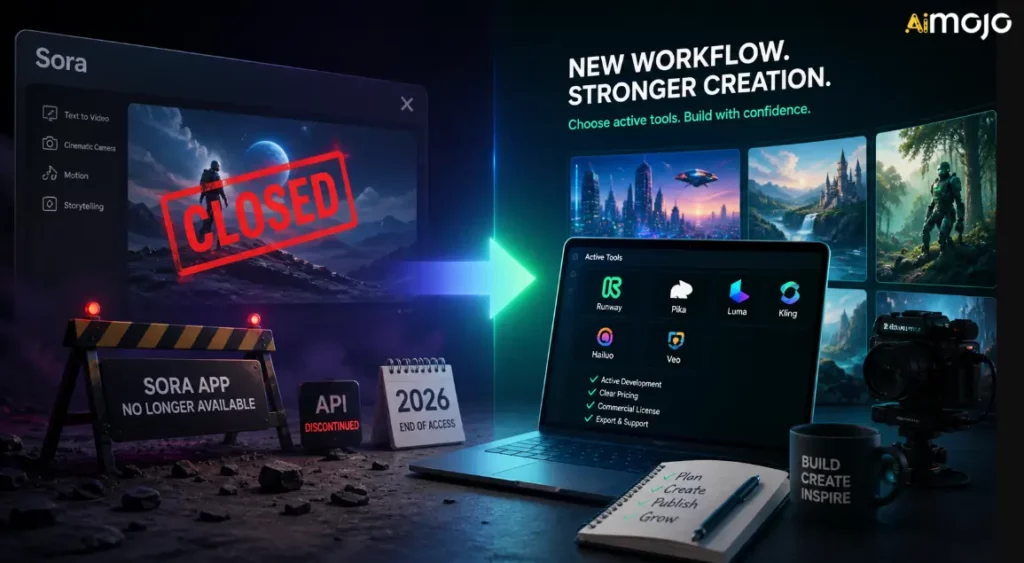
Sora antara yang paling banyak diperkatakan AI alat video kerana ia menunjukkan sejauh mana penjanaan teks-ke-video boleh pergi. Pencipta boleh bayangkan babak-babak sinematik, gerakan, arah kamera dan penceritaan visual daripada gesaan dan bukannya bermula dengan kamera, rakaman stok atau aliran kerja animasi tradisional.
Tetapi Sora bukan lagi pusat aliran kerja yang stabil untuk pencipta. OpenAI's Halaman pemberhentian rasmi mengesahkan dua tarikh penting:
Ini bermakna pengalaman web/aplikasi Sora biasa sudah ditutup, manakala aliran kerja yang bergantung kepada API hanya mempunyai landasan yang terhad. Jika anda menggunakan Sora melalui platform lain, automasi tersuai atau aliran kerja video dalaman, anda harus menganggapnya sebagai sementara melainkan platform tersebut telah berpindah ke model lain.
OpenAI's Halaman bantuan rasmi menerangkan garis masa dan laluan eksport, tetapi ia tidak memberikan penjelasan umum yang panjang lebar untuk setiap sebab perniagaan di sebalik penutupan tersebut. Pelaporan awam daripada Axios berkata OpenAI telah menyempitkan fokus dan sumber manusia/pengkomputeran, dengan Sora menggunakan pengiraan yang ketara. Axios juga melaporkan bahawa OpenAI's Pasukan penyelidikan Sora akan terus memberi tumpuan kepada penyelidikan simulasi dunia untuk robotik dan tugasan dunia fizikal.
Bagi pencipta, kesimpulan praktikal adalah lebih penting daripada politik penutupan:
Cara Memilih Alternatif Sora
Sebelum anda mendaftar untuk yang lain AI platform video, gunakan parameter ini. Ia lebih penting daripada gembar-gembur.
1. Jenis Keluaran
Tanyakan apa yang sebenarnya dihasilkan oleh alat itu. Sesetengah alat menghasilkan AI klip video. Ada yang menganimasikan imej. Ada yang mencipta video avatar. Ada yang membina video pemasaran berasaskan templat. Ada yang merupakan editor dengan AI ciri-ciri.
Jika anda memerlukan sinematik AI adegan, pilih alat video generatif. Jika anda memerlukan mingguan kandungan sosial, seorang editor mungkin lebih berharga.
2. Kawalan Kreatif
Cari kawalan seperti nisbah aspek, tempoh, pergerakan kamera, imej rujukan, gesaan negatif, perancangan papan cerita, ketekalan watak, penjujukan adegan dan aliran kerja sunting-sebelum-jana.
Lebih serius kerja pengeluaran anda, lebih banyak kawalan yang anda perlukan.
3. Kesesuaian Aliran Kerja
Pencipta sering kali menjejaskan kualiti penjanaan yang terlalu mahal dan kelajuan aliran kerja yang terlalu mahal. Jika kesesakan anda terletak pada kapsyen, saiz semula, templat, ulasan dan penerbitan, ia adalah sesuatu yang tulen AI Penjana video tidak akan menyelesaikan masalah sepenuhnya.
4. Hak Komersial
Sebelum menggunakan klip yang dijana dalam iklan, kerja pelanggan, kursus berbayar, pengewangan YouTube atau kempen jenama, semak alat tersebut's terma. Kegunaan komersial boleh bergantung pada pelan, model, aset, rakaman stok, suara, avatar atau rantau.
5. Kos dan Kredit
AI Video boleh membakar kredit dengan cepat. Alat yang kelihatan murah pada halaman harga boleh menjadi mahal apabila anda menjana banyak variasi, gesaan ujian, output mewah atau memerlukan klip yang lebih panjang.
6. Kegunaan Pasukan dan Pelanggan
Jika anda bekerja dengan pelanggan atau pasukan, cari kerjasama, kit jenama, templat, projek kongsi, pilihan eksport dan aliran kerja kelulusan yang boleh diramal.
Alternatif Sora Terbaik mengikut Alur Kerja
| Alat | Terbaik untuk | Kekuatan utama | Pembeli terbaik |
|---|---|---|---|
| Kling AI | Cinematic AI video | Teks-ke-video, imej-ke-video, gerakan, output sinematik | Pencipta, pasukan pengiklanan, pemasar produk |
| OpenArt | Papan cerita dan aset kreatif | Konsep visual, watak, perancangan syot, pra-produksi | Pereka, pembikin filem, pasukan kreatif |
| HeyGen | Avatar bercakap | Video yang dipimpin oleh penyampai, skrip, penyetempatan, kandungan perniagaan yang boleh diulang | Pasukan SaaS, pendidik, agensi, pasukan jualan |
| LIHAT | Penyuntingan dan kapsyen sosial | Sari kata, mengubah saiz, mengedit, menggunakan semula, menggilap penerbitan | Pasukan sosial, pencipta, pendidik, pemasar |
| AI DalamVideo | Video gesaan pemasaran | Skrip, visual, suara latar, babak, alur kerja video lengkap | YouTuber, agensi, perniagaan kecil |
1. Kling AIPengganti Sora Terbaik untuk Sinematik AI video
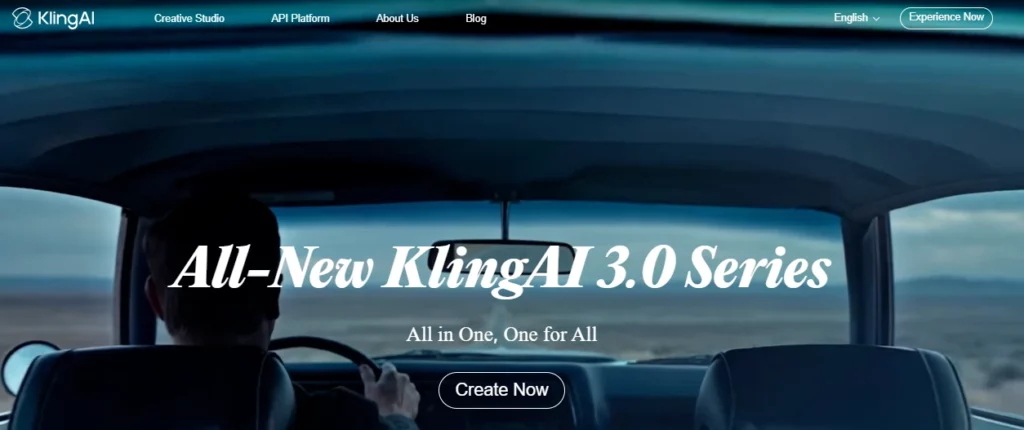
kling AI merupakan pilihan pertama yang paling kukuh jika anda menggunakan Sora untuk klip teks-ke-video sinematik atau imej-ke-video. Ia dibina untuk video generatif, konsistensi visual, pergerakan kamera dan output sinematik bentuk pendek dan bukannya penyuntingan templat yang mudah.
Kuaishou's Pengumuman Kling 3.0 mengetengahkan teks-ke-video, imej-ke-video, rujukan-ke-video, penyuntingan dalam video, input/output berbilang modal, konsistensi yang lebih baik, audio natif, penceritaan berbilang tangkapan dan penjanaan video sehingga 15 saat. Ini menjadikan Kling pengganti Sora yang serius untuk pencipta yang masih mahukan keajaiban video berasaskan gesaan.
Gunakan Kling AI untuk:
kling AI Parameter Penilaian
| Parameter | Apa yang perlu diperiksa |
|---|---|
| Aliran kerja terbaik | Penjanaan teks-ke-video dan imej-ke-video sinematik |
| Jenis input | Gesaan teks, imej, rujukan dan bergantung pada akses model, input multimodal |
| Gaya keluaran | Klip sinematik pendek, babak realistik, gerakan bergaya, visual produk |
| Tahap kawalan | Kawalan yang lebih kukuh apabila menggunakan imej rujukan, arahan kamera, penerangan subjek dan gesaan gaya papan cerita |
| Mempercepatkan | Bagus untuk klip pendek, tetapi jangkakan masa lelaran jika anda mahukan hasil yang digilap |
| Kekuatan kreatif | Realisme visual, gerakan, pembingkaian sinematik, animasi imej |
| Penggunaan penukaran | Sesuai untuk iklan, cangkuk, visual halaman pendaratan, penceritaan produk dan ujian kreatif bentuk pendek |
| Berjaga-jaga | Kos kredit, had penjanaan, terma penggunaan komersial, peraturan tera air/eksport dan perbezaan pelan |
Kling Terbaik AI Gaya Gesaan
Kling berfungsi dengan lebih baik apabila anda menggesa seperti pengarah, bukan sekadar penulis kata kunci. Sertakan subjek, babak, pergerakan, sudut kamera, pencahayaan, mood, nisbah aspek dan apa yang tidak sepatutnya muncul.
Contoh struktur gesaan:
A close-up cinematic shot of a premium smartwatch on a dark glass table, soft studio lighting, slow push-in camera movement, reflections visible, modern luxury ad style, shallow depth of field, no text, no distorted hands, no extra objects.Untuk imej-ke-video, mulakan dengan imej produk atau watak yang kukuh. Kemudian huraikan gerakan tersebut dengan jelas:
Animate this product image with a slow clockwise camera orbit, subtle background light movement, realistic reflections, no change to product shape, no logo distortion.Apabila Kling AI Adalah Pilihan Terbaik
Pilih Kling jika aliran kerja Sora lama anda adalah tentang membuat babak asli. Ia amat berguna apabila anda memerlukan visual yang kuat tetapi tidak memerlukan suit penyuntingan sosial penuh dalam alat yang sama.
Contohnya, seorang pemasar boleh menjana masa 5-15 saat AI tangkapan produk dalam Kling, kemudian alihkan klip ke dalam LIHAT untuk kapsyen, saiz semula, penempatan logo dan pemformatan sosial akhir.
2. OpenArtAlternatif Sora Terbaik untuk Papan Cerita dan Pra-Produksi Kreatif
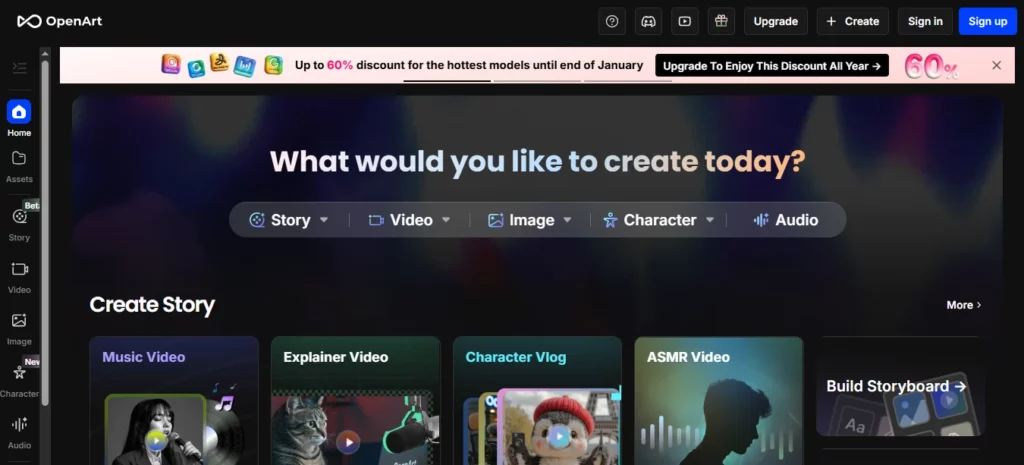
OpenArt ialah alternatif Sora yang mantap apabila anda memerlukan perancangan visual sebelum penghasilan video. Ia bukan sekadar menggantikan Sora klip demi klip. Ia membantu pencipta membangunkan konsep, watak, gaya, babak dan aset yang kemudiannya boleh menjadi video.
OpenArt's Ciri Smart Shot amat relevan untuk aliran kerja penggantian Sora kerana ia memberi tumpuan kepada perancangan syot, output berbilang potongan, kerja kamera, ketekalan visual, dan kawalan edit-sebelum-jana. OpenArt menerangkan Smart Shot sebagai mencipta pelan syot dengan papan cerita dan pergerakan kamera, kemudian menghasilkan 3-5 syot berbeza. Ini menjadikannya berguna untuk pencipta yang mahukan lebih banyak struktur daripada satu rawak AI klip.
Gunakan OpenArt untuk:
Parameter Penilaian OpenArt
| Parameter | Apa yang perlu diperiksa |
|---|---|
| Aliran kerja terbaik | Papan cerita, ideasi visual, konsistensi watak dan pra-produksi kreatif |
| Jenis input | Gesaan teks, imej, rujukan aksara, aset visual yang disimpan |
| Gaya keluaran | Imej, bingkai papan cerita, video berbilang potongan, visual watak, konsep pemandangan |
| Tahap kawalan | Kuat apabila anda membina rujukan sebelum menjana gerakan |
| Mempercepatkan | Bagus untuk meneroka pelbagai arah visual sebelum menghabiskan kredit video |
| Kekuatan kreatif | Penjanaan idea visual, penciptaan watak, perancangan papan cerita, penjanaan aset |
| Penggunaan penukaran | Berguna untuk perancangan iklan, lakaran kecil, tangkapan produk, pra-produksi dan visual promosi pelanggan |
| Berjaga-jaga | Tidak semestinya lapisan penyuntingan terakhir; anda mungkin masih memerlukan VEED atau editor lain untuk kapsyen dan penerbitan |
Bagaimana OpenArt Menggantikan Sebahagian daripada Sora
Ramai pencipta menggunakan Sora sebagai enjin imaginasi. Mereka menaip idea dan melihat rupa pemandangan tersebut. OpenArt boleh menggantikan fungsi kreatif awal itu dengan membantu anda membangunkan dunia visual terlebih dahulu.
Ini penting kerana penjanaan video adalah mahal untuk dibazirkan. Jika idea anda lemah, menjana video dengan segera boleh membakar kredit pada klip yang tidak boleh digunakan. Aliran kerja yang lebih baik ialah:
- Bina gaya visual dalam OpenArt.
- Cipta rujukan watak atau produk.
- Pilih bingkai yang paling kuat.
- Animasikan rujukan tersebut dalam Kling AI atau alat video OpenArt.
- Edit potongan terakhir dalam VEED.
Aliran Kerja OpenArt Terbaik untuk Pencipta
Untuk iklan produk, jana 5-10 arahan visual terlebih dahulu:
Kemudian pilih imej yang paling kuat dan ubahkannya menjadi gerakan. Ini lebih terkawal daripada memintanya AI model video untuk menyelesaikan idea penuh dalam satu tangkapan skrin.
3. HeyGenPengganti Sora Terbaik untuk Avatar Bercakap dan Video Penyampai

HeyGen ialah alternatif Sora terbaik jika matlamat sebenar anda bukan babak sinematik, tetapi video yang dipandu oleh penyampai.
Banyak perniagaan tidak memerlukan sesuatu yang tidak nyata AI babak video. Mereka memerlukan seseorang yang kelihatan profesional yang menerangkan produk, memperkenalkan pelanggan, mengajar kursus, menyetempatkan mesej atau menukar skrip menjadi video yang digilap.
HeyGen's Dokumen menerangkan aliran kerja untuk avatar foto, avatar awam dan avatar segera/kembar digital, dengan enjin avatar bergantung pada kualiti atau ciri yang diingini. Ia juga menyokong aliran kerja avatar dan suara yang lebih hampir dengan penerbitan video perniagaan berbanding sinematik AI generasi.
Gunakan HeyGen untuk:
Parameter Penilaian HeyGen
| Parameter | Apa yang perlu diperiksa |
|---|---|
| Aliran kerja terbaik | Video perniagaan dan kandungan avatar yang dipimpin oleh penyampai |
| Jenis input | Skrip, avatar, suara, avatar foto, avatar awam, avatar tersuai |
| Gaya keluaran | Video bercakap, penjelasan, video latihan, video avatar berbilang bahasa |
| Tahap kawalan | Kuat untuk skrip, suara, pemilihan avatar dan format penyampai yang boleh diulang |
| Mempercepatkan | Sangat kuat untuk penerbitan video perniagaan yang boleh diulang |
| Kekuatan kreatif | Ketekalan penyampai, penyetempatan, komunikasi berskrip |
| Penggunaan penukaran | Bagus untuk penjelas SaaS, video halaman pendaratan, jangkauan jualan, latihan dan kandungan kursus |
| Berjaga-jaga | Persetujuan avatar, persetujuan suara, hak persamaan, kualiti sebutan dan kesesuaian jenama |
Apabila HeyGen Mengalahkan Penggantian Sora Sinematik
Pilih HeyGen apabila mesej manusia lebih penting daripada pemandangan.
Sebagai contoh:
Dalam kes tersebut, Kling atau OpenArt mungkin terlalu visual dan tidak cukup praktikal. HeyGen memberi anda aliran kerja gaya studio yang boleh diulang.
Format Skrip HeyGen Terbaik
Pastikan skrip terus dan semula jadi:
Contoh:
"Jika pasukan anda menghabiskan berjam-jam merakam video latihan yang sama, anda boleh menggantikan proses itu dengan AI Aliran kerja avatar. Tulis skrip sekali, jana video, terjemahkannya untuk pasaran yang berbeza dan kemas kini kandungan apabila produk anda berubah.”
4. LIHATAlternatif Sora Terbaik untuk Penyuntingan Video Sosial dan Kapsyen
VEED ialah pengganti Sora yang praktikal untuk pencipta yang kurang mementingkan bahan mentah AI generasi dan banyak lagi tentang menukar klip menjadi video sedia untuk diterbitkan.
VEED ialah penyunting video dalam talian dengan AI alat untuk kapsyen, sari kata, terjemahan, teks ke video, avatar, suara latar, rakaman skrin, pemformatan dan penyuntingan. Alatan sari kata menyokong sari kata dan terjemahan automatik merentasi pelbagai bahasa, dan AI Pembuat video boleh membantu mencipta video dengan klip, muzik, suara latar, kapsyen dan animasi.
Gunakan VEED untuk:
Parameter Penilaian VEED
| Parameter | Apa yang perlu diperiksa |
|---|---|
| Aliran kerja terbaik | Pengeditan, kapsyen, penggunaan semula dan penerbitan sosial |
| Jenis input | Klip yang dimuat naik, rakaman skrin, klip yang dijana AI, skrip, suara latar |
| Gaya keluaran | Video sedia untuk sosial, klip berkapsyen, video latihan, iklan, penjelasan |
| Tahap kawalan | Kuat untuk penyuntingan, sari kata, templat, pemformatan dan penggayaan jenama |
| Mempercepatkan | Sangat baik untuk pencipta yang kerap menerbitkan |
| Kekuatan kreatif | Kapsyen, penyuntingan garis masa, saiz semula, penggilap sosial, penggunaan semula |
| Penggunaan penukaran | Sesuai untuk hook pendek, iklan video, klip pencipta dan pengedaran kandungan |
| Berjaga-jaga | Bukan penjana sinematik mewah terutamanya; gunakannya dengan Kling atau OpenArt untuk visual yang dijana lebih kuat |
Bagaimana VEED Sesuai Selepas Sora
Sora boleh menghasilkan klip yang mengagumkan, tetapi kandungan yang telah siap masih perlu diedit. Kebanyakan video sosial berprestasi tinggi memerlukan:
VEED dibina untuk lapisan pengeluaran terakhir itu. Aliran kerja pasca-Sora yang kukuh boleh kelihatan seperti ini:
- Menjana AI visual dalam Kling AI.
- Cipta imej sokongan atau bingkai papan cerita dalam OpenArt.
- Rakam atau jana segmen penyampai dalam HeyGen.
- Pasang, kapsyen, ubah saiz dan eksport dalam VEED.
Itu adalah aliran kerja yang lebih baik daripada yang diharapkan AI penjana video untuk melakukan semuanya.
5. AI DalamVideoPengganti Sora Terbaik untuk Video Gesaan-ke-Pemasaran
DalamVideo AI merupakan alternatif yang kukuh apabila anda mahukan video pemasaran yang telah siap daripada gesaan, skrip atau idea kandungan.
DalamVideo AI kurang tentang mempamerkan sesuatu yang mentah AI model dan lebih lanjut tentang beralih daripada idea kepada video yang boleh diterbitkan. Ia AI Penjana video boleh menulis skrip daripada gesaan, menambah visual, alih suara, sari kata, muzik dan elemen produksi lain. Ia juga merangkumi aliran kerja untuk AI penjanaan video, avatar, kapsyen, iklan gaya UGC, video produk, YouTube Shorts dan banyak lagi.
Gunakan DalamVideo AI untuk:
DalamVideo AI Parameter Penilaian
| Parameter | Apa yang perlu diperiksa |
|---|---|
| Aliran kerja terbaik | Produksi video gesaan-ke-video dan skrip-ke-pemasaran |
| Jenis input | Gesaan, skrip, idea topik, penerangan produk, butiran khalayak |
| Gaya keluaran | Video pemasaran berstruktur, iklan sosial, penjelasan, listikel, video tanpa wajah |
| Tahap kawalan | Kuat untuk skrip, stok/AI visual, suara latar, babak dan arahan penyuntingan |
| Mempercepatkan | Cemerlang untuk cepat pengeluaran kandungan dan ujian kempen |
| Kekuatan kreatif | Menukar idea kasar kepada video lengkap dengan cepat |
| Penggunaan penukaran | Sesuai untuk iklan, kandungan YouTube, promosi produk dan pemasaran perniagaan kecil |
| Berjaga-jaga | Mungkin terasa kurang asli berbanding video generatif tulen jika anda memerlukan rakaman sinematik yang sangat unik |
Apabila DalamVideo AI Lebih Baik Daripada Kling atau OpenArt
Pilih DalamVideo AI apabila hasil perniagaan lebih penting daripada model visual mentah.
Sebagai contoh:
DalamVideo AI berguna kerana ia berfikir dalam format kandungan yang lengkap. Ini memudahkan pemasar, perniagaan kecil, agensi dan pencipta yang memerlukan output dengan cepat.
Susunan Penggantian Sora Terbaik untuk Pengguna Berbeza
Untuk YouTuber
Gunakan OpenArt untuk imej kecil dan konsep visual, Kling AI untuk sisipan sinematik pendek, DalamVideo AI untuk draf video berstruktur dan VEED untuk kapsyen dan suntingan akhir.
Tumpukan terbaik:
Untuk Pengurus Media Sosial
Gunakan Kling AI untuk klip yang menarik perhatian, VEED untuk kapsyen dan saiz semula, dan DalamVideo AI untuk variasi kempen yang pantas.
Tumpukan terbaik:
Untuk Agensi
Gunakan OpenArt untuk konsep klien, Kling AI untuk ujian visual, HeyGen untuk penjelasan dan VEED untuk penghantaran jenama akhir.
Tumpukan terbaik:
Untuk Pencipta Kursus dan Pendidik
Gunakan HeyGen untuk pelajaran yang dipimpin oleh penyampai dan VEED untuk penyuntingan, kapsyen dan terjemahan. Gunakan OpenArt hanya apabila anda memerlukan visual pelajaran tersuai.
Tumpukan terbaik:
Cara Membina Semula Anda AI Aliran Kerja Video Selepas Sora
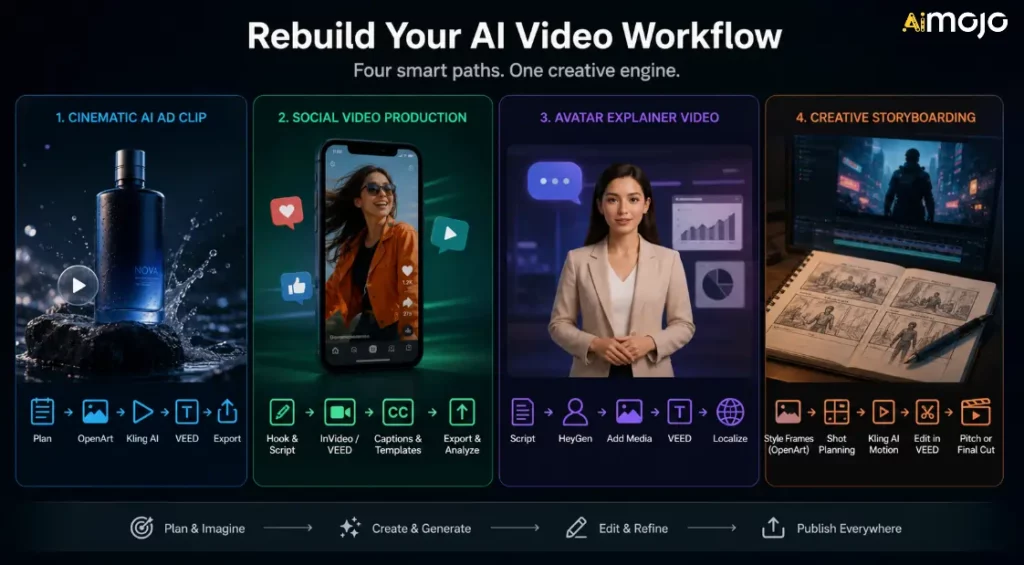
Jangan hanya memilih satu pengganti dan berharap ia dapat menyelesaikan semuanya. Bina aliran kerja berdasarkan jenis kandungan yang anda terbitkan.
Aliran Kerja 1: Sinematik AI Klip Iklan
Gunakan ini apabila anda memerlukan iklan visual pendek, gambar produk atau AI Gulungan-B.
- Rancang tempat kejadian dan sasarkan emosi.
- Jana visual rujukan dalam OpenArt.
- Animasikan bingkai terkuat dalam Kling AI.
- Tambahkan kapsyen, CTA dan ubah saiz dalam VEED.
- Eksport versi untuk TikTok, Reels, YouTube Shorts dan iklan.
Aliran Kerja 2: Penerbitan Video Sosial
Gunakan ini apabila matlamat anda adalah kelantangan dan konsistensi.
- Tulis pengait dan skrip pendek.
- Bina draf dalam InVideo AI atau VEED.
- Tambahkan kapsyen dan templat berjenama.
- Eksport berbilang nisbah aspek.
- Jejaki mata kail yang berprestasi terbaik.
Aliran Kerja 3: Video Penjelasan Avatar
Gunakan ini apabila anda memerlukan latihan, jualan atau video pendidikan.
- Tulis skrip yang jelas.
- Jana penyampai dalam HeyGen.
- Tambahkan tangkapan skrin produk, slaid atau B-roll.
- Edit dan kapsyen dalam VEED.
- Setempatkan hanya selepas versi utama diluluskan.
Aliran Kerja 4: Papan Cerita Kreatif
Gunakan ini semasa membangunkan iklan, konsep filem, video muzik atau kempen jenama.
- Cipta bingkai gaya dalam OpenArt.
- Gunakan Smart Shot atau perancangan papan cerita jika berguna.
- Jana klip gerakan dengan Kling AI.
- Pasang potongan kasar dalam VEED.
- Gunakan output sebagai pembentangan, arahan kreatif atau aset bentuk pendek akhir.
Apa yang Perlu Dilakukan Jika Anda Menggunakan Sora
Jika anda masih mempunyai aset Sora, lakukan ini sekarang:
Matlamatnya bukanlah untuk mencipta semula Sora dengan tepat. Matlamatnya adalah untuk terus menghasilkan tanpa bergantung pada produk yang telah dihentikan pengeluarannya.
Kesilapan Biasa yang Perlu Dielakkan
Kesilapan 1: Menggantikan Sora Dengan Aliran Kerja Rapuh Yang Lain
Sora's penutupan ialah peringatan untuk memastikan eksport, gesaan, imej sumber, kapsyen dan fail akhir teratur. Jangan biarkan keseluruhan sistem kandungan anda berada di dalam satu platform tertutup.
Kesilapan 2: Mengabaikan Pelesenan
AI pelesenan video boleh menjadi rumit. Sentiasa semak terma penggunaan komersial sebelum menggunakannya AI klip dalam iklan, kempen pelanggan, produk berbayar, pengewangan YouTube atau kerja jenama awam.
Kesilapan 3: Terlupa Lapisan Penyuntingan
AI Penjanaan hanyalah satu bahagian dalam penerbitan video. Kapsyen, rentak, potongan, hook, saiz semula, lakaran kecil dan CTA masih menentukan sama ada video berfungsi atau tidak.
Kesilapan 4: Memilih Alat Dengan Demo Terbaik
Klip demo bukanlah aliran kerja anda. Uji alatan dengan gesaan sebenar, produk, khalayak, nisbah aspek dan jadual penerbitan anda.
Kesilapan 5: Tidak Menyimpan Input Anda
Simpan gesaan, rujukan, klip akhir, kapsyen, lakaran kecil dan tetapan eksport. Ini memudahkan peralihan antara alatan jika platform lain mengubah harga atau ketersediaan.
Soalan Lazim berkaitan dengan Alternatif Sora
Adakah Sora masih ada?
BukaAI menghentikan pengalaman web dan aplikasi Sora pada 26 April 2026. API Sora dijadualkan akan dihentikan pada 24 September 2026.
Mengapa Sora ditutup?
OpenAI's Laman bantuan rasmi mengesahkan tarikh penutupan tetapi tidak memberikan penjelasan awam yang terperinci untuk setiap sebab dalaman. Pelaporan awam daripada Axios berkata OpenAI telah menyempitkan fokus dan sumber manusia/pengkomputeran, dengan Sora menggunakan pengiraan yang ketara. Bagi pencipta, perkara penting ialah Sora bukan lagi alat yang selamat untuk aliran kerja pengeluaran baharu.
Apakah pengganti Sora yang terbaik?
kling AI merupakan pilihan pertama terbaik untuk sinematik AI penjanaan video. OpenArt adalah lebih baik untuk papan cerita dan konsep visual. HeyGen adalah lebih baik untuk AI avatar. VEED lebih baik untuk kapsyen dan penyuntingan sosial. DalamVideo AI adalah lebih baik untuk aliran kerja video gesaan-ke-pemasaran.
Apakah alternatif Sora terbaik untuk teks-ke-video?
Untuk teks-ke-video sinematik, mulakan dengan Kling AI. Jika keperluan teks-ke-video anda lebih kepada pemasaran video, iklan sosial atau struktur video penuh, InVideo AI atau VEED mungkin lebih berguna.
Apakah alternatif Sora terbaik untuk imej-ke-video?
kling AI merupakan pilihan yang kukuh untuk gerakan imej-ke-video. OpenArt juga berguna apabila anda ingin mencipta atau menyediakan aset visual sebelum menganimasikannya.
Apakah pengganti Sora terbaik untuk perniagaan?
Untuk video perniagaan, HeyGen sesuai untuk penerangan avatar dan latihan. VEED pula sesuai untuk penyuntingan dan kapsyen. Dalam Video AI kukuh untuk promosi produk dan video pemasaran.
Perlukah saya masih membina alatan di sekitar API Sora?
Tidak. Oleh kerana API Sora dijadualkan untuk dihentikan, pencipta dan pembangun harus mengelakkan pembinaan sistem pengeluaran jangka panjang baharu di sekelilingnya.
Boleh saya guna AI alternatif video untuk kerja komersial?
Selalunya ya, tetapi semak setiap platform's pelan, lesen dan peraturan penggunaan. Hak komersial boleh bergantung pada model, jenis output, tahap pelan, aset stok, suara, avatar atau negara.
Apa yang perlu saya lakukan dengan kandungan Sora lama?
Eksportnya, arkibkan gesaan dan aset rujukan, susun klip akhir dan pindahkan pengeluaran aktif ke alatan yang masih tersedia.
AiMojo Mengesyorkan:
Keputusan
Untuk sinematik AI video, mulakan dengan Kling AIUntuk papan cerita, watak dan pra-produksi kreatif, gunakan OpenArtUntuk penjelasan avatar dan video penyampai berbilang bahasa, gunakan HeyGenUntuk kapsyen, penyuntingan sosial dan penggunaan semula, gunakan VEED. Untuk aliran kerja video gesaan-ke-pemasaran, gunakan InVideo AI.
Sora menolak AI video ke hadapan, tetapi pencipta memerlukan alatan yang boleh mereka gunakan hari ini. Bina aliran kerja anda yang seterusnya berdasarkan ketersediaan, pelesenan, kualiti output, kesesuaian aliran kerja dan kelajuan penerbitan.


 BONUS: Dapatkan $200 kamiAI Mastery Toolkit” PERCUMA apabila anda mendaftar!



