

Important 2026 Update
ღიააAI discontinued the Sora web and app experiences on April 26, 2026. The Sora API is scheduled to be discontinued on September 24, 2026. Because of that, this article is no longer a guide to building new workflows around Sora. It has been rewritten to help creators compare Sora alternatives, Sora replacements, and active AI video workflow tools.
If you used Sora for AI video generation, the safe move is simple: export your existing content, stop building new production systems around Sora, and choose a replacement based on what you actually create.
Some creators need cinematic text-to-video. Some need image-to-video clips for ads and social posts. Some need AI avatars for training, sales, or course content. Others need captions, templates, editing, localization, storyboarding, or prompt-to-video marketing workflows.
There is no single best Sora replacement for everyone. The right tool depends on the job Sora was doing inside your content pipeline.
This guide compares the best Sora alternatives by workflow, with clear parameters for each tool so you can choose faster and avoid rebuilding your whole production process from zero.
Quick Answer: Best Sora Replacements by Use Case
If you need cinematic AI video generation, start with Kling AI. If you need storyboards, characters, visual references, and creative pre-production, test OpenART. If you need talking avatars, multilingual presenters, or training videos, ჰეიგენ is the better fit. If you need captions, social editing, repurposing, and publishing speed, use იხილეთ. If you want to turn prompts or scripts into full marketing videos, compare InVideo AI.
| Old Sora workflow | Best Sora replacement |
|---|---|
| Cinematic text-to-video clips | Kling AI |
| Image-to-video animation | კლინგი AI or OpenArt |
| Multi-shot storyboarding | OpenArt or Kling AI |
| Visual concept development | OpenART |
| Talking avatar videos | ჰეიგენ |
| Training, onboarding, and sales explainers | HeyGen or VEED |
| Captions and social edits | იხილეთ |
| YouTube Shorts, Reels, TikToks | VEED or InVideo AI |
| Prompt-to-marketing video | InVideo AI |
| Product promo videos | Kling AI, OpenArt, VEED, or InVideo AI |
| Fast weekly content production | VEED or InVideo AI |
The mistake is chasing the most hyped AI video tool. The better move is to pick the tool that replaces your exact workflow.
What Happened to Sora?
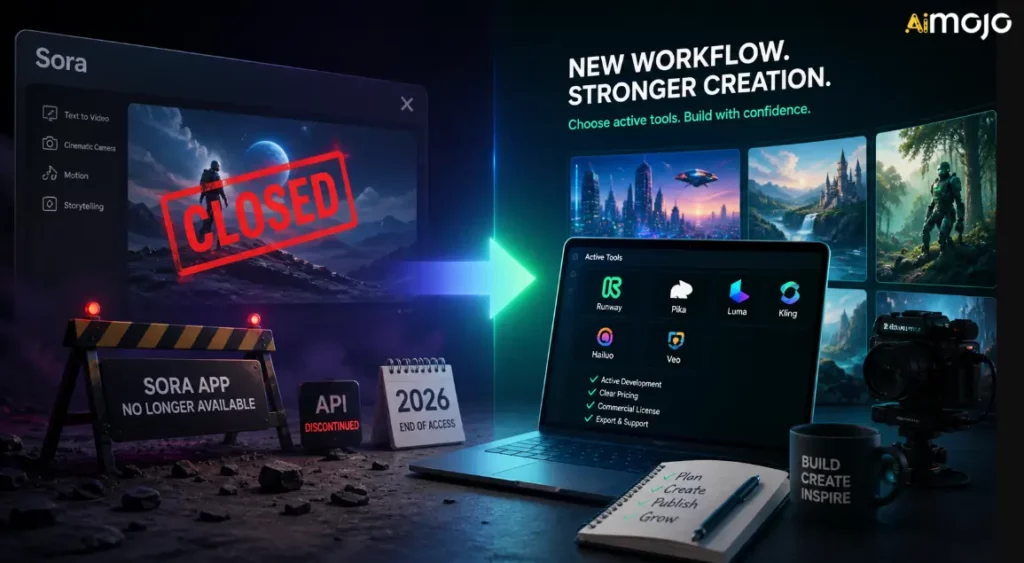
Sora was one of the most talked-about AI video tools because it showed how far text-to-video generation could go. Creators could imagine cinematic scenes, motion, camera direction, and visual storytelling from prompts instead of starting with a camera, stock footage, or a traditional animation workflow.
But Sora is no longer a stable workflow center for creators. OpenAI's official discontinuation page confirms two key dates:
That means the normal Sora web/app experience is already closed, while API-dependent workflows only have a limited runway. If you were using Sora through another platform, custom automation, or internal video workflow, you should treat it as temporary unless the platform has moved to another model.
OpenAI's official help page explains the timeline and export path, but it does not give a long public explanation for every business reason behind the shutdown. Public reporting from Axios said OpenAI was narrowing focus and human/computing resources, with Sora consuming significant compute. Axios also reported that OpenAI's Sora research team would continue focusing on world simulation research for robotics and physical-world tasks.
For creators, the practical takeaway is more important than the politics of the shutdown:
How to Choose a Sora Alternative
Before you sign up for another AI video platform, use these parameters. They matter more than hype.
1. Output Type
Ask what the tool actually produces. Some tools generate original AI video clips. Some animate images. Some create avatar videos. Some build template-based marketing videos. Some are editors with AI თვისებები.
If you need cinematic AI scenes, choose a generative video tool. If you need weekly სოციალური შინაარსი, an editor may be more valuable.
2. კრეატიული კონტროლი
Look for controls like aspect ratio, duration, camera movement, reference images, negative prompts, storyboard planning, character consistency, scene sequencing, and edit-before-generate workflows.
The more serious your production work is, the more control you need.
3. Workflow Fit
Creators often overbuy generation quality and underbuy workflow speed. If your bottleneck is captions, resizing, templates, review, and publishing, a pure AI video generator will not solve the full problem.
4. Commercial Rights
Before using generated clips in ads, client work, paid courses, YouTube monetization, or brand campaigns, check the tool's terms. Commercial use can depend on plan, model, assets, stock footage, voice, avatar, or region.
5. Cost and Credits
AI video can burn credits quickly. A tool that looks cheap on the pricing page can become expensive when you generate many variations, test prompts, upscale output, or need longer clips.
6. Team and Client Use
If you work with clients or a team, look for collaboration, brand kits, templates, shared projects, export options, and predictable approval workflows.
Best Sora Alternatives by Workflow
| Tool | საუკეთესო | მთავარი ძალა | Best buyer |
|---|---|---|---|
| Kling AI | კინემატოგრაფია AI ვიდეო | Text-to-video, image-to-video, motion, cinematic output | Creators, ad teams, product marketers |
| OpenART | Storyboarding and creative assets | Visual concepts, characters, shot planning, pre-production | Designers, filmmakers, creative teams |
| ჰეიგენ | მოლაპარაკე ავატარები | Presenter-led video, scripts, localization, repeatable business content | SaaS teams, educators, agencies, sales teams |
| იხილეთ | Social editing and captions | Subtitles, resizing, editing, repurposing, publishing polish | Social teams, creators, educators, marketers |
| InVideo AI | Prompt-to-marketing video | Scripts, visuals, voiceovers, scenes, complete video workflows | YouTubers, agencies, small businesses |
1. Kling AI: Best Sora Replacement for Cinematic AI ვიდეო
კლინგი AI is the strongest first choice if you used Sora for cinematic text-to-video or image-to-video clips. It is built for generative video, visual consistency, camera movement, and short-form cinematic output rather than simple template editing.
კუაიშუ's Kling 3.0 announcement highlighted text-to-video, image-to-video, reference-to-video, in-video editing, multimodal input/output, improved consistency, native audio, multi-shot storytelling, and video generation up to 15 seconds. That makes Kling a serious Sora replacement for creators who still want the magic of prompt-based video.
Use Kling AI for:
კლინგი AI შეფასების პარამეტრები
| პარამეტრი | რა უნდა შემოწმდეს |
|---|---|
| Best workflow | Cinematic text-to-video and image-to-video generation |
| შეყვანის ტიპები | Text prompts, images, references, and depending on model access, multimodal inputs |
| Output style | Short cinematic clips, realistic scenes, stylized motion, product visuals |
| Control level | Stronger control when using reference images, camera directions, subject descriptions, and storyboard-style prompts |
| სიჩქარის | Good for short clips, but expect iteration time if you want polished results |
| Creative strength | Visual realism, motion, cinematic framing, image animation |
| Conversion use | Great for ads, hooks, landing page visuals, product storytelling, and short-form creative testing |
| უყურადღებობა | Credit cost, generation limits, commercial-use terms, watermark/export rules, and plan differences |
Best Kling AI სწრაფი სტილი
Kling works better when you prompt like a director, not just a keyword writer. Include subject, scene, movement, camera angle, lighting, mood, aspect ratio, and what should not appear.
Example prompt structure:
A close-up cinematic shot of a premium smartwatch on a dark glass table, soft studio lighting, slow push-in camera movement, reflections visible, modern luxury ad style, shallow depth of field, no text, no distorted hands, no extra objects.For image-to-video, start with a strong product or character image. Then describe the motion clearly:
Animate this product image with a slow clockwise camera orbit, subtle background light movement, realistic reflections, no change to product shape, no logo distortion.When Kling AI Is the Best Choice
Choose Kling if your old Sora workflow was about making original scenes. It is especially useful when you need strong visuals but do not need a full social editing suite inside the same tool.
For example, a marketer could generate a 5-15 second AI product shot in Kling, then move the clip into იხილეთ for captions, resizing, logo placement, and final social formatting.
2. OpenART: Best Sora Alternative for Storyboarding and Creative Pre-Production
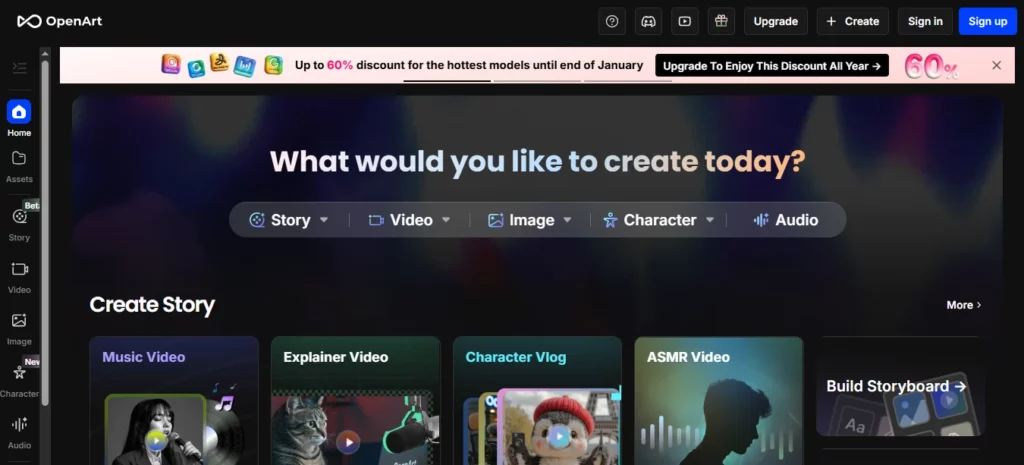
OpenArt is a strong Sora alternative when you need visual planning before video generation. It is not just about replacing Sora clip-for-clip. It helps creators develop concepts, characters, styles, scenes, and assets that can later become videos.
OpenART's Smart Shot feature is especially relevant for Sora replacement workflows because it focuses on shot planning, multi-cut output, camera work, ვიზუალური თანმიმდევრულობა, and edit-before-generate control. OpenArt describes Smart Shot as creating a shot plan with storyboards and camera movements, then producing 3-5 distinct shots. That makes it useful for creators who want more structure than one random AI კლიპი.
Use OpenArt for:
OpenArt Evaluation Parameters
| პარამეტრი | რა უნდა შემოწმდეს |
|---|---|
| Best workflow | Storyboarding, visual ideation, character consistency, and creative pre-production |
| შეყვანის ტიპები | Text prompts, images, character references, saved visual assets |
| Output style | Images, storyboard frames, multi-cut videos, character visuals, scene concepts |
| Control level | Strong when you build references before generating motion |
| სიჩქარის | Good for exploring many visual directions before spending video credits |
| Creative strength | Visual ideation, character creation, storyboard planning, asset generation |
| Conversion use | Useful for ad planning, thumbnails, product shots, pre-production, and client pitch visuals |
| უყურადღებობა | Not always the final editing layer; you may still need VEED or another editor for captions and publishing |
How OpenArt Replaces Part of Sora
Many creators used Sora as an imagination engine. They typed an idea and saw what the scene could look like. OpenArt can replace that early creative function by helping you develop the visual world first.
This matters because video generations are expensive to waste. If your idea is weak, generating video immediately can burn credits on unusable clips. A better workflow is:
- Build the visual style in OpenArt.
- Create character or product references.
- Choose the strongest frames.
- Animate those references in Kling AI or OpenArt video tools.
- Edit the final cut in VEED.
Best OpenArt Workflow for Creators
For a product ad, generate 5-10 visual directions first:
Then pick the strongest image and turn it into motion. This is more controlled than asking one AI video model to solve the full idea in one shot.
3. ჰეიგენ: Best Sora Replacement for Talking Avatars and Presenter Videos

HeyGen is the best Sora alternative if your actual goal is not cinematic scenes, but presenter-led video.
Many businesses do not need a surreal AI video scene. They need a professional-looking person explaining a product, onboarding customers, teaching a course, localizing a message, or turning scripts into polished videos.
ჰეიგენ's docs describe workflows for photo avatars, public avatars, and instant avatars/digital twins, with avatar engines depending on desired quality or features. It also supports avatar and voice workflows that are much closer to business video production than კინემატიკური AI თაობის.
Use HeyGen for:
HeyGen Evaluation Parameters
| პარამეტრი | რა უნდა შემოწმდეს |
|---|---|
| Best workflow | Presenter-led business videos and avatar content |
| შეყვანის ტიპები | Scripts, avatars, voices, photo avatars, public avatars, custom avatars |
| Output style | Talking-head videos, explainers, training videos, multilingual avatar videos |
| Control level | Strong for script, voice, avatar selection, and repeatable presenter formats |
| სიჩქარის | Very strong for repeatable business video production |
| Creative strength | Presenter consistency, localization, scripted communication |
| Conversion use | Great for SaaS explainers, სადესანტო გვერდის ვიდეოები, sales outreach, training, and course content |
| უყურადღებობა | Avatar consent, voice consent, likeness rights, pronunciation quality, and brand fit |
When HeyGen Beats a Cinematic Sora Replacement
Choose HeyGen when the human message matters more than the scene.
მაგალითად:
In those cases, Kling or OpenArt may be too visual and not practical enough. HeyGen gives you a repeatable studio-style workflow.
Best HeyGen Script Format
Keep scripts direct and natural:
მაგალითი:
“If your team spends hours recording the same training videos, you can replace that process with an AI avatar workflow. Write the script once, generate the video, translate it for different markets, and update the content when your product changes.”
4. იხილეთ: Best Sora Alternative for Social Video Editing and Captions
VEED is the practical Sora replacement for creators who care less about raw AI generation and more about turning clips into publish-ready videos.
VEED is an online video editor with AI tools for captions, subtitles, translation, text-to-video, avatars, voiceovers, screen recording, formatting, and editing. Its caption tools support automatic subtitles and translation across many languages, and its AI video maker can help create videos with clips, music, voiceovers, captions, and animations.
Use VEED for:
VEED Evaluation Parameters
| პარამეტრი | რა უნდა შემოწმდეს |
|---|---|
| Best workflow | Editing, captions, repurposing, and social publishing |
| შეყვანის ტიპები | Uploaded clips, screen recordings, AI-generated clips, scripts, voiceovers |
| Output style | Social-ready videos, captioned clips, training videos, ads, explainers |
| Control level | Strong for editing, subtitles, templates, formatting, and brand styling |
| სიჩქარის | Excellent for creators publishing often |
| Creative strength | Captions, timeline editing, resizing, social polish, repurposing |
| Conversion use | Great for short-form hooks, video ads, creator clips, and content distribution |
| უყურადღებობა | Not primarily a high-end cinematic generator; use it with Kling or OpenArt for stronger generated visuals |
How VEED Fits After Sora
Sora could generate impressive clips, but finished content still needs editing. Most high-performing social videos need:
VEED is built for that final production layer. A strong post-Sora workflow could look like this:
- გენერირება AI visuals in Kling AI.
- Create supporting images or storyboard frames in OpenArt.
- Record or generate presenter segments in HeyGen.
- Assemble, caption, resize, and export in VEED.
That is a better workflow than expecting one AI video generator to do everything.
5. InVideo AI: Best Sora Replacement for Prompt-to-Marketing Video
ვიდეო AI is a strong alternative when you want finished marketing videos from prompts, scripts, or content ideas.
ვიდეო AI is less about showing off one raw AI model and more about moving from idea to a publishable video. Its AI video generator can write scripts from prompts, add visuals, გახმოვანებები, subtitles, music, and other production elements. It also includes workflows for AI video generation, avatars, captions, UGC-style ads, product videos, YouTube Shorts, and more.
გამოიყენეთ InVideo-ში AI for:
ვიდეო AI შეფასების პარამეტრები
| პარამეტრი | რა უნდა შემოწმდეს |
|---|---|
| Best workflow | Prompt-to-video and script-to-marketing-video production |
| შეყვანის ტიპები | Prompts, scripts, topic ideas, product descriptions, audience details |
| Output style | Structured marketing videos, social ads, explainers, listicles, faceless videos |
| Control level | Strong for scripts, stock/AI visuals, voiceovers, scenes, and editing commands |
| სიჩქარის | Excellent for quick შინაარსის წარმოება and campaign testing |
| Creative strength | Turning rough ideas into complete videos quickly |
| Conversion use | Great for ads, YouTube content, product promos, and small business marketing |
| უყურადღებობა | May feel less original than pure generative video if you need highly unique cinematic shots |
When InVideo AI Is Better Than Kling or OpenArt
Choose InVideo AI when the business outcome matters more than the raw visual model.
მაგალითად:
ვიდეო AI is useful because it thinks in complete content formats. That makes it easier for marketers, small businesses, agencies, and creators who need output quickly.
Best Sora Replacement Stack for Different Users
For YouTubers
Use OpenArt for thumbnails and visual concepts, Kling AI for short cinematic inserts, InVideo AI for structured video drafts, and VEED for captions and final edits.
Best stack:
For Social Media Managers
Use Kling AI for attention-grabbing clips, VEED for captions and resizing, and InVideo AI for fast campaign variations.
Best stack:
სააგენტოებისთვის
Use OpenArt for client concepts, Kling AI for visual tests, HeyGen for explainers, and VEED for final branded delivery.
Best stack:
For Course Creators and Educators
Use HeyGen for presenter-led lessons and VEED for editing, captions, and translations. Use OpenArt only when you need custom lesson visuals.
Best stack:
How to Rebuild Your AI Video Workflow After Sora
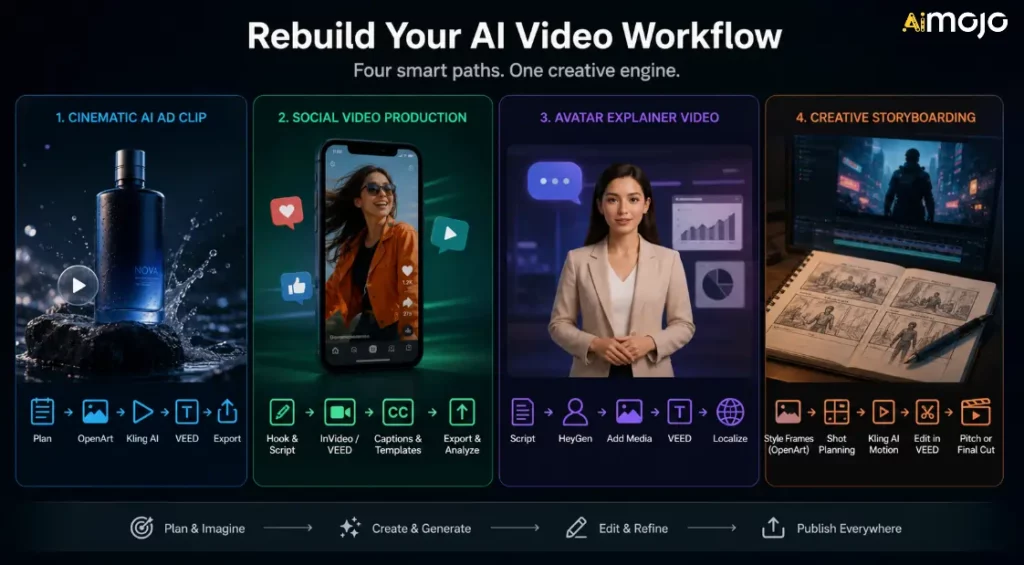
Do not just choose one replacement and hope it solves everything. Build a workflow around the type of content you publish.
Workflow 1: Cinematic AI Ad Clip
Use this when you need short visual ads, product shots, or AI B-roll.
- Plan the scene and target emotion.
- Generate reference visuals in OpenArt.
- Animate the strongest frame in Kling AI.
- Add captions, CTA, and resize in VEED.
- Export versions for TikTok, Reels, YouTube Shorts, and ads.
Workflow 2: Social Video Production
Use this when your goal is volume and consistency.
- Write a hook and short script.
- Build a draft in InVideo AI or VEED.
- Add captions and branded templates.
- Export multiple aspect ratios.
- Track which hooks perform best.
Workflow 3: Avatar Explainer Video
Use this when you need training, sales, or educational videos.
- Write a clear script.
- Generate the presenter in HeyGen.
- Add product screenshots, slides, or B-roll.
- Edit and caption in VEED.
- Localize only after the main version is approved.
Workflow 4: Creative Storyboarding
Use this when developing an ad, film concept, music video, or brand campaign.
- Create style frames in OpenArt.
- Use Smart Shot or storyboard planning where useful.
- Generate motion clips with Kling AI.
- Assemble the rough cut in VEED.
- Use the output as a pitch, creative direction, or final short-form asset.
What to Do If You Used Sora
If you still have Sora assets, do this now:
The goal is not to recreate Sora exactly. The goal is to keep producing without depending on a discontinued product.
საერთო შეცდომები, რომელთა თავიდან აცილებაც შეიძლება
Mistake 1: Replacing Sora With Another Fragile Workflow
Sora's shutdown is a reminder to keep exports, prompts, source images, captions, and final files organized. Do not let your entire content system live inside one closed platform.
Mistake 2: Ignoring Licensing
AI video licensing can be complicated. Always check commercial-use terms before using AI clips in ads, client campaigns, paid products, YouTube monetization, or public brand work.
Mistake 3: Forgetting the Editing Layer
AI generation is only one part of video production. Captions, pacing, cuts, hooks, resizing, thumbnails, and CTAs still decide whether a video performs.
Mistake 4: Picking the Tool With the Best Demo
Demo clips are not your workflow. Test tools with your real prompt, product, audience, aspect ratio, and publishing schedule.
Mistake 5: Not Saving Your Inputs
Save prompts, references, final clips, captions, thumbnails, and export settings. This makes it easier to move between tools if another platform changes pricing or availability.
FAQs related to Sora Alternatives
Is Sora still available?
ღიააAI discontinued the Sora web and app experiences on April 26, 2026. The Sora API is scheduled to be discontinued on September 24, 2026.
Why did Sora shut down?
OpenAI's official help page confirms the shutdown dates but does not provide a detailed public explanation for every internal reason. Public reporting from Axios said OpenAI was narrowing focus and human/computing resources, with Sora consuming significant compute. For creators, the important point is that Sora is no longer a safe tool for new production workflows.
What is the best Sora replacement?
კლინგი AI is the best first choice for cinematic AI video generation. OpenArt is better for storyboards and visual concepts. HeyGen is better for AI avatars. VEED is better for captions and social editing. InVideo AI is better for prompt-to-marketing-video workflows.
What is the best Sora alternative for text-to-video?
For cinematic text-to-video, start with Kling AI. If your text-to-video need is more about marketing videos, social ads, or full video structure, InVideo AI or VEED may be more useful.
What is the best Sora alternative for image-to-video?
კლინგი AI is a strong option for image-to-video motion. OpenArt is also useful when you want to create or prepare the visual assets before animating them.
What is the best Sora replacement for businesses?
For business videos, HeyGen is strong for avatar explainers and training. VEED is strong for editing and captions. InVideo AI is strong for product promos and marketing videos.
Should I still build tools around the Sora API?
No. Because the Sora API is scheduled for discontinuation, creators and developers should avoid building new long-term production systems around it.
Შეიძლება გამოვიყენო AI video alternatives for commercial work?
Often yes, but check each platform's plan, license, and usage rules. Commercial rights can depend on the model, output type, plan level, stock assets, voice, avatar, or country.
What should I do with old Sora content?
Export it, archive prompts and reference assets, organize final clips, and move active production to tools that are still available.
AiMojo გირჩევთ:
ვერდიქტი
For cinematic AI video, start with Kling AI. For storyboards, characters, and creative pre-production, use OpenART. For avatar explainers and multilingual presenter videos, use ჰეიგენ. For captions, social editing, and repurposing, use VEED. For prompt-to-marketing-video workflows, use InVideo AI.
Sora pushed AI video forward, but creators need tools they can use today. Build your next workflow around availability, licensing, output quality, workflow fit, and publishing speed.


 BONUS: მიიღეთ ჩვენი 200 დოლარიAI „ოსტატობის ინსტრუმენტების ნაკრები“ უფასოა რეგისტრაციის შემდეგ!


