


コンピューターのどこかに、's あなたが完全に無視してきたデータが詰まったスプレッドシート。顧客、収益、キャンペーンに関する答えがそこにあることは分かっているのに、LinkedInのプロフィールに「データサイエンティスト」と書いてある人を雇う時間も予算も根気もない。
ここに's 現実: AI データ分析用 高額な人材雇用はもはや必須ではありません。Python、SQL、統計学の学位も必要ありません。必要なのは、適切なツール、適切なプロンプト、そして火曜日の時間を丸ごと消費しない、再現性のあるプロセスだけです。このガイドでは、ツール選びから実際のプロンプト、そして今日から実行できるステップバイステップのワークフローまで、まさにそのすべてを網羅しています。
この試験は AI データ分析とは実際には(分かりやすく言うと)
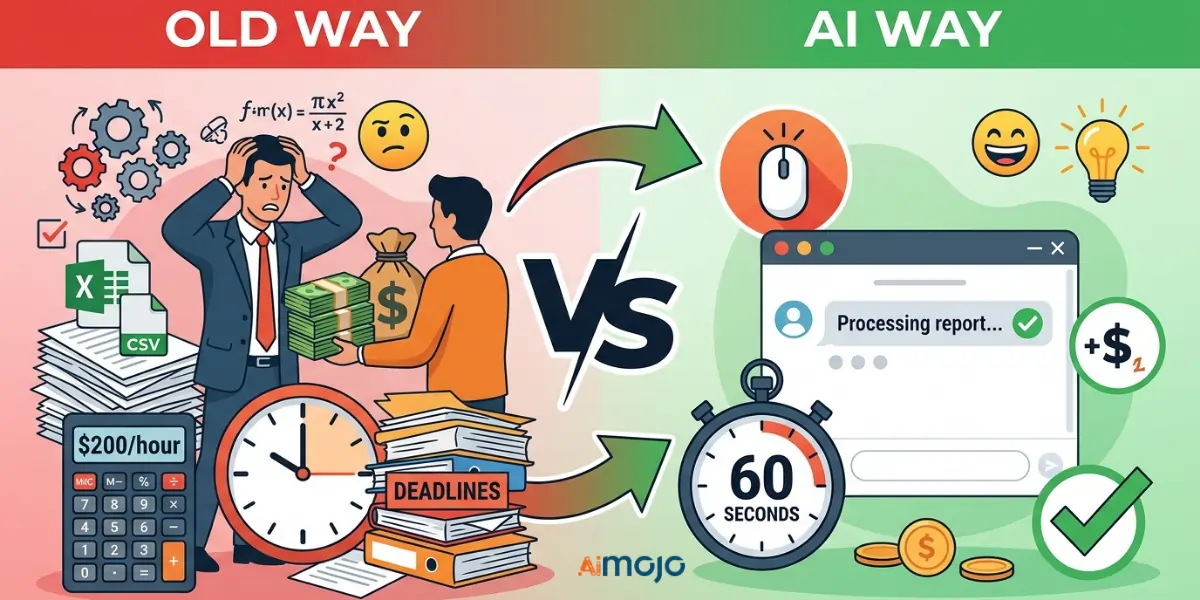
従来の方法 vs. AI 方法 ― 何が変わり、何が変わらなかったのか
従来の方法:CSVファイルをエクスポートし、Excelで開き、4,000行ものデータに目を凝らし、諦めるか、あるいは誰かに1時間200ドル払って理解してもらうかのどちらかだった。 AI 方法: 同じものをアップロードします CSV平易な英語で質問を入力するだけで、60秒以内に構造化された分析結果が得られます。データ自体は変更されていません。変更されたのはアクセス方法です。
この試験は's 舞台裏で起こっていること AI データを読み取る
AI ツールの使用 自然言語処理 人間のアナリストと同じようにデータを読み解きますが、より速く、請求書も不要です。あなたが求める内容に基づいて、パターンを特定し、異常を指摘し、傾向を明らかにします。
「私は数字に弱いんです」という言い訳がもはや通用しない理由
ここで紹介するツールはすべて、平易な英語のクエリで動作します。メールを書ける人なら、データ分析も実行できます。
7ベスト AI コーディングスキルが一切不要なデータ分析ツール
| ツール | 以下のためにベスト | 無料プラン | コーディングが必要です | スキルレベル |
|---|---|---|---|---|
| camelAI | 会話型データクエリ | はい | いいえ | 初心者 |
| ジュリアスAI | CSV/スプレッドシート分析 | はい(限定) | いいえ | 初心者 |
| Power BI コパイロット | エンタープライズBIチーム | いいえ | いいえ | 中級 |
| Tableau Pulse | 自動化されたインサイト配信 | いいえ | いいえ | 中級 |
| ChatGPT / クロード | 簡単な要約とクリーニング | はい | いいえ | 初心者 |
| Google ルッカー スタジオ | 無料のビジュアルレポート | はい | いいえ | 初心者 |
| Zoho Analytics(ジア) | 中小企業向けBI | はい | いいえ | 初心者 |
使い始める方法 AI データ分析のためのステップバイステップのワークフロー
ステップ1 — データの準備
まず最初にファイルを整理しましょう。重複する行を削除し、空白のセルには「N/A」と入力し、すべての列ヘッダーが明確で一貫性があることを確認してください。CSVまたはXLSXファイルはほとんどの環境で最適に動作します。 AI ツール。
ステップ2 ― 目標に基づいて適切なツールを選択する
簡単な要約が必要ですか?ChatGPT を使用してください。定期的なダッシュボードが必要ですか?Power BI または Looker Studio を使用してください。会話型のフォローアップを伴う詳細な CSV 分析が必要ですか?Julius AI またはcamelAI。
ステップ3 ― 真摯な回答を引き出すための質問文を作成する
不適切なプロンプト: 「私のデータを分析してください。」
良いプロンプト: 「第1四半期に最も返品率が高かった製品はどれで、's 過去6か月間の月ごとの傾向は?
具体性こそがすべてだ。
ステップ4 — 読んで確認する AI 出力
AI 間違いが生じる可能性があります。重要な数値は必ず生データと照合して妥当性を確認してください。特に、顧客や関係者と共有する前には必ず確認してください。
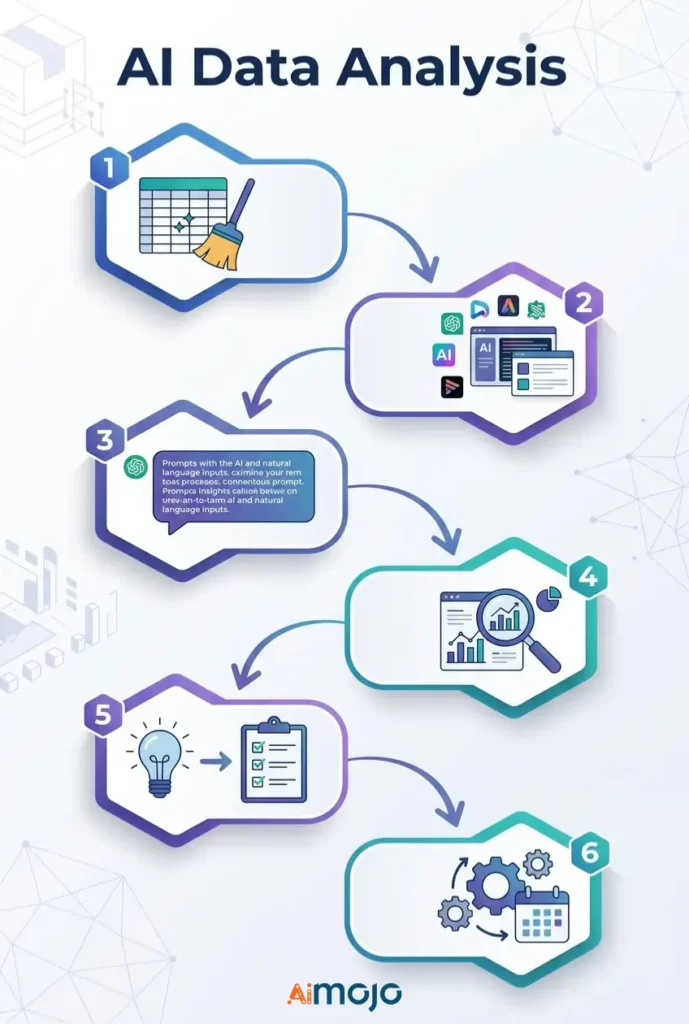
ステップ5 ― 洞察から意思決定へ
行動を伴わない洞察は、単なる雑学に過ぎない。 AI 見つけるには、質問してください。 「これ、実際どう使えばいいの?」
ステップ6 — 定期レポートの自動化
Looker Studio、Power BI、またはZoho Analytics内で定期的なデータ更新を設定すれば、週次レポートが自動的に実行されます。
コピー&ペースト AI 非技術系ユーザーが現在実行しているプロンプト
これらのデータは、 Julius AI、camelAI、またはChatGPTにデータセットを添付して直接使用できます。
売上高データ
*"Show total revenue by product category for the last 90 days and flag any category with a decline over 20%."*マーケティングデータ
*"Which traffic source drove the most conversions last month? Break down average cost per conversion by channel."*財務スプレッドシート
*"Identify the top 5 expense categories and highlight every month where spending exceeded budget by more than 15%."*顧客行動データ
*"What's the average purchase frequency per customer segment? Flag segments with the highest churn risk."*人事およびチーム指標
*"Compare headcount changes by department over the last 6 months and flag any team with attrition above 10%."*あなたの5つの間違い AI データ分析は全く役に立たない
- 乱雑でフォーマットされていないデータを入力する - AI 災害時のスプレッドシートは修復不可能だ。入力が間違っていれば出力も間違っている――毎回そうだ。
- 幅広い質問をする 「私の売上について教えてください」という質問では、何の役にも立ちません。期間、指標、そして具体的な目標を明記してください。
- すべての出力を額面通りに受け取る - AI ツールは幻覚を見せることがあります。実際のビジネス上の意思決定を行う前に、重要な数値を相互参照してください。
- 汎用工具を特殊な作業に使用する ChatGPTは要約作成には適していますが、複雑な財務モデリングには向きません。用途に合ったツールを選びましょう。
- 「興味深い」で止まる ―多くの人は、魅力的なグラフを手に入れても、それを活用しようとしません。AIを活用したビジネスインサイトには、明確な次の行動指針が必要です。
ヘイオーストラリア's 実際に使用している AI データ分析を今すぐ行う
これは理論上の話ではなく、実際に多くの人々が毎日ノーコードのデータ分析を実行している。
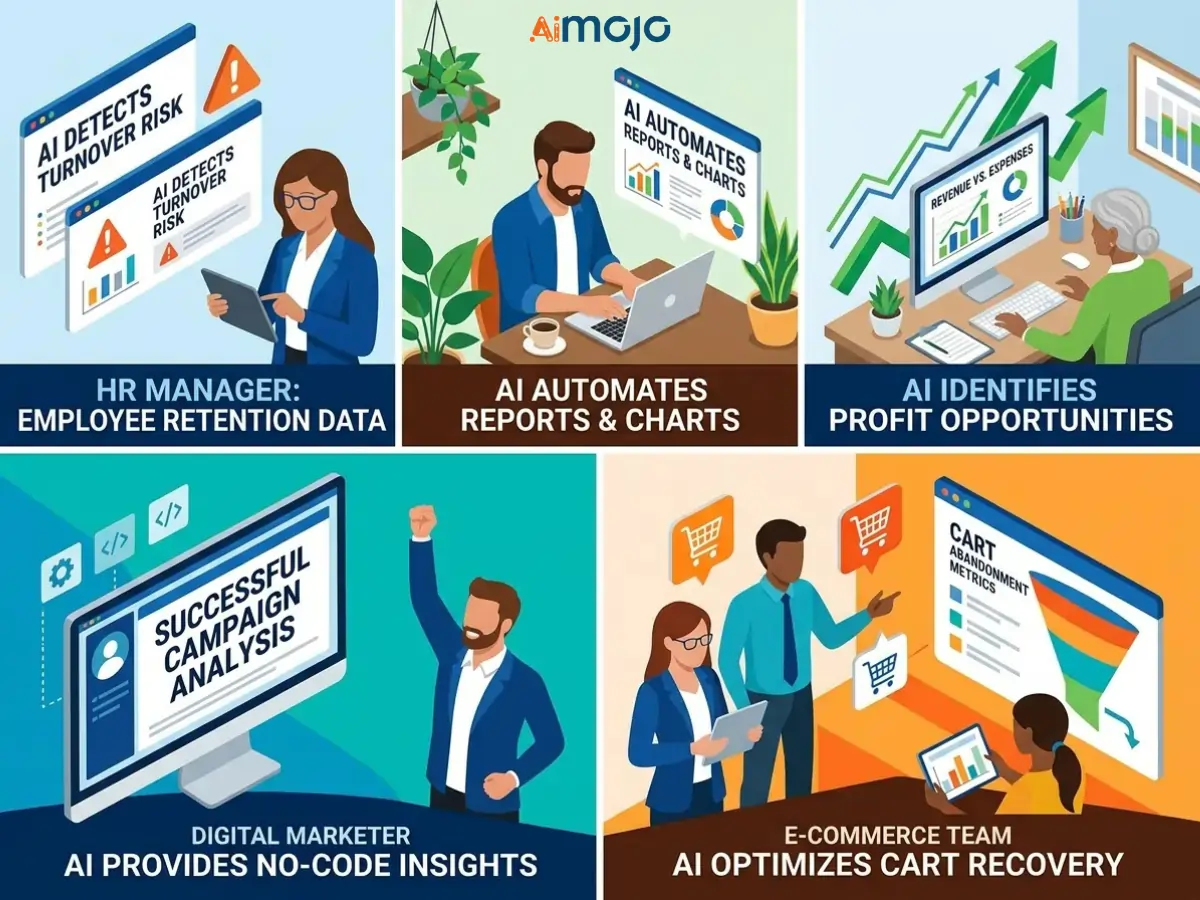
競合他社が既にこれを実行しているのに、あなたがまだ手作業でレポートを作成しているとしたら、その差を早急に埋める価値がある。
無料対有料 AI データ分析ツール
無料プランで実際にできること
Google Looker Studio、camelAI、Zoho Analyticsの無料プランは、基本的なレポート作成、簡単なトレンド追跡、限られたファイルアップロードといった機能を十分に備えています。個人ユーザーや小規模チームにとっては、単なるデモではなく、実際に使えるツールと言えるでしょう。
大規模に利用する価値のある機能
有料プランでは、自動データ更新スケジュール、より大きなアップロード制限、高度な機能が利用可能になります。 AI モデル、 API統合、およびマルチユーザーコラボレーション。 AI 大規模なビジネス分析や顧客向けダッシュボードの構築など、アップグレードすればすぐに元が取れます。
登録後にひっそりと発生する隠れたコスト
座席ごとの料金設定、行数超過料金、そしてプラットフォーム内でワークフロー全体を構築した後に初めて分かる有料オプションの「プレミアムAI」機能に注意してください。
AIが生成したデータ分析結果を、人々が実際に耳を傾けてくれるように提示する方法
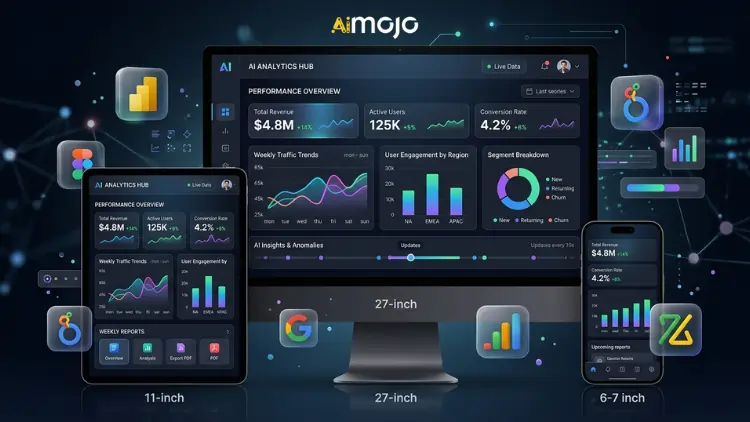
ターニング AI 実際に心に響くストーリーをチャートで表現する
生のグラフでは会議で誰も説得できません。 AI 出力を起点として、次にコンテキストで枠付けします。何が起こったのか、なぜそれが重要なのか、そして次に何が起こるのか。's データストーリーテリングと's 人々を行動に駆り立てるものは何か。
週次レポート作成のための自動ダッシュボードの構築
Power BI、Looker Studio、Zoho Analyticsはすべてライブ AI ダッシュボードを一度作成し、データソースに接続すれば、週次レポートを手動で作成する必要はもうありません。一度作成すれば、リンクは永久に共有できます。
「だから何?」フレームワーク ― あらゆる洞察を役員会議で活用できるようにする
AIが生成した知見を提示する前に、次の3つの簡単な質問に答えてください。
よくある質問
実際のデータ分析はできますか? AI もし私が技術的な知識を全く持っていなかったら?
はい。camelAI、Julius AI、Zoho Analytics(Zia)といったツールは、技術的な知識のないユーザー向けに特化して開発されています。平易な英語で質問すると、構造化された分析結果が返ってきます。
最高のものは何ですか? AI 2026年のデータ分析ツールとは?
Google Looker Studioは、ビジュアルレポート作成のための最も強力な無料オプションです。AI そしてジュリアス AI どちらもCSVファイルとスプレッドシートの分析に関して、充実した無料プランを提供している。
AIを使ってExcelやGoogleスプレッドシートのデータを分析するにはどうすればよいですか?
Juliusに直接ファイルをアップロードしてください AI またはcamelAIを使用するか、GoogleスプレッドシートをLooker StudioまたはZoho Analyticsに接続して、継続的な自動分析を行うこともできます。
ChatGPTはビジネスデータ分析において本当に信頼できるツールなのでしょうか?
データの要約、クリーニング、説明には最適です。複雑な計算や大規模なデータセットを扱う場合は、Power BI CopilotやJulius AIなどの専用ツールと組み合わせて使用することをお勧めします。
この試験は's 本当の違いは AI データ分析と従来のBIツール?
従来のBIツールでは、クエリを作成し、何を探すべきかを正確に把握する必要がありました。一方、AIを活用した分析プラットフォームは、インサイトを積極的に提示し、自然言語に応答します。設定は一切不要です。
AIが生成する分析結果はどれほど正確なのか?それらを完全に信頼して良いのだろうか?
いいえ。必ず相互チェックしてください。 AI ビジネス上の意思決定や顧客向けプレゼンテーションで使用する前に、出力結果を元のデータと照合してください。
これらのツールを使用するには、SQLやPythonの知識が必要ですか?
このリストにあるツールはどれも例外ではありません。すべてプログラミング不要で自然言語によるデータクエリをサポートしています。
どのような種類のデータファイルが最適ですか? AI 分析ツール?
CSVファイルとXLSXファイルは、ここに挙げたほぼすべてのツールで使用できます。JSONファイルとGoogleスプレッドシートも、多くのプラットフォームで幅広くサポートされています。
場所 AI データ分析が次のトレンドになる(そしてそれはあなたにとって何を意味するのか)
次の波 AI 分析ツールは、あなたが質問するのを待ってはくれません。 エージェント AI データ監視システム 24時間体制で指標を監視し、何か異常があればすぐに警告を発します。問題が深刻化する前に、迅速に対応します。
かつては予測分析には専任のアナリストが必要だった。しかし今では、Tableau PulseやPower BI Copilotといったツールが登場し、ビジネスユーザー向けの予測分析がほぼワンクリックで完了するレベルにまで進化している。
データサイエンティストがなくなるわけではありませんが、彼らの能力とAIを使いこなせる非技術系ユーザーの能力との差は、四半期ごとに縮まり続けています。これらのツールを使いこなせるようになるのが早ければ早いほど、優位性は高まります。
AiMojoのおすすめ:


 ボーナス: 200ドルの「AI 登録すると「マスタリーツールキット」が無料になります!



