

Importante aggiornamento 2026
ApriAI Il supporto per le esperienze web e app di Sora è stato interrotto il 26 aprile 2026. L'API di Sora verrà dismessa il 24 settembre 2026. Per questo motivo, questo articolo non è più una guida alla creazione di nuovi flussi di lavoro basati su Sora. È stato riscritto per aiutare i creatori a confrontare alternative a Sora, sostituti di Sora e progetti attivi. AI Strumenti per il flusso di lavoro video.
Se hai usato Sora per AI Per la produzione video, la scelta più sicura è semplice: esporta i tuoi contenuti esistenti, smetti di costruire nuovi sistemi di produzione basati su Sora e scegli un'alternativa in base a ciò che effettivamente crei.
Alcuni creatori hanno bisogno di video cinematografici da testo. Alcuni hanno bisogno di clip da immagine a video per annunci e post sui social. Alcuni hanno bisogno AI Avatar per la formazione, le vendite o i contenuti dei corsi. Altri necessitano di didascalie, modelli, editing, localizzazione, storyboard o flussi di lavoro di marketing che convertono un prompt in video.
Non esiste un'unica soluzione ideale per sostituire Sora, adatta a tutti. Lo strumento giusto dipende dal ruolo che Sora svolgeva all'interno del flusso di lavoro di gestione dei contenuti.
Questa guida confronta le migliori alternative a Sora in base al flusso di lavoro, con parametri chiari per ogni strumento, in modo da poter scegliere più velocemente ed evitare di dover ricostruire da zero l'intero processo di produzione.
Risposta rapida: Le migliori alternative a Sora in base al caso d'uso
Se hai bisogno di un film AI generazione video, inizia con Kling AISe hai bisogno di storyboard, personaggi, riferimenti visivi e pre-produzione creativa, prova Arte apertaSe hai bisogno di avatar parlanti, presentatori multilingue o video di formazione, Ehi Gen è la soluzione migliore. Se hai bisogno di sottotitoli, modifiche social, riutilizzo e velocità di pubblicazione, usa VEDERE. Se vuoi trasformare suggerimenti o script in video di marketing completi, confronta InVideo AI.
| Vecchio flusso di lavoro di Sora | La migliore alternativa a Sora |
|---|---|
| Clip video cinematografiche da testo a video | Kling AI |
| Animazione da immagine a video | kling AI o OpenArt |
| Storyboard a inquadrature multiple | OpenArt o Kling AI |
| Sviluppo del concetto visivo | Arte aperta |
| Video di avatar parlanti | Ehi Gen |
| Spiegazione di formazione, onboarding e vendite | HeyGen o VEED |
| Didascalie e modifiche social | VEDERE |
| YouTube Shorts, Reels, TikTok | VEED o InVideo AI |
| Video promozionale | InVideo AI |
| Video promozionali del prodotto | Kling AI, OpenArt, VEED o InVideo AI |
| Produzione settimanale rapida di contenuti | VEED o InVideo AI |
L'errore è inseguire ciò che è più pubblicizzato AI strumento video. La scelta migliore è optare per lo strumento che sostituisce esattamente il tuo flusso di lavoro.
Che fine ha fatto Sora?
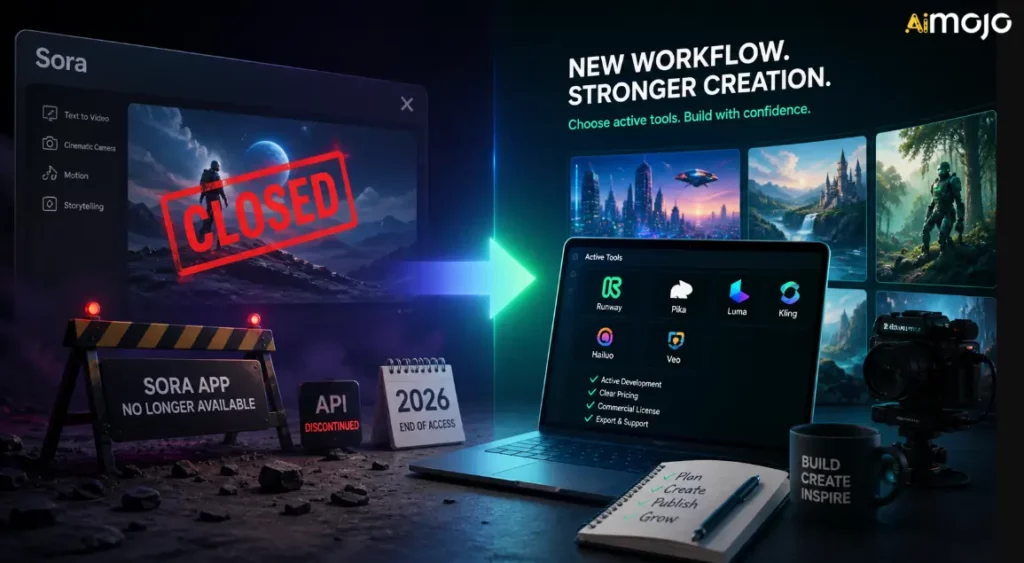
Sora è stata una delle più discusse AI strumenti video perché ha mostrato fin dove poteva arrivare la generazione di video da testo. I creatori potevano immagina scene cinematografiche, movimento, direzione della telecamera e narrazione visiva a partire da spunti invece di iniziare con una telecamera, filmati di repertorio o un flusso di lavoro di animazione tradizionale.
Ma Sora non è più un centro di flusso di lavoro stabile per i creatori. OpenAI's La pagina ufficiale relativa alla cessazione dell'attività conferma due date chiave:
Ciò significa che la normale esperienza web/app di Sora è già stata chiusa, mentre i flussi di lavoro dipendenti dalle API hanno una durata limitata. Se utilizzavate Sora tramite un'altra piattaforma, un'automazione personalizzata o un flusso di lavoro video interno, dovreste considerarlo temporaneo a meno che la piattaforma non sia passata a un modello diverso.
OpenAI's La pagina di aiuto ufficiale spiega la cronologia e il percorso di esportazione, ma non fornisce una lunga spiegazione pubblica per ogni motivo aziendale dietro la chiusura. Secondo quanto riportato da Axios, OpenAI stava restringendo il campo d'azione e le risorse umane/informatiche, con Sora che consumava una potenza di calcolo significativa. Axios ha anche riferito che OpenAI's Il team di ricerca di Sora continuerà a concentrarsi sulla ricerca sulla simulazione del mondo reale per la robotica e per le attività che coinvolgono il mondo fisico.
Per i creatori, l'aspetto pratico è più importante di quello politico legato al lockdown:
Come scegliere un'alternativa a Sora
Prima di iscriverti a un altro AI Piattaforma video, utilizzate questi parametri. Sono più importanti dell'hype.
1. Tipo di output
Chiedi cosa produce effettivamente lo strumento. Alcuni strumenti generano originale AI clip video. Alcuni animano immagini. Alcuni creano video avatar. Alcuni costruiscono video di marketing basati su modelli. Alcuni sono editor con AI caratteristiche.
Se hai bisogno di un film AI scene, scegli uno strumento video generativo. Se hai bisogno di scene settimanali contenuto socialeun editor potrebbe essere più prezioso.
2. Controllo creativo
Cerca controlli come proporzioni, durata, movimento della telecamera, immagini di riferimento, suggerimenti per i negativi, pianificazione dello storyboard, coerenza dei personaggi, sequenza delle scene e flussi di lavoro di modifica prima della generazione.
Quanto più impegnativo è il tuo lavoro di produzione, tanto maggiore è il controllo di cui hai bisogno.
3. Adeguatezza del flusso di lavoro
I creatori spesso danno troppa importanza alla qualità della generazione e troppo poca alla velocità del flusso di lavoro. Se il tuo collo di bottiglia sono le didascalie, il ridimensionamento, i modelli, la revisione e la pubblicazione, un puro AI Il generatore di video non risolverà completamente il problema.
4. Diritti commerciali
Prima di utilizzare clip generate in annunci, lavori per clienti, corsi a pagamento, monetizzazione di YouTube o campagne di brand, controlla lo strumento's termini. L'utilizzo commerciale può dipendere dal piano, dal modello, dalle risorse, dai filmati di repertorio, dalla voce, dall'avatar o dalla regione.
5. Costi e crediti
AI I video possono consumare crediti in fretta. Uno strumento che sembra economico sulla pagina dei prezzi può diventare costoso quando si generano molte varianti, si testano i prompt, si aumenta la risoluzione dell'output o si ha bisogno di clip più lunghe.
6. Utilizzo da parte del team e del cliente
Se lavori con i clienti o in team, cerca strumenti di collaborazione, kit di branding, modelli, progetti condivisi, opzioni di esportazione e flussi di lavoro di approvazione prevedibili.
Migliori alternative a Sora per flusso di lavoro
| Chiavetta | Ideale per | Punto di forza principale | Miglior acquirente |
|---|---|---|---|
| Kling AI | Cinematico AI video | Conversione da testo a video, da immagine a video, animazione, output cinematografico | Creatori, team pubblicitari, addetti al marketing di prodotto |
| Arte aperta | Storyboard e risorse creative | Concetti visivi, personaggi, pianificazione delle inquadrature, pre-produzione | Designer, registi, team creativi |
| Ehi Gen | Avatar parlanti | Video con presentatore, script, localizzazione, contenuti aziendali ripetibili | team SaaS, educatori, agenzie, team di vendita |
| VEDERE | Modifica e didascalie social | Sottotitoli, ridimensionamento, modifica, riutilizzo, finitura di pubblicazione | Team social, creatori, educatori, esperti di marketing |
| InVideo AI | Video promozionale | Sceneggiature, elementi visivi, voci fuori campo, scene, flussi di lavoro video completi | YouTuber, agenzie, piccole imprese |
1. Kling AI: Il miglior sostituto di Sora per le sequenze cinematiche AI Video
kling AI È la scelta migliore se hai utilizzato Sora per creare clip video cinematografiche da testo o da immagine. È stato progettato per la generazione di video, la coerenza visiva, i movimenti di camera e la produzione di contenuti cinematografici di breve durata, piuttosto che per la semplice modifica di modelli.
Kuaishou's L'annuncio di Kling 3.0 ha evidenziato funzionalità come la conversione da testo a video, da immagine a video, da riferimento a video, l'editing in-video, l'input/output multimodale, una maggiore coerenza, l'audio nativo, la narrazione multi-inquadratura e la generazione di video fino a 15 secondi. Questo rende Kling un valido sostituto di Sora per i creatori che desiderano ancora la magia dei video basati su prompt.
Usa Kling AI per:
kling AI Parametri di valutazione
| Parametro | Cosa controllare |
|---|---|
| Flusso di lavoro ottimale | Generazione cinematografica di video da testo e di video da immagine. |
| Tipi di input | Suggerimenti testuali, immagini, riferimenti e, a seconda del modello di accesso, input multimodali |
| Stile di output | Brevi clip cinematografiche, scene realistiche, movimento stilizzato, immagini di prodotto |
| Livello di controllo | Maggiore controllo nell'utilizzo di immagini di riferimento, indicazioni della telecamera, descrizioni del soggetto e suggerimenti in stile storyboard. |
| Velocità | Adatto per brevi clip, ma tenete presente che ci vorrà del tempo per ottenere risultati più rifiniti. |
| forza creativa | Realismo visivo, movimento, inquadratura cinematografica, animazione delle immagini |
| Utilizzo della conversione | Ideale per annunci pubblicitari, elementi di richiamo, elementi visivi per landing page, storytelling di prodotto e test creativi di breve formato. |
| Attenzione | Costo del credito, limiti di generazione, condizioni di utilizzo commerciale, regole di filigrana/esportazione e differenze tra i piani. |
Il miglior re AI Stile rapido
Kling funziona meglio quando le tue indicazioni sono formulate come quelle di un regista, non solo come quelle di un autore di parole chiave. Includi soggetto, scena, movimento, angolazione della telecamera, illuminazione, atmosfera, proporzioni e ciò che non deve apparire.
Esempio di struttura del prompt:
A close-up cinematic shot of a premium smartwatch on a dark glass table, soft studio lighting, slow push-in camera movement, reflections visible, modern luxury ad style, shallow depth of field, no text, no distorted hands, no extra objects.Per trasformare un'immagine in un video, inizia con un'immagine efficace del prodotto o del personaggio. Poi descrivi chiaramente il movimento:
Animate this product image with a slow clockwise camera orbit, subtle background light movement, realistic reflections, no change to product shape, no logo distortion.Quando Kling AI È la scelta migliore
Scegli Kling se il tuo precedente flusso di lavoro con Sora era incentrato sulla creazione di scene originali. È particolarmente utile quando hai bisogno di effetti visivi di grande impatto ma non ti serve una suite completa di editing per i social media all'interno dello stesso strumento.
Ad esempio, un addetto al marketing potrebbe generare un messaggio di 5-15 secondi AI prodotto girato in Kling, quindi sposta la clip in VEDERE per didascalie, ridimensionamento, posizionamento del logo e formattazione finale per i social media.
2. Arte apertaLa migliore alternativa a Sora per lo storyboard e la pre-produzione creativa.
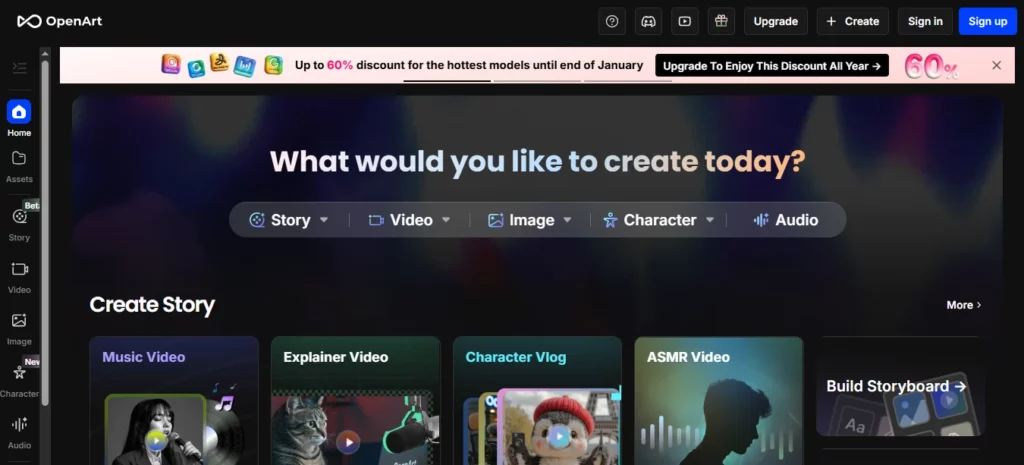
OpenArt è una valida alternativa a Sora quando è necessaria una pianificazione visiva prima della generazione di video. Non si tratta semplicemente di sostituire Sora clip per clip, ma di aiutare i creatori a sviluppare concetti, personaggi, stili, scene e risorse che potranno poi diventare video.
Arte aperta's La funzione Smart Shot è particolarmente rilevante per i flussi di lavoro di sostituzione di Sora perché si concentra sulla pianificazione delle inquadrature, sull'output multi-taglio, sul lavoro della telecamera, coerenza visivae il controllo "modifica prima di generare". OpenArt descrive Smart Shot come la creazione di un piano di ripresa con storyboard e movimenti di macchina, per poi produrre da 3 a 5 inquadrature distinte. Questo lo rende utile per i creatori che desiderano una struttura più definita rispetto a una ripresa casuale. AI clip.
Utilizzare OpenArt per:
Parametri di valutazione OpenArt
| Parametro | Cosa controllare |
|---|---|
| Flusso di lavoro ottimale | Storyboard, ideazione visiva, coerenza dei personaggi e pre-produzione creativa. |
| Tipi di input | Suggerimenti testuali, immagini, riferimenti ai personaggi, risorse visive salvate |
| Stile di output | Immagini, fotogrammi dello storyboard, video multi-taglio, visual dei personaggi, concept di scena |
| Livello di controllo | Forte quando si creano riferimenti prima di generare il movimento |
| Velocità | Ideale per esplorare diverse direzioni visive prima di utilizzare i crediti video. |
| forza creativa | Ideazione visiva, creazione dei personaggi, pianificazione dello storyboard, generazione delle risorse |
| Utilizzo della conversione | Utile per la pianificazione pubblicitaria, le miniature, le foto dei prodotti, la pre-produzione e le presentazioni ai clienti. |
| Attenzione | Non sempre rappresenta l'ultimo livello di modifica; potrebbe essere ancora necessario VEED o un altro editor per i sottotitoli e la pubblicazione. |
Come OpenArt sostituisce parte di Sora
Molti creatori hanno utilizzato Sora come motore dell'immaginazione. Digitavano un'idea e vedevano come poteva apparire la scena. OpenArt può sostituire questa funzione creativa iniziale aiutandoti a sviluppare prima il mondo visivo.
Questo è importante perché sprecare tempo nella generazione di video è costoso. Se la tua idea è debole, generare video immediatamente può comportare la perdita di crediti per clip inutilizzabili. Un flusso di lavoro migliore è:
- Crea lo stile visivo in OpenArt.
- Crea riferimenti a personaggi o prodotti.
- Scegli le cornici più resistenti.
- Anima quei riferimenti in Kling AI o gli strumenti video di OpenArt.
- Modifica il montaggio finale in VEED.
Il miglior flusso di lavoro OpenArt per i creatori
Per un annuncio di prodotto, genera prima 5-10 indicazioni visive:
Quindi scegli l'immagine più forte e trasformala in movimento. Questo è più controllato che chiedere a uno AI modello video per risolvere l'intera idea in un colpo solo.
3. Ehi Gen: La migliore alternativa a Sora per avatar parlanti e video di presentazione

HeyGen è la migliore alternativa a Sora se il tuo obiettivo non sono le scene cinematografiche, ma i video guidati da un presentatore.
Molte aziende non hanno bisogno di un surreale AI Nel settore video, hanno bisogno di una persona dall'aspetto professionale che spieghi un prodotto, guidi i clienti, tenga un corso, localizzi un messaggio o trasformi le sceneggiature in video di alta qualità.
Ehi Gen's La documentazione descrive i flussi di lavoro per avatar fotografici, avatar pubblici e avatar istantanei/gemelli digitali, con motori per avatar a seconda della qualità o delle funzionalità desiderate. Supporta anche flussi di lavoro per avatar e voce molto più vicini alla produzione di video aziendali rispetto a cinematico AI ELETTRICA.
Utilizzare HeyGen per:
Parametri di valutazione di HeyGen
| Parametro | Cosa controllare |
|---|---|
| Flusso di lavoro ottimale | Video aziendali con presentatore e contenuti con avatar |
| Tipi di input | Script, avatar, voci, avatar fotografici, avatar pubblici, avatar personalizzati |
| Stile di output | Video con presentatori, video esplicativi, video di formazione, video con avatar multilingue |
| Livello di controllo | Ideale per la selezione di script, voce e avatar, e per formati di presentazione ripetibili. |
| Velocità | Ottima soluzione per la produzione ripetibile di video aziendali. |
| forza creativa | Coerenza del presentatore, localizzazione, comunicazione con copione |
| Utilizzo della conversione | Ottimo per spiegare i SaaS, video della landing pageattività di vendita, formazione e contenuti dei corsi |
| Attenzione | Consenso all'avatar, consenso vocale, diritti d'immagine, qualità della pronuncia e coerenza con il marchio |
Quando HeyGen batte un sostituto cinematografico di Sora
Scegli HeyGen quando il messaggio umano è più importante della scena.
Per esempio:
In questi casi, Kling o OpenArt potrebbero risultare troppo visivi e poco pratici. HeyGen, invece, offre un flusso di lavoro ripetibile in stile studio.
Miglior formato di script HeyGen
Mantieni i dialoghi diretti e naturali:
Esempio:
“Se il tuo team trascorre ore a registrare gli stessi video di formazione, puoi sostituire quel processo con un AI Flusso di lavoro per avatar. Scrivi la sceneggiatura una volta, genera il video, traducilo per i diversi mercati e aggiorna i contenuti quando il tuo prodotto cambia."
4. VEDERELa migliore alternativa a Sora per l'editing video e la creazione di sottotitoli sui social media.
VEED è il sostituto pratico di Sora per i creatori che si preoccupano meno del raw AI generazione e altro su come trasformare le clip in video pronti per la pubblicazione.
VEED è un editor video online con AI strumenti per le didascalie, sottotitoli, traduzione, testo in video, avatar, voci fuori campo, registrazione dello schermo, formattazione e modifica. I suoi strumenti per i sottotitoli supportano sottotitoli e traduzioni automatiche in molte lingue e il suo AI Un programma di creazione video può aiutarti a realizzare video con clip, musica, voci fuori campo, sottotitoli e animazioni.
Utilizzare VEED per:
Parametri di valutazione VEED
| Parametro | Cosa controllare |
|---|---|
| Flusso di lavoro ottimale | Editing, didascalie, riutilizzo e pubblicazione sui social |
| Tipi di input | Clip caricate, registrazioni dello schermo, clip generate dall'IA, script, voci fuori campo |
| Stile di output | Video pronti per i social, clip con sottotitoli, video di formazione, annunci pubblicitari, video esplicativi |
| Livello di controllo | Ideale per editing, sottotitoli, modelli, formattazione e personalizzazione dell'immagine aziendale. |
| Velocità | Ottimo per i creatori che pubblicano spesso |
| forza creativa | Didascalie, modifica della timeline, ridimensionamento, rifinitura social, riutilizzo |
| Utilizzo della conversione | Ideale per brevi clip, annunci video, video di creatori e distribuzione di contenuti. |
| Attenzione | Non è principalmente un generatore cinematografico di fascia alta; utilizzalo con Kling o OpenArt per ottenere effetti visivi più potenti. |
Come VEED si inserisce dopo Sora
Sora è in grado di generare clip di grande impatto, ma il contenuto finale necessita comunque di editing. La maggior parte dei video social di successo richiede:
VEED è progettato per la fase finale di produzione. Un flusso di lavoro post-Sora efficace potrebbe essere strutturato in questo modo:
- Generare AI elementi visivi in Kling AI.
- Crea immagini di supporto o fotogrammi dello storyboard in OpenArt.
- Registra o genera segmenti di presentazione in HeyGen.
- Assembla, aggiungi didascalie, ridimensiona ed esporta in VEED.
Questo è un flusso di lavoro migliore di quello che ci si aspetterebbe AI generatore video per fare tutto.
5. InVideo AI: La migliore alternativa a Sora per i video di marketing.
video AI È un'ottima alternativa quando si desiderano video di marketing completi a partire da spunti, sceneggiature o idee di contenuto.
video AI è meno importante mostrare un grezzo AI modello e altro su come passare da un'idea a un video pubblicabile. Il suo AI Il generatore di video può scrivere script da prompt, aggiungere elementi visivi, doppiaggi, sottotitoli, musica e altri elementi di produzione. Include anche flussi di lavoro per AI Generazione di video, avatar, didascalie, annunci in stile UGC, video di prodotto, YouTube Shorts e altro ancora.
Usa InVideo AI per:
video AI Parametri di valutazione
| Parametro | Cosa controllare |
|---|---|
| Flusso di lavoro ottimale | Produzione di video a partire da prompt e di video di marketing a partire da sceneggiatura. |
| Tipi di input | Suggerimenti, sceneggiature, idee per argomenti, descrizioni di prodotti, dettagli sul pubblico |
| Stile di output | Video di marketing strutturati, annunci sui social media, video esplicativi, elenchi, video senza volto |
| Livello di controllo | Forte per script, stock/AI elementi visivi, voci fuori campo, scene e comandi di modifica |
| Velocità | Ottimo per veloci produzione di contenuti e test della campagna |
| forza creativa | Trasformare rapidamente idee grezze in video completi |
| Utilizzo della conversione | Ideale per annunci pubblicitari, contenuti YouTube, promozioni di prodotti e marketing per piccole imprese. |
| Attenzione | Potrebbe risultare meno originale rispetto al video puramente generativo se si necessitano di inquadrature cinematografiche altamente uniche. |
Quando InVideo AI È meglio di Kling o OpenArt
Scegli InVideo AI quando il risultato aziendale conta più del semplice modello visivo.
Per esempio:
video AI È utile perché ragiona in termini di formati di contenuto completi. Questo facilita il lavoro di marketer, piccole imprese, agenzie e creatori che necessitano di risultati rapidi.
La migliore alternativa a Sora per diversi tipi di utenti.
Per gli YouTuber
Utilizza OpenArt per miniature e concetti visivi, Kling AI per brevi inserti cinematografici, InVideo AI Per le bozze strutturate dei video, utilizzo VEED per i sottotitoli e il montaggio finale.
Miglior combinazione:
Per i Social Media Manager
Usa Kling AI per clip che catturano l'attenzione, VEED per sottotitoli e ridimensionamento e InVideo AI per variazioni rapide della campagna.
Miglior combinazione:
Per le agenzie
Utilizzare OpenArt per i concept dei clienti, Kling AI Per i test visivi, HeyGen per le spiegazioni e VEED per la consegna finale con il marchio.
Miglior combinazione:
Per creatori di corsi e docenti
Utilizza HeyGen per le lezioni tenute da un relatore e VEED per la modifica, i sottotitoli e le traduzioni. Usa OpenArt solo quando hai bisogno di elementi visivi personalizzati per le lezioni.
Miglior combinazione:
Come ricostruire il tuo AI Flusso di lavoro video dopo Sora
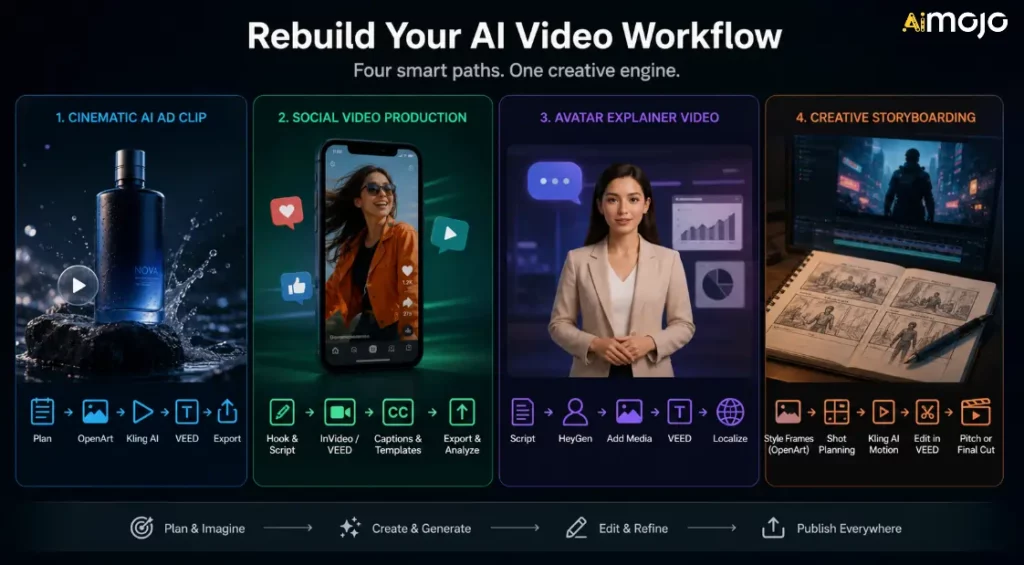
Non limitarti a scegliere una soluzione sostitutiva e sperare che risolva tutto. Crea un flusso di lavoro in base al tipo di contenuto che pubblichi.
Flusso di lavoro 1: Cinematografico AI Clip pubblicitaria
Utilizzalo quando hai bisogno di brevi annunci visivi, foto di prodotti o AI Riprese di supporto (B-roll).
- Pianifica la scena e l'emozione che vuoi suscitare.
- Genera immagini di riferimento in OpenArt.
- Anima il frame più potente in Kling AI.
- Aggiungi didascalie, call to action e ridimensiona in VEED.
- Esporta le versioni per TikTok, Reels, YouTube Shorts e annunci pubblicitari.
Flusso di lavoro 2: Produzione di video per i social media
Utilizzalo quando il tuo obiettivo è volume e uniformità.
- Scrivi un'introduzione accattivante e una breve sceneggiatura.
- Crea una bozza in InVideo AI o VEED.
- Aggiungi didascalie e modelli personalizzati con il tuo marchio.
- Esportazione con diverse proporzioni.
- Monitora quali ganci offrono le migliori prestazioni.
Flusso di lavoro 3: Video esplicativo dell'avatar
Utilizzalo quando hai bisogno di video di formazione, vendita o didattici.
- Scrivi una sceneggiatura chiara.
- Genera il presentatore in HeyGen.
- Aggiungi screenshot del prodotto, diapositive o filmati di repertorio.
- Modifica e aggiungi la didascalia in VEED.
- Localizzare solo dopo l'approvazione della versione principale.
Flusso di lavoro 4: Storyboarding creativo
Utilizzalo quando sviluppi una pubblicità, un concept cinematografico, un video musicale o una campagna di branding.
- Crea cornici di stile in OpenArt.
- Utilizza Smart Shot o la pianificazione tramite storyboard quando opportuno.
- Genera clip animate con Kling AI.
- Assembla il taglio grezzo in VEED.
- Utilizza il risultato come presentazione, indicazione creativa o prodotto finale di breve formato.
Cosa fare se hai usato Sora
Se possiedi ancora risorse Sora, procedi come segue:
L'obiettivo non è ricreare Sora esattamente. L'obiettivo è continuare a produrre senza dipendere da un prodotto fuori produzione.
Errori comuni da evitare
Errore 1: Sostituire Sora con un altro flusso di lavoro fragile
Sora's La funzione di spegnimento serve a ricordarti di tenere organizzati esportazioni, prompt, immagini sorgente, didascalie e file finali. Non lasciare che l'intero sistema di gestione dei contenuti risieda all'interno di un'unica piattaforma chiusa.
Errore 2: Ignorare le licenze
AI La concessione di licenze video può essere complicata. Controlla sempre i termini di utilizzo commerciale prima di utilizzarli. AI clip in annunci pubblicitari, campagne per clienti, prodotti a pagamento, monetizzazione di YouTube o lavori di branding pubblici.
Errore 3: dimenticare il livello di modifica
AI La generazione del suono è solo una parte della produzione video. Sottotitoli, ritmo, tagli, elementi di aggancio, ridimensionamento, miniature e call to action sono ancora determinanti per il successo di un video.
Errore 4: Scegliere lo strumento con la demo migliore
I video dimostrativi non rappresentano il tuo flusso di lavoro. Testa gli strumenti con il tuo prompt reale, il tuo prodotto, il tuo pubblico, le tue proporzioni e la tua pianificazione di pubblicazione.
Errore 5: Non salvare i dati inseriti
Salva prompt, riferimenti, clip finali, didascalie, miniature e impostazioni di esportazione. Questo semplifica il passaggio tra diversi strumenti nel caso in cui un'altra piattaforma modifichi prezzi o disponibilità.
Domande frequenti relative alle alternative a Sora
Sora è ancora disponibile?
ApriAI Il supporto per le esperienze web e app di Sora è stato interrotto il 26 aprile 2026. L'API di Sora verrà dismessa il 24 settembre 2026.
Perché Sora è stato disattivato?
OpenAI's La pagina di aiuto ufficiale conferma le date di chiusura ma non fornisce una spiegazione pubblica dettagliata per ogni motivo interno. Secondo quanto riportato da Axios, OpenAI Stava restringendo il campo d'azione e le risorse umane/informatiche, con Sora che consumava una potenza di calcolo considerevole. Per i creatori, il punto importante è che Sora non è più uno strumento sicuro per i nuovi flussi di lavoro di produzione.
Qual è la migliore alternativa a Sora?
kling AI è la migliore prima scelta per il cinema AI generazione video. OpenArt è migliore per storyboard e concetti visivi. HeyGen è migliore per AI avatar. VEED è migliore per sottotitoli e modifiche social. InVideo AI è più adatto ai flussi di lavoro che vanno dal prompt al video di marketing.
Qual è la migliore alternativa a Sora per la conversione del testo in video?
Per la conversione da testo a video con effetto cinematografico, inizia con Kling AI. Se le tue esigenze di conversione da testo a video riguardano principalmente video di marketing, annunci sui social media o una struttura video completa, InVideo AI oppure VEED potrebbe essere più utile.
Qual è la migliore alternativa a Sora per la conversione di immagini in video?
kling AI è un'ottima opzione per la conversione di immagini in video. OpenArt è utile anche quando si desidera creare o preparare le risorse visive prima di animarle.
Qual è la migliore alternativa a Sora per le aziende?
Per i video aziendali, HeyGen è ottimo per i video esplicativi e di formazione con avatar. VEED è ottimo per il montaggio e i sottotitoli. InVideo AI è ideale per promozioni di prodotti e video di marketing.
Dovrei comunque sviluppare strumenti basati sull'API di Sora?
No. Poiché l'API Sora è destinata a essere dismessa, i creatori e gli sviluppatori dovrebbero evitare di basare su di essa la creazione di nuovi sistemi di produzione a lungo termine.
Posso usare AI Alternative video per lavori commerciali?
Spesso sì, ma controlla ogni piattaforma's piano, licenza e regole di utilizzo. I diritti commerciali possono dipendere dal modello, dal tipo di output, dal livello del piano, dalle risorse di archivio, dalla voce, dall'avatar o dal paese.
Cosa dovrei fare con i vecchi contenuti di Sora?
Esporta il tutto, archivia i prompt e le risorse di riferimento, organizza le clip finali e sposta la produzione attiva su strumenti ancora disponibili.
AiMojo consiglia:
Giudizio
Per il cinema AI video, inizia con Kling AI. Per storyboard, personaggi e pre-produzione creativa, utilizzare Arte apertaPer le spiegazioni degli avatar e i video di presentazione multilingue, utilizzare Ehi GenPer sottotitoli, editing per i social media e riutilizzo dei video, usa VEED. Per i flussi di lavoro che vanno dal prompt al video di marketing, usa InVideo AI.
Sora ha spinto AI I video sono in continua evoluzione, ma i creatori hanno bisogno di strumenti che possano utilizzare oggi stesso. Progetta il tuo prossimo flusso di lavoro tenendo conto di disponibilità, licenze, qualità dell'output, compatibilità con il flusso di lavoro e velocità di pubblicazione.


 BONUS: Ottieni i nostri 200$ "AI "Mastery Toolkit" GRATIS se ti registri!



