

Wawasan Utama GitMind
Apa itu GitMind?
GitMind adalah ruang kerja visual berbasis AI yang dikembangkan oleh WANGXU TECHNOLOGY (HK) CO., LIMITED, diluncurkan pada tahun 2019 dan kini digunakan oleh lebih dari 10 juta profesional di 160 negara. Pada intinya, platform ini mengubah input mentah termasuk teks perintah, PDF, rekaman audio, video YouTube, dan gambar menjadi peta pikiran terstruktur, diagram alur, diagram UML, dan bagan organisasi sepenuhnya melalui AI otomatisasi.
Bagi tim bisnis, ini berarti seorang manajer proyek dapat mengunggah dokumen spesifikasi dan mendapatkan rencana visual yang terstruktur lengkap dalam waktu kurang dari satu menit, menghilangkan berjam-jam pembuatan diagram manual. GitMind mencakup seluruh alur kerja produktivitas mulai dari menangkap ide dan brainstorming hingga presentasi visual , menjadikannya platform pengorganisasian pengetahuan serba guna yang sesungguhnya, bukan sekadar pembuat peta pikiran dasar.
GitMind's Kemampuan paling ampuhnya adalah kemampuannya untuk memproses hampir semua format input dan mengembalikan peta visual terstruktur. Anda dapat menempelkan URL YouTube, mengunggah file audio, memasukkan PDF, atau mengetikkan perintah satu baris dan GitMind akan memprosesnya.'s AI akan menghasilkan peta pikiran bercabang dalam waktu kurang dari 10 detik. Bagi konsultan dan manajer proyek yang menangani kumpulan dokumentasi besar, ini saja sudah menggantikan berjam-jam entri node manual setiap minggu.
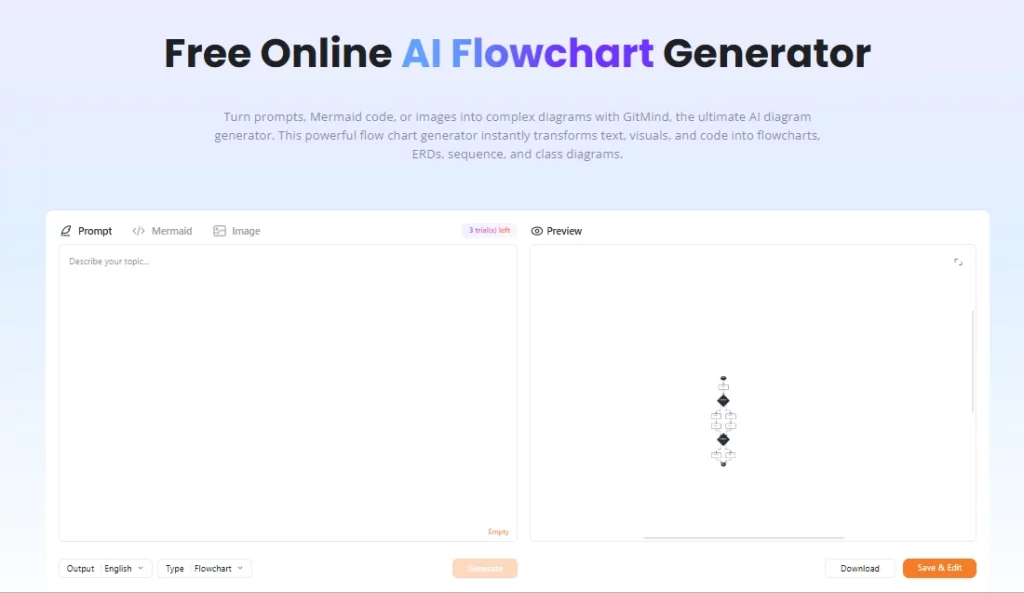
Selain peta pikiran, GitMind mendukung diagram alur, papan tulis, diagram UML, bagan organisasi, diagram Ishikawa (diagram tulang ikan), dan diagram entitas-relasi. Ini penting bagi tim teknis yang membutuhkan lebih dari sekadar peta pikiran. kanvas curah pendapatSeorang insinyur perangkat lunak dapat menghasilkan sebuah AI Buat diagram alur dari catatan proyek, visualisasikan ketergantungan sistem, dan bagikan diagram tersebut sebagai presentasi dalam satu sesi.
GitMind mengatur ruang kerja tim ke dalam unit yang disebut "Planet," yang masing-masing berfungsi sebagai lingkungan kolaborasi bersama. Beberapa pengguna dapat mengedit peta secara langsung, memberikan komentar, dan melacak perubahan, sehingga praktis untuk tim yang tersebar yang menjalankan sesi perencanaan agile atau lokakarya penemuan produk. Paket gratis mendukung satu planet, paket berbayar membuka lebih banyak planet, dan paket Bisnis membuka planet tak terbatas dengan anggota tak terbatas.
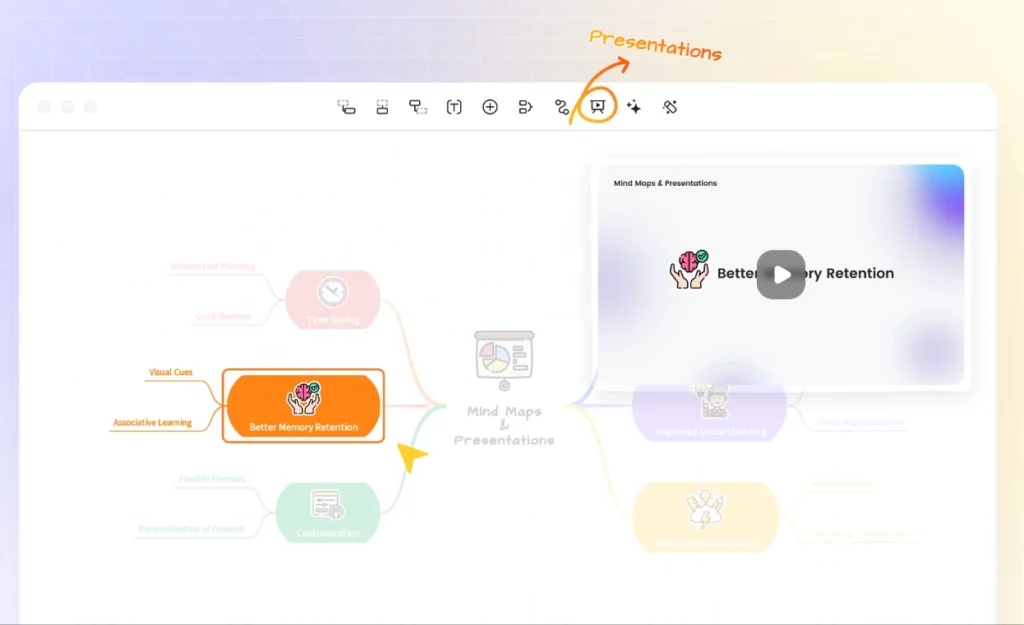
Setiap peta pikiran di GitMind dapat diubah menjadi presentasi hanya dengan satu klik menggunakan Mode Presentasi bawaan. Guru, pelatih, dan konsultan menggunakan fitur ini untuk mengubah ide mentah menjadi alur slide yang siap dipresentasikan di ruang rapat tanpa meninggalkan platform. Opsi ekspor meliputi PNG, JPG, PDF, dan TXT, dengan ekspor HD tersedia mulai dari paket Dasar ke atas.
GitMind berjalan sebagai aplikasi web dan juga memiliki klien desktop untuk Windows dan Mac, serta aplikasi seluler untuk iOS dan Android. Karena semua data disinkronkan melalui cloud, beralih dari laptop ke tablet di tengah sesi tidak menimbulkan hambatan sama sekali. Proses masuk dapat dilakukan melalui Google, Apple, Facebook, atau email, yang mempercepat proses orientasi bagi anggota tim baru.
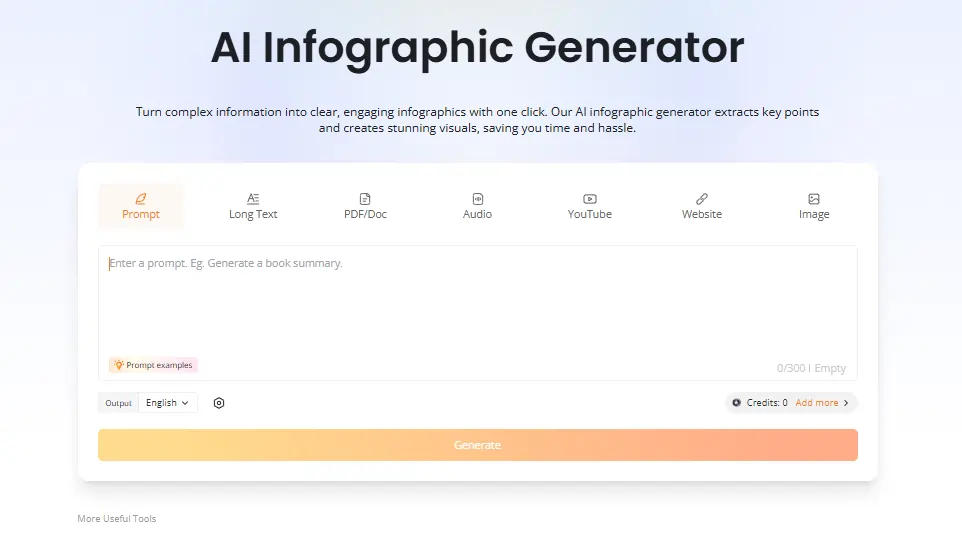
Paket berbayar membuka fitur terintegrasi. AI ChatBot untuk menanyakan dokumen yang diunggah langsung di dalam ruang kerja, ditambah sebuah AI Generator infografis yang mengubah data dan konten menjadi ringkasan visual. Para insinyur dan peneliti menganggap fitur obrolan sangat berguna untuk mengungkap celah dalam dokumentasi tanpa meninggalkan lingkungan pemetaan. Kedua fitur tersebut menggunakan AI kredit dari alokasi paket bulanan.
Paket Harga GitMind
| Rencanakan | Biaya (Tahunan) | AI Kredit | Cloud Storage | Gambar per Peta | Planet | Anggota Per Planet |
|---|---|---|---|---|---|---|
| Gratis | $0 | Terbatas | Tidak ditentukan | Dasar | 1 | Terbatas |
| Dasar | $ 4.92 / bulan | None | 10 GB | 50 | 1 | 5 |
| per | $ 5.75 / bulan | 2,000 / bulan | 10 GB | 100 | 1 | 5 |
| Ultra | $ 11.58 / bulan | 4,000 / bulan | 30 GB | 500 | 1 | 20 |
| Bisnis | $17.42/bulan per kursi | 5,000 / bulan | 50 GB | 800 | Tak terbatas | Tak terbatas |
GitMind untuk Tim Bisnis
GitMind berada pada posisi yang sangat bermanfaat bagi tim bisnis yang berurusan dengan volume informasi yang tinggi. Kemampuan untuk mengambil rekaman rapat, ringkasan klien yang panjang, atau tumpukan PDF dan mengubahnya menjadi peta visual yang dapat ditindaklanjuti secara signifikan mempersingkat siklus perencanaan.
Untuk tim pemasaran, ahli strategi kontenBagi manajer produk, alur kerja "prompt-to-map" berarti penyusunan kerangka proyek awal terjadi dalam hitungan menit, bukan sesi papan tulis selama satu jam. Rencana bisnis's real-time AI Pelacakan kredit per anggota menambahkan lapisan praktis manajemen sumber daya yang akan dihargai oleh tim yang sedang berkembang.
Pro dan kontra
- Mengonversi video, audio, dan PDF menjadi peta pikiran.
- Cepat AI Pembuatan peta dalam waktu kurang dari 10 detik.
- Lintas platform termasuk desktop dan seluler.
- Kolaborasi tim secara real-time terintegrasi.
- Berbagai jenis diagram dalam satu alat.
- Mode Presentasi menghemat perangkat lunak tambahan.
- Paket gratis memiliki batasan jumlah file.
- AI Kredit akan cepat habis jika digunakan secara intensif.
- Tidak ada integrasi Slack atau Notion bawaan.
- Respons layanan pelanggan terkadang lambat.
GitMind untuk Pendidik dan Peneliti
GitMind telah mendapatkan tempat yang kuat di kalangan pendidik, mahasiswa, dan peneliti khususnya karena kemampuannya untuk memproses rekaman kuliah, makalah akademis , dan isi buku teks menjadi struktur visual yang siap untuk direvisi. Ringkasan transkrip YouTube saja digunakan oleh mahasiswa untuk mengekstrak dan memetakan isi kuliah tanpa perlu mencatat secara manual.
Para guru menggunakan fitur peringkasan artikel dan Mode Presentasi untuk mempersiapkan dan menyampaikan pelajaran dari satu alat. Bagi siapa pun yang secara rutin menangani materi sumber yang padat, paket Pro seharga $5.75 per bulan yang ditagih setiap tahun memberikan nilai yang solid.
Alternatif GitMind Terbaik
| AI Alat Pemetaan Pikiran dan Ruang Kerja Visual | AI Kecepatan Pembuatan Peta | Nilai Tanpa Batasan Kredit |
|---|---|---|
| eddrawmind | Cepat, murah hati AI batasan pada paket berbayar | Nilai yang kuat untuk tanpa batas AI menggunakan |
| XMind | Sedang, AI kurang mumpuni dibandingkan GitMind | Baik untuk struktur, lebih lemah. AI generasi |
| Miro | Bukan fitur utama, berfokus pada papan tulis. | Terbaik untuk papan kolaborasi perusahaan |
| Lucidchart | Terbatas AI pembuatan peta | Lebih kuat untuk alur kerja pembuatan diagram teknis |



