

Jentik AI is worth considering if you want to turn written content into narrated videos without filming, recording voiceovers, or manually assembling every scene. Its strongest use cases include faceless YouTube videos, social media content, product explainers, educational videos, and multilingual marketing.
What makes Fliki interesting is its combination of text-to-video generation, 2,000+ AI voices, stock media, AI-generated visuals, voice cloning, and automated subtitles inside a browser-based editor.
Tapi disana's a catch. Creating a video with Fliki isn't necessarily expensive. Generating original AI motion for every scene can be.
This Fliki AI review looks at its actual capabilities, credit-based pricing, video production workflow, technical limitations, and competing tools to help you decide if a subscription makes sense.
Jentik AI Review: Is It Actually Worth Using?
Jentik AI is a practical choice for creators who prioritize narration, content repurposing, and production speed over detailed cinematic control. It can assemble scripts, voiceovers, visuals, music, and captions into a single video project.
I see its strongest value in turning content you already have into something you can publish in another format.
For example, a blogger can turn an article into a narrated explainer, while a Pembuat YouTube can produce a faceless video without buying recording equipment.
However, if you're expecting perfect AI-generated footage from a single prompt, Fliki still requires editing and careful credit management.
| Parameter Tinjauan | Flik AI |
|---|---|
| terbaik Untuk | Faceless videos, explainers, content repurposing |
| Generasi Video | Text, scripts, blogs, prompts, presentations |
| AI suara | 2,000+ across its full voice catalog |
| Dukungan Bahasa | 80+ bahasa |
| Video Editing | Scene-based and timeline editing |
| Paket Gratis | Ya, 3 monthly credits |
| Harga Berbayar | Mulai dari $ 28 / bulan |
| Maximum Standard Export | 1080p on paid plans |
| Hak Komersial | Included with paid plans |
| Kelemahan Utama | AI video generation can consume credits quickly |
Putusan saya: Fliki makes the most sense when you need complete, voice-led videos rather than isolated AI Klip video.
What Is Fliki AI, and How Does Its Text-to-Video Engine Work?
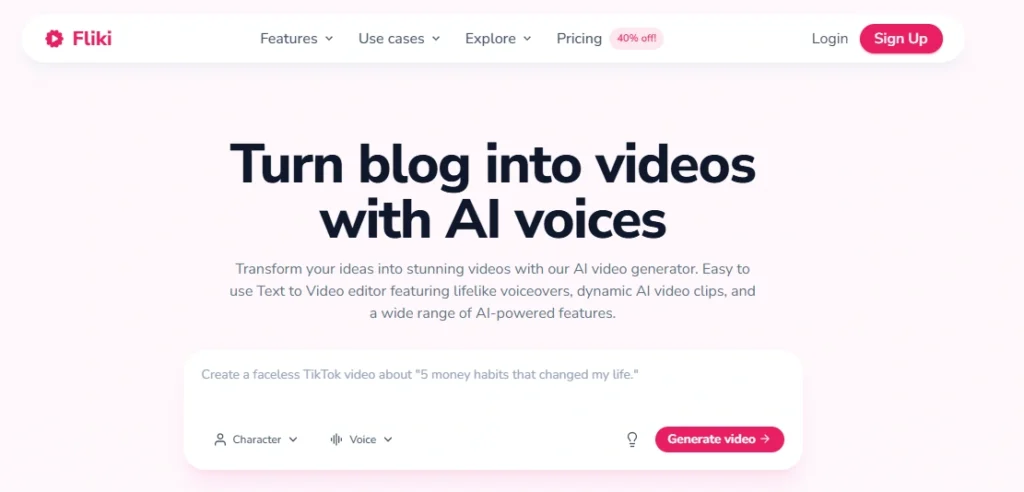
Flik AI adalah berbasis browser AI pembuat video that converts text, prompts, blog posts, and presentations into videos containing narration, visuals, subtitles, and background music.
Instead of editing everything from scratch, users provide the source material, select their settings, and let Fliki assemble an initial version.
Its production process follows five stages:
The important distinction is that Fliki combines two different types of video production.
Stock-based video assembly uses existing footage and images to illustrate your narration.
Generatif AI video creates new moving footage using AI model.
The first approach is generally more economical and predictable. The second provides greater kebebasan visual but has higher processing costs and less predictable results.
Fliki supports both approaches, which makes it useful for different content formats.
Jentik AI Features: Where Its Video Production Tools Stand Out
Text-to-Video Generation With Scene-Level Editing
Jentik's text-to-video feature converts scripts and prompts into videos by dividing content into individual scenes.
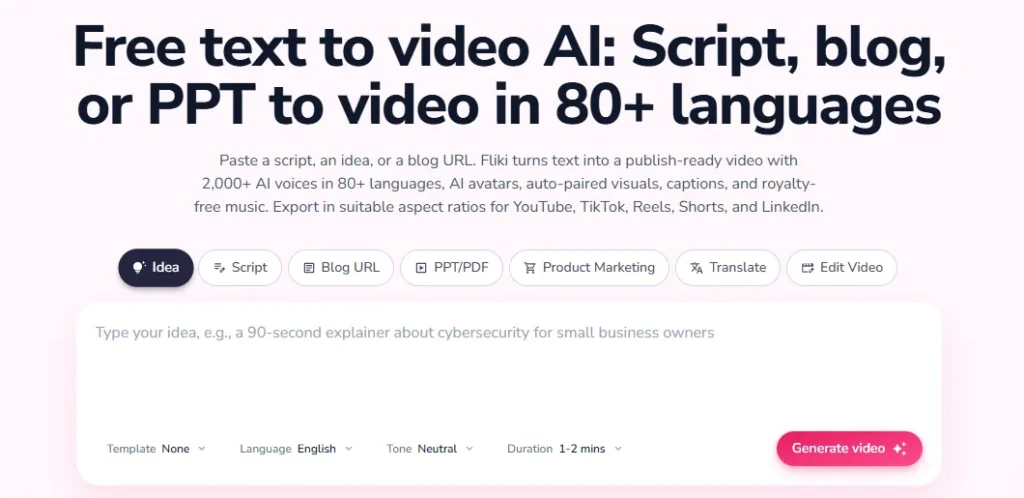
Each scene can contain its own narration, visuals, captions, and timing.
This is useful because a poor visual match doesn't require rebuilding the entire video. You can replace the relevant asset and preserve the rest of your project.
For a typical educational video, I would start with a finished script rather than a one-line prompt.
Sini's Mengapa:
Fliki is more useful as an AI-assisted production editor than as a completely unattended video creator.
You still need to check the final output, particularly when explaining technical subjects or products.
AI Voice Generator With 2,000+ Narration Options
Jentik's text-to-speech system is one of its biggest attractions.
The full catalog includes Lebih dari 2,000 suara dalam lebih dari 80 bahasa., with different voice engines, accents, speaking styles, and pricing tiers.
Users can also adjust aspects of speech delivery, including pronunciation, pacing, pauses, and supported emotional styles.
However, the number of voices available depends on the subscription.
| Kemampuan Suara | Ketersediaan |
|---|---|
| Free plan voices | 300 |
| Standard plan voices | 1,000 |
| Premium plan voices | 2,000 + |
| Kloning suara | Paket berbayar |
| Multilingual narration | Didukung |
| Pronunciation controls | Tersedia pada paket berbayar |
Does Fliki AI Sound Like a Real Person?
Fliki can produce narasi yang terdengar alami, particularly when you choose an appropriate voice and write the script for spoken delivery.
But voice quality depends heavily on the speech engine and script.
Technical abbreviations, unfamiliar brand names, numbers, and long sentences can still create unnatural pauses or pronunciation errors.
A useful voice-quality test includes:
For product explainers, I prefer short, conversational sentences with carefully placed pauses. Even a sophisticated voice model struggles when the script reads like a technical manual.
The better your narration script, the less correction you'll need after generation.
Blog-to-Video Conversion for Content Repurposing
Jentik's blog-to-video tool can turn an existing article into a narrated video containing relevant visuals and captions.
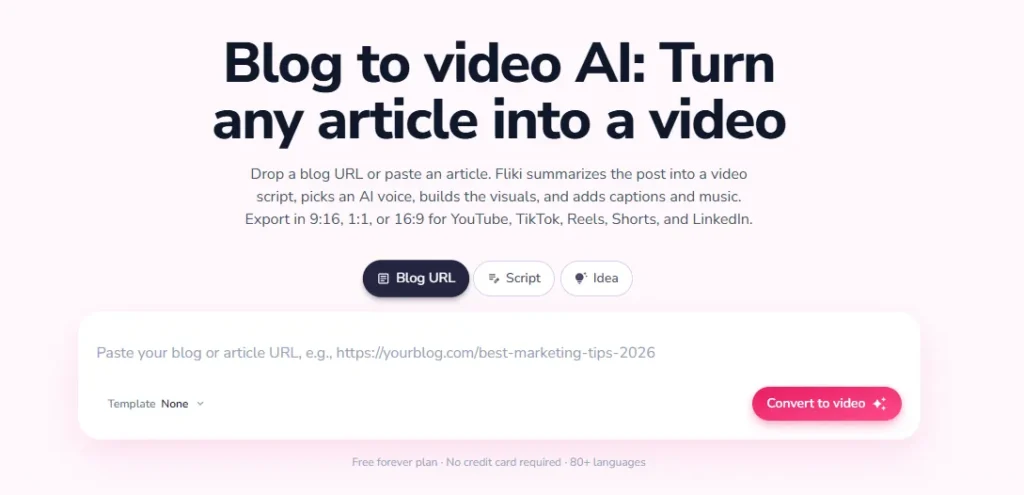
You provide the article URL, and Fliki processes the content into a video script and individual scenes.
For website owners, this is particularly interesting.
Imagine publishing a 2,000-word software review. Instead of creating a completely separate video script, you could use Fliki to build a shorter narrated summary.
That video could then support:
Namun, converting an article into a video does not automatically improve its search rankings or conversion rates.
The video needs to add genuine value, and any technical claims still need checking.
I would also review the generated script carefully. An article written for search engines often contains headings, tables, and references that don't translate naturally into spoken narration.
AI Avatars, Voice Cloning, and Video Translation
Fliki also supports AI presenter dan custom voice creation, making it relevant to businesses that want consistent narration across multiple videos.
Its capabilities include stock avatars, custom characters, photo-based avatars, digital presenters, and multilingual dubbing.
An online training company, for example, could use the same virtual presenter across a series of educational modules.
Tapi disana's a technical distinction worth understanding.
Selecting an avatar and generating its lip-synced animation are not always the same operation.
Avatar lip-sync may require additional processing credits. Changing the narration after generating lip-sync can also mean paying to generate the affected animation again.
For training and marketing videos, the sensible order is:
Finalize script → Generate voiceover → Adjust timing → Generate avatar lip-sync.
This prevents unnecessary processing and helps keep the presenter synchronized with the finished audio.
Jentik AI Video Quality: Stock Footage vs Generated AI Gerakan
Jentik's video quality depends more on the source assets, selected AI models, and editing decisions than on the export resolution alone.
This matters because a video exported at 1080p does not necessarily contain AI footage originally generated at 1080p.
Stock Footage Is Better for Predictable Explainer Videos
Stock footage is often the more reliable option when illustrating common subjects such as offices, travel, technology, finance, fitness, or business processes.
Its advantages are straightforward:
The limitation is originality.
Generic visuals can make multiple AI-generated videos look similar, especially when the stock footage doesn't closely represent the narration.
For a product review, showing actual screenshots or screen recordings is usually more useful than showing unrelated stock clips.
AI-Generated Video Offers More Freedom at a Higher Cost
Fliki provides access to several generative video models, including options for creating animated scenes from prompts or images.
These are useful when your desired scene doesn't exist in a stock library.
For example, you might want a custom animated product concept, fictional environment, or unusual visual transition.
However, generated footage can introduce:
A 1080p export is not proof that every generated clip has native 1080p detail. Jentik's tersedia AI models can operate at different source resolutions, so check the model settings before generating footage.
For professional content, I'd use original AI video selectively and rely on stock footage or uploaded assets wherever accuracy matters more than visual novelty.
Jentik AI Free, Standard, and Premium Plans Compared
Jentik AI offers a free plan, while its paid subscriptions start at $28 per month. Standard is positioned toward individual creators, while Premium provides more credits and additional production capabilities.
| Pricing Feature | Gratis | Standar | Premium |
|---|---|---|---|
| harga bulanan | $0 | $28 | $88 |
| Annual Billing Equivalent | $0 | $ 21 / bulan | $ 66 / bulan |
| Kredit Bulanan | 3 | 180 | 600 |
| Resolusi Ekspor | 720p | 1080p | 1080p |
| Maximum Video Length Per Export | 5 min | 15 min | 40 min |
| AI suara | 300 | 1,000 | 2,000 + |
| Kloning Suara | Tidak | Ya | Ya |
| Hak Komersial | Tidak | Ya | Ya |
| Watermark-Free Export | Tidak | Ya | Ya |
| AI Avatar | Tidak | Terbatas | Akses yang diperluas |
Prices are in USD. Annual billing provides a 25% discount against the listed monthly subscription rates. Actual checkout totals can vary with taxes, location, and promotions.
Is Fliki AI's Free Plan Good Enough?
The free plan is useful for understanding Fliki's interface, experimenting with voices, and trying short video projects.
Kamu menerima 3 kredit per bulan, access to a limited voice catalog, stock media, and 720p exports with a Fliki watermark.
However, free credits are not equivalent to unlimited three-minute video production.
Different generation actions consume different amounts of credit.
The free plan also lacks commercial usage rights, making it unsuitable for publishing monetized client or business videos.
Rekomendasi saya: Use the free plan to evaluate narration quality, scene editing, and visual selection before buying a subscription.
Standard vs Premium: Which Fliki Plan Provides Better Value?
For most individual creators producing narrated videos, Standard is the more sensible starting point.
Its 180 monthly credits, 1080p exports, hak komersial, and voice cloning cover many routine production needs.
Premium becomes more attractive when you're producing greater volumes of content, using advanced AI visuals, creating avatar-led videos, or managing multiple brand identities.
Premium also increases the per-video export length to 40 minutes.
Don't upgrade simply because Premium has more voices.
Choose your plan based on monthly production volume and credit consumption, not the largest feature list.
How Fliki Credits Actually Work
Fliki charges credits for processing actions rather than applying one flat rate to every finished video.
Here are key published credit rates.
| Operasi | Biaya Kredit |
|---|---|
| Blue-tier voice | 0.25 per menit |
| Green-tier voice | 0.5 per menit |
| Yellow-tier voice | 1 per menit |
| Purple-tier voice | 2 per menit |
| Stock footage or uploaded media | 0 |
| Gambar yang dihasilkan AI | Approximately 0.05–1.5 per image |
| Video yang dihasilkan AI | 0.1–6 per second |
| Stock avatar | 0.25 per second, with a minimum charge for short generations |
| Ekspor video | 0.1 per menit |
| Idea, script, or blog-to-video workflow | 0.5 per putaran |
This explains why two videos of equal duration can have very different production costs.
Example: How Many Credits Does a Five-Minute Video Need?
Consider a hypothetical five-minute explainer using a green-tier voice and stock footage.
| Production Action | Kredit |
|---|---|
| Script-to-video workflow | 0.5 |
| Five minutes of narration | 2.5 |
| Rekaman stok | 0 |
| Five-minute export | 0.5 |
| Taksiran Total | 3.5 |
This example excludes additional AI images, generated music, script regeneration, and publishing charges.
Now suppose you add 20 seconds of AI-generated footage using a model charged at 0.3 credits per second.
That adds Kredit 6, increasing the estimated total to Kredit 9.5.
The finished video is still five minutes long, but it costs almost three times as many credits.
Bahwa's why comparing AI video generators only by their advertised monthly credits is misleading.
How to Reduce Credit Consumption
The most effective approach is to reduce unnecessary generation.
- Finish the script before submitting the generation job.
- Use free stock assets for standard explanatory scenes.
- Generate inexpensive AI images before creating animated versions.
- Correct pronunciation instead of regenerating entire audio sections.
- Generate avatar lip-sync only after finalizing narration.
- Preview the finished project before exporting.
Fliki does not charge credits simply for replaying existing scenes without changes. Editing and regenerating affected content may incur new charges.
Aturan kuncinya sederhana: Spend credits on content that needs processing, not on elements that already work.
How to Create a Video With Fliki AI
Fliki is accessible through a web browser, so you don't need dedicated video-editing hardware to get started.
Sini's a practical production workflow.
Step: Select the Right Video Generation Method
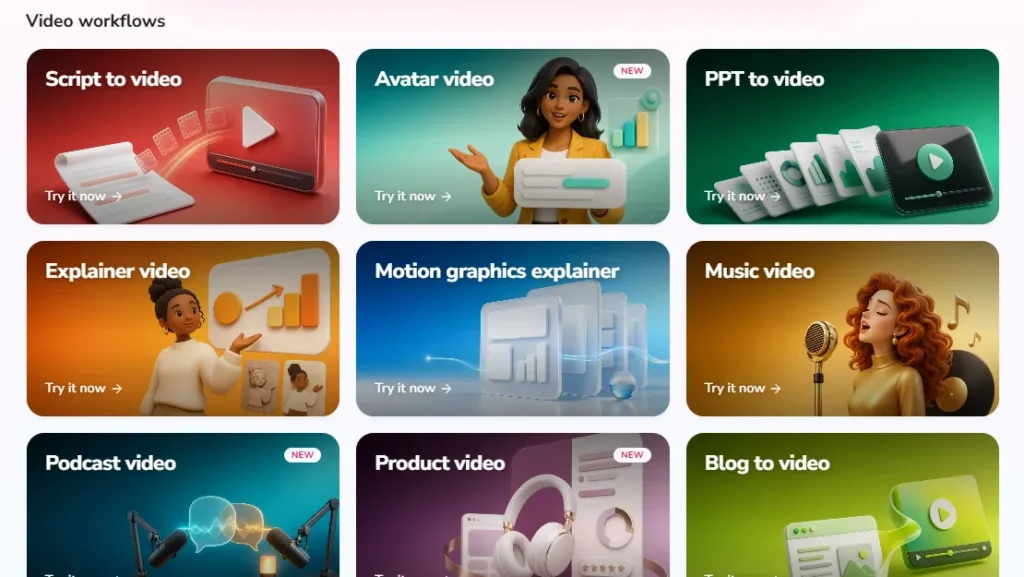
Open Fliki and choose a workflow based on your source material. You can start with a topic, script, blog URL, or presentation. For greater control over narration accuracy, choose Skrip ke Video rather than relying entirely on AI-generated copy.
Step: Configure the Script, AI Voice, and Video Format
Choose your language, narrator, and output format. Use 16:9 for standard YouTube videos, 9:16 for Shorts and Reels, or 1:1 untuk persegi konten media sosial. Preview different voices before committing to the final narration.
Step: Review the Automatically Selected Visuals
Fliki assembles the video into individual scenes. Check that the visuals support the words being spoken. Replace irrelevant media with better stock clips, uploaded screenshots, or AI-generated images. Don't assume that the first selection is always the most accurate.
Step: Refine Narration, Captions, and Scene Timing
Adjust pronunciation, text overlays, subtitles, and background music. Pay particular attention to sentence timing and scene transitions. Short instructional videos benefit from tighter pacing, while technical tutorials may need longer pauses.
Step: Preview and Export the Finished Video
Watch the entire project before exporting. Check for missing captions, incorrect names, visual inconsistencies, and awkward narration. Then export according to the resolution and length limits of your plan.
A final review is worth doing because correcting a mistake after export can mean additional credit charges.
Where Fliki AI Makes Sense for Real Business and Creator Workflows
Fliki is most valuable when it replaces repetitive production tasks without sacrificing the accuracy of the message.
| Use Case | Nilai Praktis | Kekhawatiran Utama |
|---|---|---|
| Saluran YouTube Tanpa Identitas | Narration, scene creation, captions | Generic footage and originality |
| Affiliate Content Websites | Turn articles into video summaries | Product accuracy and manual review |
| SaaS Product Marketing | Explainers and software demos | Authentic product screenshots |
| Pelatihan Perusahaan | Repeatable narrated modules | Terminologi teknis |
| Konten Pendidikan | Voice-led lessons and visual summaries | Subject accuracy and pacing |
| Pemasaran Multibahasa | Translation and localized narration | Pronunciation and translation review |
Faceless YouTube Videos and Shorts
Fliki is particularly suited to channels that depend on informative narration rather than on-camera personalities.
Examples include software tutorials, business explainers, productivity tips, educational summaries, and technology updates.
However, automatically generated footage isn't enough to guarantee YouTube success.
The channel still needs original ideas, useful commentary, strong scripts, and content that meets YouTube's monetization policies.
Product Reviews and Affiliate Marketing
Untuk penerbit afiliasi, Fliki can convert a written comparison into a narrated summary.
I'd use it to demonstrate key differences between products, explain purchase considerations, and create shorter videos that complement the original article.
But product-specific footage matters.
If you're reviewing software, actual interface recordings provide more credibility than generic animations of laptops and dashboards.
Fliki can automate video assembly, but it cannot replace accurate product research.
Training Videos and Internal Communication
Fliki can also help produce onboarding lessons, product instructions, and workplace training materials.
Its multilingual voice options are useful for companies preparing content for different regions.
For technical or regulated training, though, every instruction should still be reviewed by a qualified subject expert before distribution.
Jentik AI Pro dan kontra
- Menggabungkan AI narration, visuals, subtitles, and editing.
- Mendukung lebih dari bahasa 80.
- Converts scripts, blogs, and presentations.
- Provides stock media without generation-credit charges.
- Includes voice cloning and avatar tools on paid plans.
- Supports multiple social video formats.
- Offers a permanent free plan.
- AI-selected visuals can require correction.
- Voice realism varies by engine and script.
- Automatic scripts still need fact-checking
- Original AI motion can be expensive.
- Lip-sync and regenerations use additional credits.
- AdvantagesLimitationsFree exports contain a watermark and lack commercial rights.
- Free exports contain a watermark and lack commercial rights.
The credit system is the most important drawback to understand.
At the same time, that system allows users to choose economical production methods instead of paying for expensive AI motion in every scene.
Jentik AI vs InVideo AI, Pictory, HeyGen, and Synthesia
Fliki competes with several AI video platforms, but they don't all prioritize the same production tasks.
| AI Alat Video | Kasus Penggunaan yang Paling Sesuai | Main Reason to Consider It |
|---|---|---|
| Flik AI | Narrated videos and content repurposing | Strong combination of voice and video tools |
| AI DalamVideo | Prompt-driven video creation | Automated video production from instructions |
| gambar | Blogs, scripts, and long-form content | Focus on repurposing existing material |
| HaiGen | AI presenters and multilingual videos | Avatar creation and lip-synced translation |
| Sintesia | Business training and presentations | Corporate avatar and training tools |
Who Should Pay for Fliki AI, and Who Should Skip It?
Jentik AI is a good fit for people who already know what they want to communicate but don't want to handle every stage of video production manually.
Consider Fliki if you:
Consider another tool if you:
For someone creating a few narrated videos each week, Standard is a reasonable plan to evaluate.
For a video agency using AI-generated motion in most scenes, I would calculate projected credit consumption before committing to Premium.
Frequently Asked Questions About Fliki AI
Apakah Fliki AI Gratis untuk Digunakan?
Yes. Fliki offers a free plan with 3 credits per month, limited voice access, and 720p video exports. Free videos include a Fliki watermark, and commercial usage rights require a paid plan.
How Much Does Fliki AI Biaya?
Fliki Standard costs $28 per month, while Premium costs $88 per month. Annual subscriptions reduce the equivalent monthly prices to $21 and $66 respectively. Enterprise pricing is customized.
Does Fliki AI Add a Watermark?
Yes, videos exported through Fliki's free plan include a watermark. Paid plans support watermark-free exports and commercial usage rights.
Can I Monetize Fliki AI Videos on YouTube?
Yes, Fliki's paid plans provide commercial usage rights for eligible generated content. However, YouTube monetization also depends on originality, content quality, copyright compliance, and YouTube's own policies.
Does Fliki AI Generate Original Videos?
Yes. Fliki supports original AI-generated video clips as well as stock footage, uploaded media, and generated images. Original AI footage uses generation credits, while stock media does not require generation credits.
Can I Cancel My Fliki AI Berlangganan?
Yes. Fliki allows subscription cancellation through its billing settings. Canceling stops future renewals, but its published refund policy generally does not provide refunds for payments already made, subject to applicable consumer rights.
What Is the Best Alternative to Fliki AI?
DalamVideo AI and Pictory are useful alternatives for automated and repurposed video content. HeyGen is worth considering for avatar-led videos, while Synthesia focuses more heavily on business training and corporate presentations.
Conclusion: Is Fliki AI Layakkah di tahun 2026?
Jentik AI is worth paying for when your goal is to produce narrated videos efficiently, particularly from existing scripts, articles, or educational material.
Its biggest advantage isn't simply that it generates videos with AI. It's that voice synthesis, scene creation, subtitles, visual selection, and editing are available in one workspace.
The trade-off is cost control.
Stock-based explainers can consume relatively few credits, while original AI-generated video scenes and avatar animations can significantly increase production expenses.
For most creators, I'd start with Fliki's free plan, evaluate the voice and editing experience, and consider Standard once there's a consistent publishing requirement.
Premium makes sense when its additional credits and advanced production tools solve a specific problem.
Intinya: Fliki is a strong option for narration-first AI video production, but its value depends on what you create, how often you publish, and how carefully you manage generation credits.



