

Anda tidak kekurangan peralatan. Anda kekurangan waktu. Itu's dimana AI untuk produktivitas pribadi berhenti menjadi sekadar kata kunci dan mulai menjadi alasan mengapa sebagian orang mampu menyelesaikan pekerjaan dua kali lebih banyak sebelum tengah hari.
Panduan ini menguraikan yang terbaik AI Pengaturan otomatisasi yang dapat Anda integrasikan ke dalam alur kerja harian Anda sekarang juga — tanpa memerlukan latar belakang teknologi. Mulai dari penyortiran kotak masuk hingga penjadwalan cerdas dan otomatisasi alur kerja, pengaturan ini mencakup pengaturan yang berjalan diam-diam di latar belakang sementara Anda fokus pada hal yang benar-benar penting.
Mengapa Kebanyakan Orang Melakukan Hal Ini AI Salah (Dan Cara Memperbaikinya)
Kebanyakan orang mengunduh satu. AI aplikasi, mainkan selama seminggu, lalu kembali ke kebiasaan lama mereka. Itu's bukan peningkatan produktivitas — itu's Hanya kelelahan akibat menggunakan alat baru.
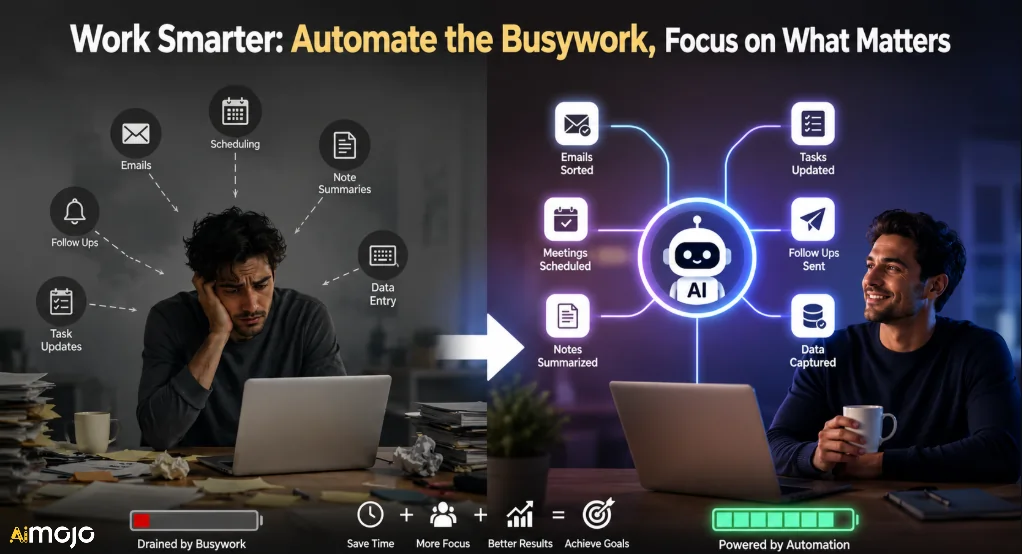
Drama yang sebenarnya adalah menumpuk AI otomatisasi di seluruh tugas harian Anda yang berulang. Bayangkan seperti membangun tim operasional pribadi yang bekerja 24/7 tanpa istirahat minum kopi. Tujuannya bukan untuk menggantikan pengambilan keputusan Anda. Ini's Menghilangkan 2-3 jam per hari yang Anda habiskan untuk tugas-tugas berulang dan bernilai rendah seperti menyortir email, menjadwalkan rapat, meringkas catatandan menindaklanjuti tugas-tugas yang terlewatkan.
Kesenjangan itu — antara orang-orang yang menggunakan AI alat secara sembarangan dan orang-orang yang menjalankan secara terstruktur. AI Pengaturan otomatisasi — sudah mulai terlihat dalam tolok ukur produktivitas di kalangan wirausahawan tunggal, pekerja jarak jauh, dan pembuat konten.
5 Pilar Kinerja Tinggi AI Tumpukan Produktivitas
Sebelum mengatur apa pun, petakan kebocoran waktu Anda. Berikut ini's di mana sebagian besar orang mengalami pendarahan selama berjam-jam:
Setiap benda padat AI Target produktivitas mencakup setidaknya tiga dari lima area ini. Berikut ini's Cara membuatnya.
Terbaik AI Pengaturan Otomatisasi untuk Produktivitas Pribadi
1. Penyaringan Email Berbasis AI dengan Zapier + ChatGPT

Email adalah penguras waktu terbesar yang kebanyakan orang enggan akui. Dengan menyiapkan alur kerja Zapier yang menghubungkan Gmail atau Outlook Anda ke node aksi ChatGPT, Anda dapat membuat draf balasan otomatis dengan gaya penulisan pribadi Anda, menandai pesan prioritas tinggi, dan mengarsipkan buletin yang kurang penting — semuanya sebelum Anda membuka kotak masuk Anda.
Cara mengaturnya:
Alur kerja Zapier tunggal ini menghemat waktu sebagian besar orang sebanyak 45–90 menit per hari. Padukan dengan prompt sistem khusus yang mencerminkan nada bicara Anda, dan hasilnya akan sulit dibedakan dari draf balasan manusia.
2. Penjadwalan Harian Cerdas dengan Motion AI
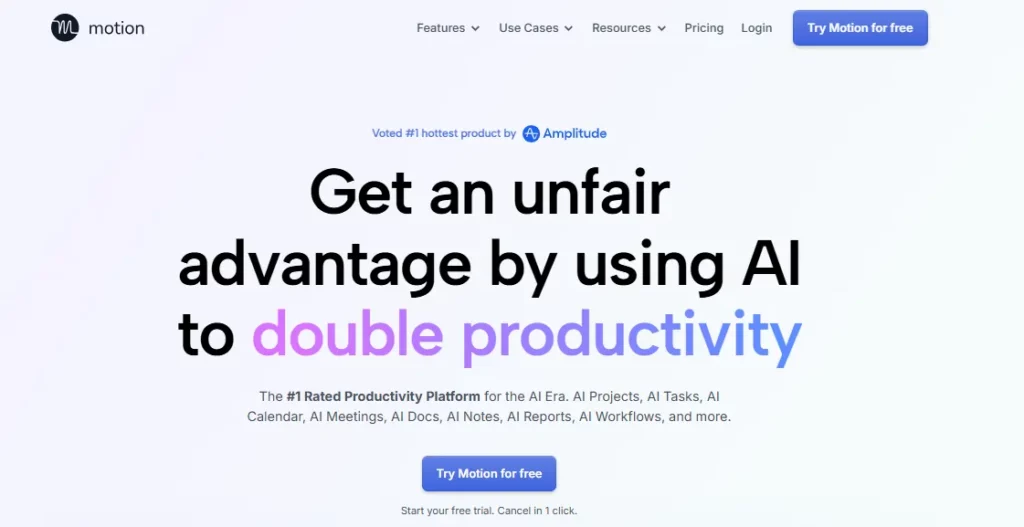
Motion adalah salah satu yang paling diremehkan. AI Alat produktivitas untuk penjadwalan waktu. Secara otomatis menjadwalkan tugas, tenggat waktu, dan rapat Anda ke dalam kalender — dan menjadwalkannya ulang secara langsung jika ada yang molor atau ditambahkan di menit terakhir.
Berbeda dengan menyeret tugas secara manual di Google Kalender, Motion's AI Aplikasi penjadwal ini memperhitungkan waktu fokus, jam kerja, dan urgensi tugas Anda secara bersamaan. Pasangkan dengan pengelola proyek Anda (ClickUp, Asana, Notion) melalui Zapier dan tugas akan otomatis muncul di kalender Motion Anda begitu tugas tersebut diberikan kepada Anda.
👍 Kasus penggunaan terbaik: Freelancer dan pengusaha perseorangan yang menangani banyak proyek klien dan membutuhkan pengaturan ulang prioritas otomatis tanpa harus mengelola setiap tenggat waktu secara detail.
3. AI Ringkasan Pertemuan dengan Otter.ai or kunang-kunang.ai
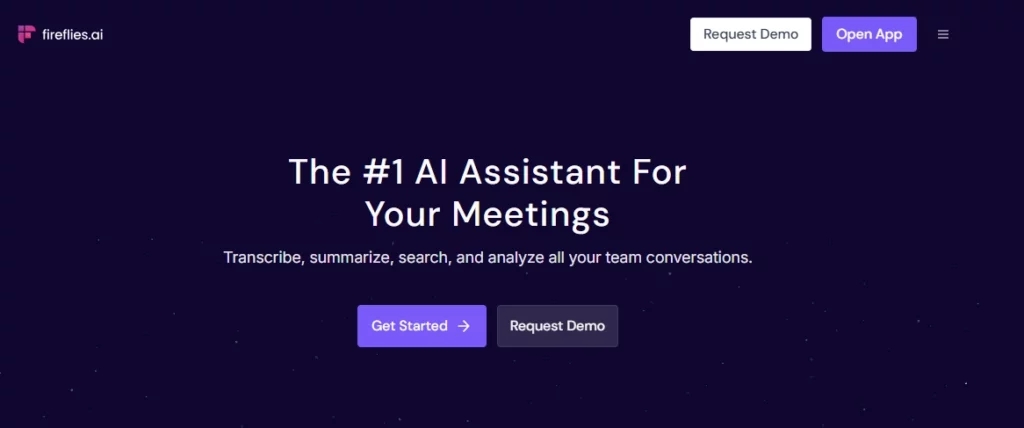
Menjalani panggilan telepon selama 60 menit hanya untuk menghabiskan 30 menit lagi untuk menulis catatan adalah jenis inefisiensi yang cepat menumpuk. Otter.ai dan kunang-kunang.ai Keduanya terhubung ke Google Meet, Zoom, dan Microsoft Teams untuk merekam, mentranskripsikan, dan menghasilkan laporan terstruktur secara otomatis. ringkasan rapat.
Keunggulan produktivitas yang sesungguhnya terletak pada lapisan integrasi:
- Kunang-kunang → Zapier → Notion: Ringkasan rapat akan tersimpan otomatis ke ruang kerja Notion Anda dalam templat yang sudah tersedia.
- Kunang-kunang → Zapier → ClickUp: Butir-butir tindakan dari transkrip akan otomatis dibuat sebagai tugas dengan tanggal jatuh tempo.
- Berang-berang.ai → Slack: Ringkasan akan diunggah ke saluran tim Anda dalam beberapa menit setelah panggilan berakhir.
Dengan solusi ini saja, proses administrasi pasca-panggilan yang diam-diam menghabiskan waktu 30-60 menit dari kebanyakan orang dapat dihilangkan.'s hari kerja.
4. n8n Otomatisasi untuk Alur Kerja Pribadi Tingkat Lanjut
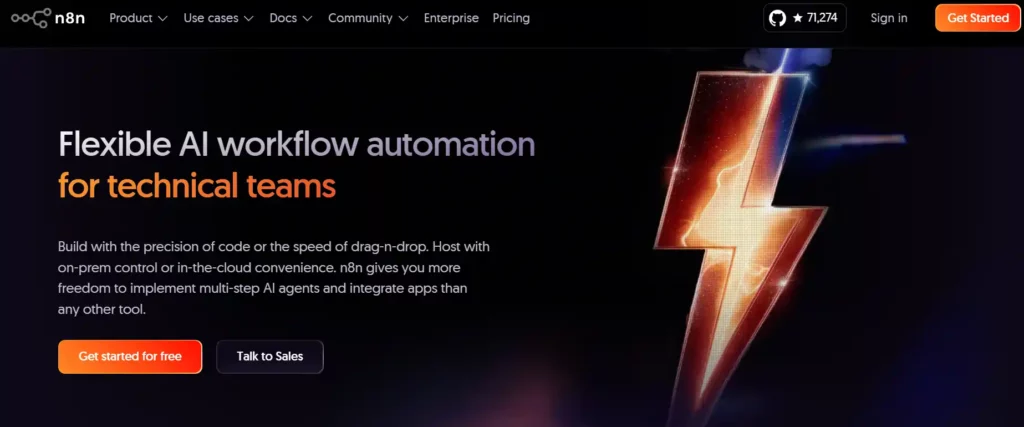
Jika Anda merasa nyaman menggunakan alat yang sedikit lebih canggih daripada sekadar drag-and-drop, n8n adalah tempat yang tepat untuk kebutuhan personal Anda. AI otomatisasi n8n menjadi sangat ampuh. n8n mendukung integrasi LangChain asli, LLM yang dihosting sendiri, dan generasi yang diper augmented dengan pengambilan (RAG), yang berarti Anda dapat membangun alur kerja yang benar-benar bernalar — bukan hanya menyalin dan menempel data antar aplikasi.
Konfigurasi n8n berkualitas tinggi untuk produktivitas pribadi:
| Workflow | Apa Artinya |
|---|---|
| RSS → ChatGPT → Ringkasan Email | Mengambil data dari blog favorit Anda, merangkum postingan baru, dan mengirimkan ringkasan pagi. |
| Halaman Notion baru → GPT → SEO meta | Menyusun draf judul/deskripsi meta untuk setiap brief konten baru yang Anda buat. |
| Gmail → GPT → CRM | Mengekstrak detail kontak dari email dan mencatatnya ke CRM Anda secara otomatis. |
| Webhook → AI agen → Slack | Mengirimkan peringatan cerdas berdasarkan pemicu yang Anda tentukan. |
n8n's Opsi self-hosting berarti data Anda tetap berada di server Anda — ini sangat penting bagi freelancer dan kreator yang sering menangani informasi klien.
5. AI Bantuan Riset dan Konten dengan Perplexity + Gagasan AI
Kebingungan AI Menangani riset langsung dengan kutipan sumber. Notion AI Mengelola basis pengetahuan, draf, dan ringkasan Anda. Bersama-sama, mereka membentuk tumpukan produktivitas yang mengutamakan konten, yang menggantikan berjam-jam penelusuran dan penulisan manual.
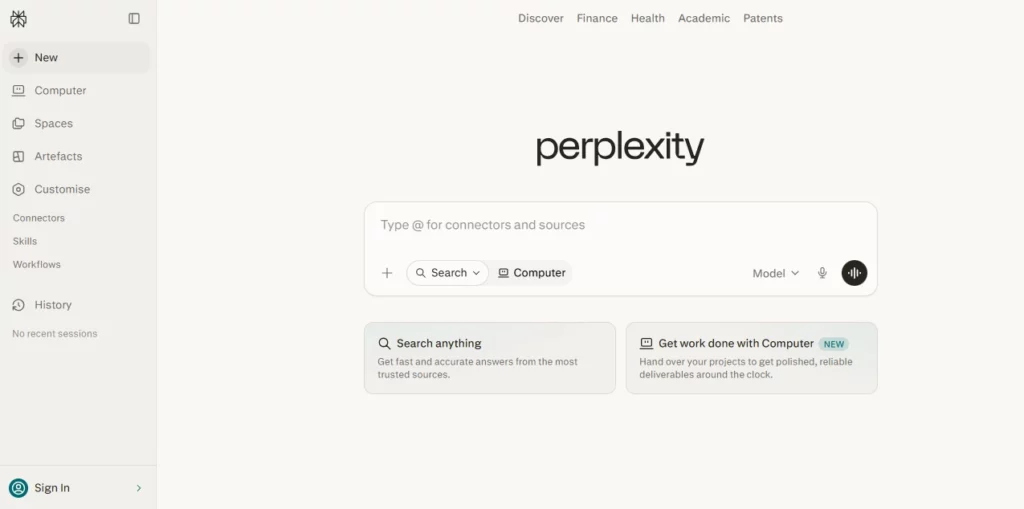
Alur kerja harian:
Bagi para pembuat konten, pemasar afiliasi , dan peneliti yang menghasilkan tulisan setiap hari, ini adalah kombinasi penghemat waktu paling langsung yang tersedia tanpa menghabiskan waktu berjam-jam menjelajahi tab browser yang tak berujung.
6. Pengambilan Tugas Otomatis dengan Klik Atas AI + Ekstensi Chrome

Klik ke atas's AI Asisten yang dipadukan dengan ekstensi Chrome-nya memungkinkan Anda untuk mencatat tugas, menetapkan prioritas, dan melampirkan konteks dari mana saja di browser Anda — tanpa perlu membuka pengelola proyek Anda. Ketik ide tugas dalam bahasa Inggris sederhana dan ClickUp akan menggunakan ClickUp. AI Menganalisis prioritas, menyarankan tanggal jatuh tempo, dan menugaskannya ke proyek yang tepat berdasarkan konteks.
Ini sangat berguna bagi operator tunggal yang sering beralih konteks dan perlu mengurangi beban mental tanpa mengganggu alur kerja mereka saat ini.'s Pada dasarnya, ini membangun otak kedua yang benar-benar mengikuti instruksi.
Make vs. n8n vs. Zapier: Mana yang Sebaiknya Anda Gunakan?
Memilih infrastruktur otomatisasi yang tepat menentukan seberapa jauh kemajuan yang dapat dicapai. AI Tumpukan produktivitas sebenarnya dapat diskalakan.
| Platform | terbaik Untuk | Integrasi | AI Warga asli? | Model Harga |
|---|---|---|---|---|
| Zapier | Pemula, pengguna bisnis | 8,000+ aplikasi | Iya nih (AI tindakan) | Per-tugas |
| Membuat | Pengguna tingkat menengah, pemikir visual | 3,000+ aplikasi | Terbatas | Per langkah/kredit |
| n8n | Pengembang, pengaturan tingkat lanjut | ~1,500 aplikasi | Kuat (LangChain, LLMs) | Sebelum eksekusi |
Zapier unggul dalam hal kesederhanaan dan cakupan. n8n unggul dalam hal AI kedalaman dan kontrol. Make berada di tengah-tengah — cocok untuk alur kerja yang cukup kompleks tanpa memerlukan masukan tingkat pengembang. Bagi sebagian besar individu yang baru memulai AI Untuk pengaturan otomatisasi, Zapier adalah titik masuk tercepat. Pengguna tingkat lanjut yang sedang membangun adat AI agen akan lebih baik dilayani oleh n8n.
AI Alat-alat yang Layak Ditambahkan ke Tumpukan Produktivitas Anda di Tahun 2026
Ini bukan sekadar tren yang sedang populer — setiap alat mengisi celah spesifik dalam alur kerja produktivitas pribadi:
Umum AI Kesalahan Produktivitas yang Harus Segera Dihindari
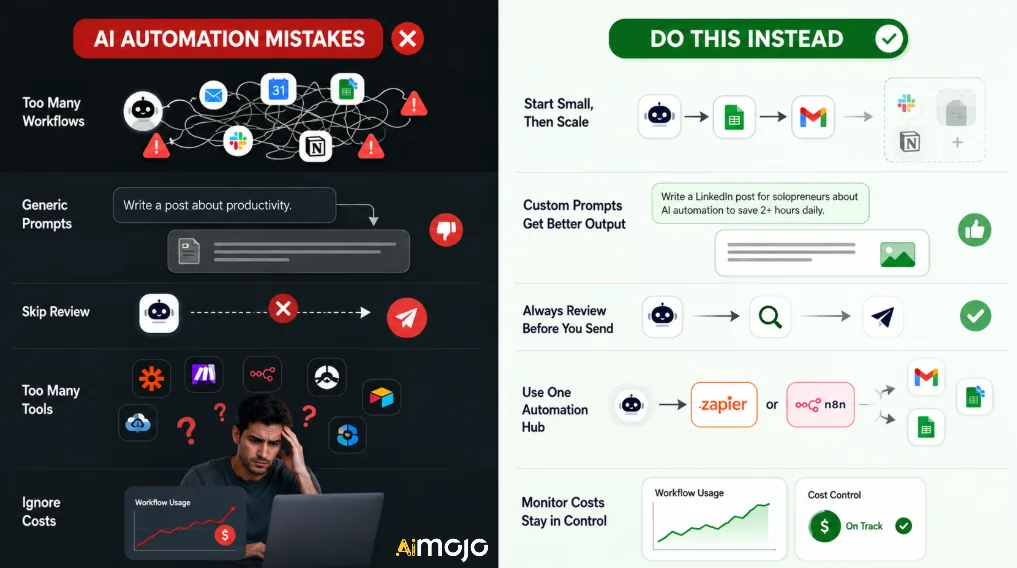
Menyiapkan AI Otomatisasi bukan berarti atur lalu lupakan. Berikut ini penjelasannya.'s Hal yang paling sering membuat orang tersandung:
- Terlalu cepat melakukan otomatisasi — Mulailah dengan 1–2 alur kerja, lalu tambahkan lebih banyak setelah masing-masing alur kerja stabil.
- Tidak menyesuaikan perintah — Perintah umum menghasilkan keluaran umum; tulis perintah yang sesuai dengan konteks alur kerja Anda yang sebenarnya.
- Melewati lapisan peninjauan - AI Draf masih perlu diperiksa sekilas oleh manusia selama 30 detik sebelum dikirim atau dipublikasikan.
- Menggunakan 5 alat terpisah yang tidak terhubung — Pilih satu tulang punggung otomatisasi (Zapier atau n8n) dan arahkan semuanya melaluinya.
- Mengabaikan pemantauan biaya — Alat seperti Make mengenakan biaya per langkah alur kerja; otomatisasi yang kompleks dapat meningkatkan biaya secara drastis tanpa pelacakan aktif.
Cara Membangun Anda AI Menyiapkan Produktivitas dalam Satu Akhir Pekan
Anda tidak perlu berbulan-bulan untuk membangun sesuatu yang fungsional. AI tumpukan otomatisasi. Ini dia.'s sprint 2 hari yang realistis:
Sabtu:
- Evaluasi minggu Anda — identifikasi 3 tugas yang paling banyak menyita waktu.
- Daftar ke Zapier (tingkat gratis bisa digunakan untuk memulai) dan Motion.
- Buat Zap penyaringan email Anda
- Atur Motion dengan kalender dan daftar tugas Anda yang sudah ada.
Minggu:
- Hubungkan Kunang-kunang.ai ke alat rapat Anda
- Siapkan Notion AI di ruang kerja yang paling sering Anda gunakan
- Uji setiap otomatisasi secara menyeluruh dengan input nyata.
- Sesuaikan perintah berdasarkan kualitas output yang Anda dapatkan.
Pada Senin pagi, Anda akan memiliki versi yang berfungsi. AI Paket produktivitas yang mencakup email, penjadwalanRapat dan konten — empat hal yang paling banyak menyita waktu bagi sebagian besar pekerja pengetahuan.
Pertanyaan yang Sering Diajukan
Apa itu AI untuk produktivitas pribadi?
AI Produktivitas pribadi mengacu pada penggunaan alat kecerdasan buatan dan alur kerja otomatisasi untuk mengurangi waktu yang dihabiskan untuk tugas-tugas berulang seperti email, penjadwalan, pencatatan, dan riset konten — sehingga membebaskan waktu kerja yang terfokus untuk aktivitas yang bernilai lebih tinggi.
Mana yang terbaik? AI Alat untuk meningkatkan produktivitas di tahun 2026?
Sana's Tidak ada satu alat terbaik — itu tergantung pada hambatan terbesar Anda. Untuk manajemen tugas dan kalender, Motion adalah yang terbaik. Untuk otomatisasi alur kerja, Zapier atau n8n. Untuk penulisan dan riset, ChatGPT dan Perplexity. AI merupakan pilihan terkuat saat ini.
Apakah Zapier lebih baik daripada n8n untuk penggunaan pribadi?
Zapier lebih cocok untuk pengguna non-teknis yang menginginkan pengaturan cepat dan kompatibilitas aplikasi yang luas. n8n lebih cocok untuk orang yang menginginkan kontrol lebih besar atas AI logika, data yang dihosting sendiri, dan alur kerja berbasis agen tingkat lanjut. Keduanya bisa sangat ampuh tergantung pada tingkat kenyamanan teknis Anda.
Bisa AI Apakah benar-benar bisa menggantikan asisten pribadi?
Tidak sepenuhnya — tetapi dibangun dengan baik. AI Sistem otomatisasi dapat menangani 60–80% dari tugas harian seorang asisten eksekutif. Penyusunan email, catatan rapat, pelacakan tugas, dan penjadwalan semuanya dapat diotomatisasi dengan kualitas tinggi menggunakan alat-alat yang ada saat ini.
Bagaimana cara saya mulai mengotomatiskan tugas harian saya dengan AI?
Mulailah dengan mengidentifikasi 3 tugas yang paling banyak membuang waktu Anda. Kemudian pilih satu alat otomatisasi (Zapier adalah titik masuk termudah) dan buat alur kerja tunggal yang menargetkan salah satu tugas tersebut. Perluas setelah alur kerja tersebut berjalan konsisten tanpa masalah.
Apa yang terbaik AI Alat otomatisasi untuk wirausahawan tunggal?
Pilihan utama untuk solopreneur meliputi Zapier, Notion AI, Motion, ChatGPT, Fireflies.ai, dan Reclaim.ai. Secara bersama-sama, platform ini mencakup penjadwalan, pembuatan konten, rapat, dan otomatisasi alur kerja tanpa memerlukan tim atau latar belakang teknis.
Intinya pada AI Otomatisasi Produktivitas
Kesenjangan antara orang yang menggunakan AI Jumlah orang yang secara santai dan mereka yang benar-benar mengotomatiskan alur kerja mereka semakin meningkat pesat. Membangun bahkan yang paling dasar sekalipun. AI Susunan fitur produktivitas—penyortiran email, penjadwalan cerdas, dan catatan rapat otomatis—dapat menghemat 10–15 jam per minggu dari tugas-tugas yang saat ini Anda lakukan secara manual.
Mulailah dari yang kecil, susun secara terencana, dan optimalkan seiring berjalannya waktu. Pengaturan yang diuraikan di sini bukanlah teori — pengaturan ini berjalan langsung dalam alur kerja pencipta kontenSaat ini, para pekerja lepas dan tim jarak jauh sangat dibutuhkan. Pertanyaannya hanya berapa lama lagi Anda ingin menghabiskan waktu melakukan secara manual apa yang seharusnya dilakukan oleh tim jarak jauh. AI Alur kerja dapat ditangani saat Anda tidur.
AiMojo Merekomendasikan:


 BONUS: Dapatkan $200 kami “AI “Mastery Toolkit” GRATIS jika Anda mendaftar!



