

IskolaAI Kulcsfontosságú nézetek
Mi az a SchoolAI?
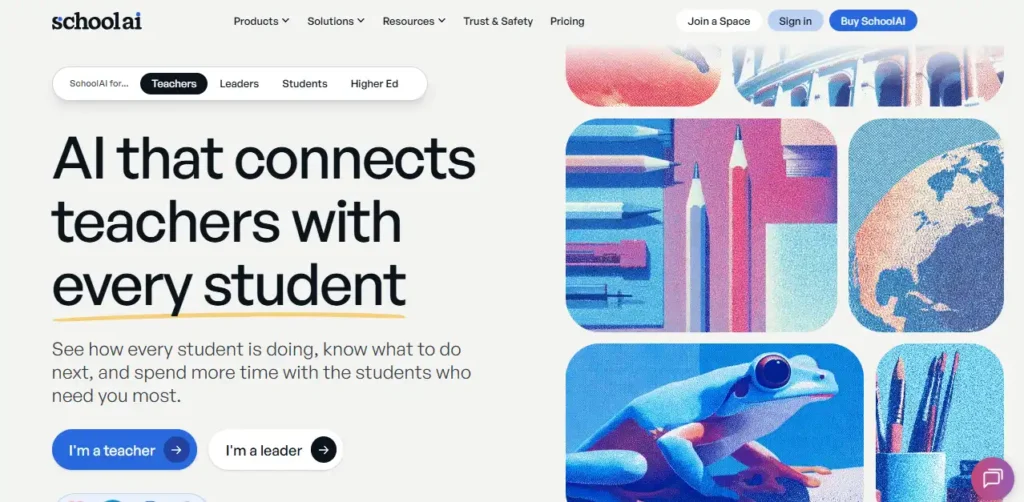
IskolaAI egy AI powered education platform that lets K12 teachers build supervised AI learning experiences called Spaces, in which students chat with an AI tutor while the teacher watches progress live. Teachers describe an activity to Dot, the built in AI assistant, and it creates a Space in minutes. That Space can be a unit tutor, a Socratic discussion, an exit ticket or a talk with a historical figure.
Mission Control then shows who is stuck, who has mastered the content and who has triggered a safety alert. For schools and districts, SchoolAI combines personalised learning, teacher termelékenységi eszközök and district wide AI governance in one place. That means class time is used better, teachers spend less time on admin and leaders can roll out AI with full oversight and solid student data privacy.
Spaces are the core of SchoolAI. A teacher types a goal such as “a Year 8 tutor on photosynthesis that never gives direct answers” and Dot builds the experience, complete with guardrails, learning outcomes and PowerUps. Custom Instructions now let Dot remember your grade level, subject and teaching style, so you spend less time rewriting prompts. With 200,000+ premade Spaces in the library, most teachers can copy and adapt an activity instead of starting from nothing.
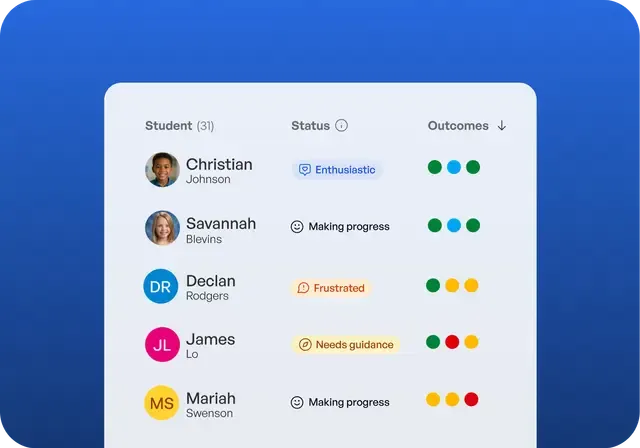
This is the real time student monitoring dashboard, and the 2026 to 2027 release made it noticeably smarter. Smart Groups sorts students by mastery level. The Class Mastery Score gives you a single reading on where the class stands and flags common misconceptions. Next Steps suggests what to teach or reteach. In practice, a teacher can pull a targeted small group during the lesson rather than waiting for a quiz to reveal gaps. That is exactly the universal Tier 1 data that MTSS teams need.
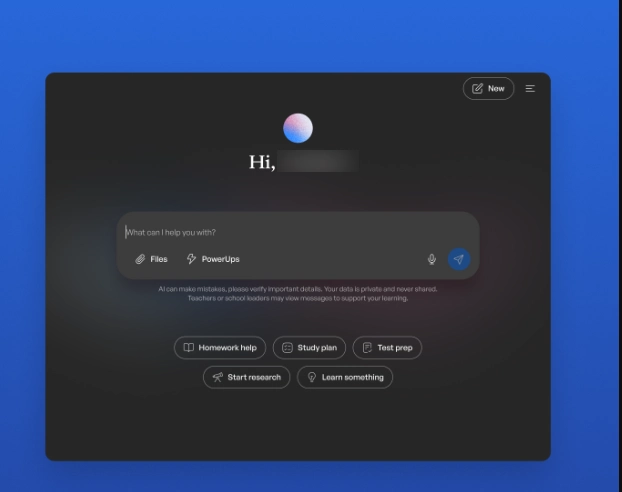
On the Scale plan, every student gets Sidekick. It is a személyes AI oktató tuned to their grade and class, and they can use it both inside and outside lessons. Students can upload their own drafts and notes, and they find teacher shared Spaces in a personal library. Student Insights means independent AI use stays visible to teachers rather than happening out of sight.
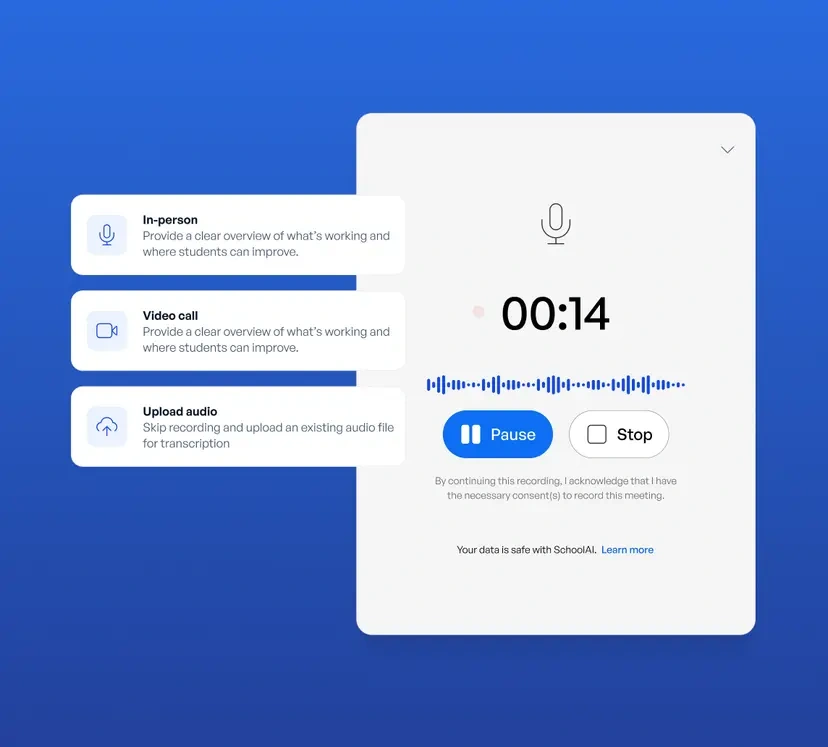
IskolaAI describes its Notetaker as the first notetaker built specifically for education. It records PLCs, parent conferences and IEP meetings, then produces structured summaries. The browser extension puts Dot, resource creation, tartalom adaptáció and writing feedback (summary feedback, inline comments and revision history) one click away in any tab. Notetaker and writing analysis are paid features.
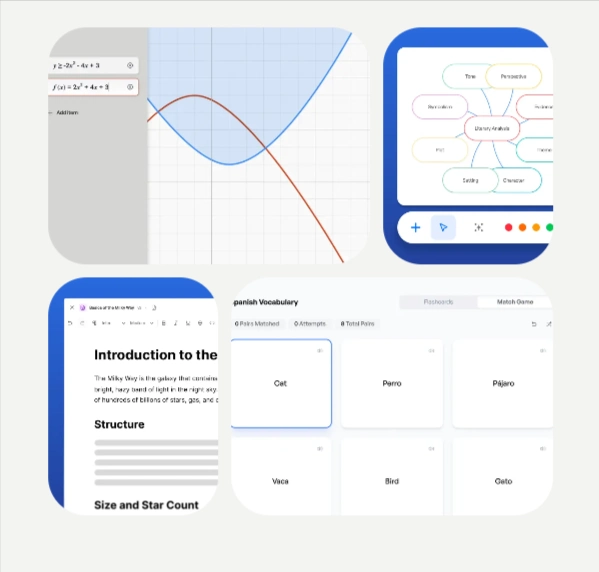
PowerUps are interactive tools students use inside a Space. They include a Desmos graphing calculator, Doodle Board, Image Generator, Translate and Brain Boosters. The new Video Explorer PowerUp turns any video into an activity students investigate and respond to. Flashcards, Mindmap, Presentation Creator and Video Explorer are only available on paid plans.
IskolaAI Árképzési tervek
| Plan név | Költség | Kulcsfontosságú zárványok |
|---|---|---|
| Ingyenes próbaverzió | 0 dollár örökre | 5 Space sessions per year (your onboarding Space does not count), unlimited Chat with Dot, Tools and Assistants, Critical Alerts, standards alignment, core browser extension |
| per | Custom quote (school wide) | Unlimited Space launches and sessions, Notetaker, writing feedback, premium PowerUps, persistent custom guardrails, SIS rostering, full LMS integration, admin alert routing |
| Skála | Custom quote (district wide) | Everything in Pro, plus Student Portals with Sidekick, Sidekick inside Canvas, student uploads, teacher visibility into Sidekick chats, custom standards upload, district management |
IskolaAI District Management and AI Irányítási ellenőrzések
IskolaAI District Management gives superintendents and curriculum directors one place to control AI across every school. Leaders upload the district handbook, curriculum and standards. SchoolAI then applies that context to every interaction in Dot, Assistants, Spaces and Tools. Teachers can still customise their own classrooms, but only within the guardrails the district sets.
If a student shares something concerning, Critical Alert Routing instantly notifies the staff the district has chosen, with a timestamp and a direct link to the conversation. Usage reports break down adoption by school, teacher, feature and time period. Leaders can export these views for board presentations or grant renewals. The result is one szabályozott AI emelvény that replaces the patchwork of unvetted tools teachers already use.
Is SchoolAI Accessible for ELL, SPED and Dyslexic Learners?
IskolaAI's equitable access features help every learner take part from the first lesson, regardless of language, ability or pace. Reading level, pacing and scaffolding adjust in real time based on how each student responds. This means struggling readers and advanced learners both work at the right level of challenge. Live translation in 60+ languages supports English language learners and students who are new to the country.
The platform meets WCAG 2.1 AA, so it is ready for district accessibility reviews and works for students with visual, motor and cognitive differences. A dyslexia friendly font can be switched on with a quick accessibility toggle. Differentiating instruction used to take teachers hours and now takes seconds, which makes inclusive teaching and SPED support realistic for a whole class.
Érvek és ellenérvek
- Best in class live student monitoring.
- Safety alerts free on every plan.
- ESSA Level III validated outcomes.
- Huge library of premade Spaces.
- Strong student data privacy credentials.
- Sidekick extends tutoring beyond lessons.
- Free plan only allows five sessions.
- No published school pricing.
- No individual paid teacher plan.
IskolaAI for School Leaders and Proven Student Outcomes
For principals and district leaders, SchoolAI offers something rare in edtech, which is outcome data that holds up to scrutiny. Instructure independently reviewed 13,882 student AI conversations in Jordan School District, Utah. It found a 28% boost in critical thinking and twice as many students using higher order reasoning. Those gains appeared once teachers had built six or more Spaces. Research from Stanford's SCALE Initiative found that 42% of teachers became power users.
That points to real teacher adoption rather than software that goes unused. A dedicated implementation team handles training and coaching, and SchoolAI integrates with Google Classroom and Clever. Frisco ISD, Fulton County Schools and the Hawaii Department of Education are among the districts already using it at scale.
Legjobb iskolaAI Alternatívák
| Student facing classroom AI and teacher assistant | Live Class Insights | District Safety Controls |
|---|---|---|
| MagicSchool AI | Engagement only | Basic guardrails |
| Khanfriend | Post session summaries | Moderation flags only |
| Gyors tanítás | Teacher focused only | No alert routing |
| Kovakő | Post submission reports | Limited admin controls |



