

Nyílt kód kulcsfontosságú elemzések
What Is OpenCode and Why Do Developers Use It?
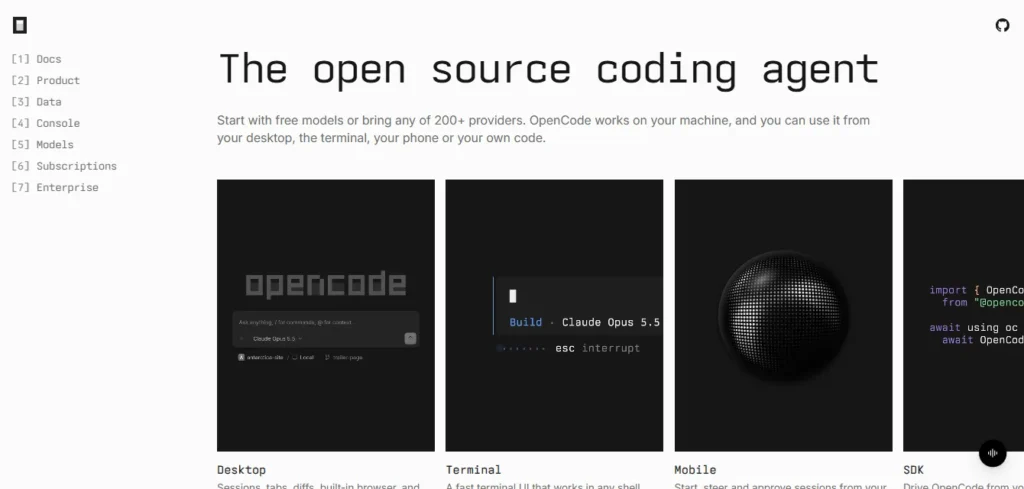
Nyílt kód egy ingyenes, nyílt forráskódú AI coding agent that reads projects, writes code, runs terminal commands and helps resolve software issues using the language model you choose.
A szabványtól eltérően AI chatbot, it operates with access to development tools and project files. You can ask it to inspect a function, update related modules, execute tests and explain the changes.
Built by Anomaly and released under the MIT License, OpenCode supports more than 200 LLM providers, including OpenAI, Anthropic, Google and compatible local models.
What interests me most is its separation of the coding interface from the AI model. Developers are not restricted to one vendor or forced to purchase a specific AI Feliratkozás.
That makes it particularly useful for teams that need control over costs, project access and coding workflows.
Hogy a AI Coding Agent Works
OpenCode connects an AI model with repository inspection, file-editing tools, terminal commands and task-specific agents.
The model decides what needs attention, while OpenCode provides the tools needed to inspect or modify the project.
OpenCode Model Selection and Provider Support
One of OpenCode's strongest features is its support for multiple AI szolgáltatók.
Through /connect, users can add a supported provider using an API kulcsot, OAuth or another available authentication method. The /models command allows them to select an available model.
For my preferred development setup, I would assign an economical model to routine documentation tasks and a stronger coding model to complicated debugging or architectural changes.
Local models are another useful option for teams that want to run inference on their own infrastructure.
However, response quality, context size, speed and tool-use accuracy depend on the chosen model.
OpenCode Agents for Planning, Implementation and Review
The platform includes Build and Plan as its main agents. Épít performs software development tasks, including file editing and command execution. csomag focuses on understanding requirements and preparing implementation steps without editing normal project files.
Developers can also create custom agents for specialized work.
For example, an engineering team could configure a code reviewer to inspect security problems and a documentation agent to explain API changes.
Permission Rules for Safer Code Execution
OpenCode 2 supports resource-specific permissions through opencode.jsonc. A sensible configuration asks for approval before shell commands and blocks direct pushes to production branches.
The available actions include allow, ask and deny.
I recommend restricting shell access before allowing an agent to modify an unfamiliar repository. Agent permissions help control actions, but they are not a replacement for operating-system isolation.
MCP Servers, Plugins and Reusable Skills
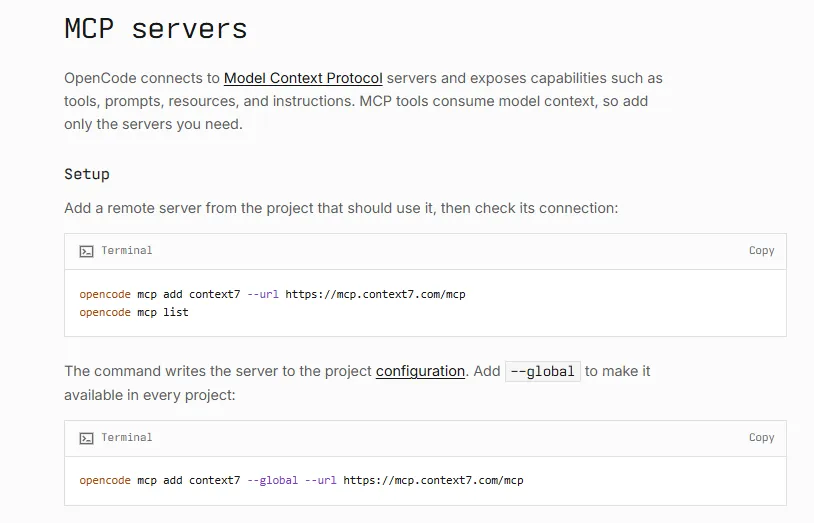
OpenCode supports Model Context Protocol servers for accessing external tools and services. Developers can connect supported services such as GitHub, Figma, Linear or Sentry using suitable MCP integrációk.
Plugins extend functionality, while Markdown-based skills give agents reusable task instructions.
This combination is valuable when coding tasks depend on design specifications, issue records or external documentation.
How to Install OpenCode 2 and Start Coding
OpenCode supports desktop applications and command-line installation. The latest version uses a different npm package from the older release.
I recommend starting with a small Git repository before giving the agent access to a production project.
OpenCode CLI Installation and First Project
- Step 1: Install the current CLI.
On a system with Node.js and npm, run:
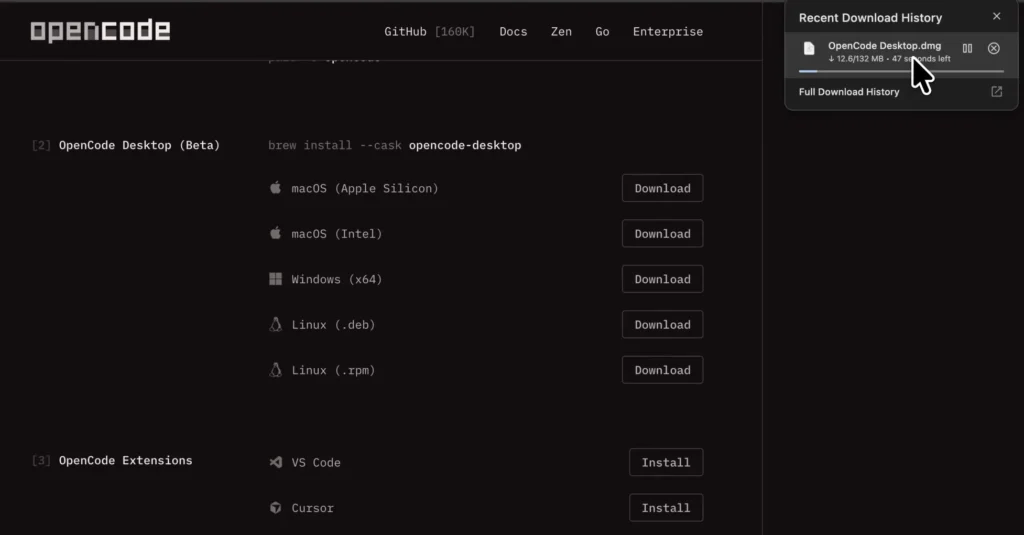
npm install -g @opencode/cli
Alternatively, install through the current official installer:
curl -fsSL https://opencode.ai/v2/install | bash
- Step 2: Open a project directory.
Navigate to an existing Git repository, then launch: opencode
- 3. lépés: Válasszon egy AI modell.
Use /connect to configure a provider and /models to select a model. Selected free models can be used without purchasing a subscription.
- Step 4: Inspect before editing.
Start with a prompt such as:
"Inspect this repository, identify its API routes, explain the authentication process and list the files involved. Do not modify anything."- Step 5: Request a controlled change.
Switch to implementation when satisfied with the analysis. Ask for a specific fix, relevant tests and a summary of modified files.
Finally, inspect the Git diff before committing.
OpenCode 2 Configuration and Compatibility
OpenCode 2 introduces changes to plugin interfaces, permissions and server APIs.
Its permission configuration uses permissions with actions such as shell, rather than the older V1 permission and bash format.
Another important difference is LSP support. OpenCode 2 does not execute language servers or provide their diagnostics.
For TypeScript, Python or other projects, I would use the repository's compiler, linter and test commands to validate generated changes.
Industrial Use Cases and Business Applications
The agent is useful beyond generating individual functions. Its ability to inspect existing projects and execute development commands makes it relevant to several technical industries.
The following table focuses on practical applications and their expected verification requirements.
| Ipar | Műszaki alkalmazás | Specific Business Value | Kötelező ellenőrzés |
|---|---|---|---|
| SaaS | API endpoint development | Shorter development cycles for service changes | Contract and integration tests |
| E-kereskedelem | Checkout and cart debugging | Identify calculation or session errors | Payment sandbox tests |
| Pénzügyi szolgáltatások | Transaction validation logic | Detect missing error-handling cases | Audit and reconciliation tests |
| Egészségügyi szoftver | Data-processing code review | Identify questionable data-handling logic | Privacy and compliance review |
| Digital Marketing | Analytics script maintenance | Repair event tracking and conversion logic | Browser and event validation |
| Szoftverfejlesztés | Legacy code refactoring | Reduce repetitive maintenance work | Regression test suite |
Building SaaS APIs With OpenCode
Vegyük figyelembe a SaaS alkalmazás using Node.js, TypeScript and PostgreSQL.
A developer could ask OpenCode to inspect existing authentication middleware before implementing a new protected endpoint.
A practical sequence would be:
- Examine the current route structure and authorization rules.
- Identify database access patterns and validation conventions.
- Generate the endpoint and associated tests.
- Execute the project's TypeScript checks and test suite.
- Review the resulting diff for unauthorized changes.
The key benefit is codebase awareness. The agent can work with existing project conventions instead of producing an isolated code example.
Debugging E-commerce and WordPress Projects
For an online store, OpenCode can investigate a coupon calculation issue by tracing discount functions, identifying edge cases and preparing a proposed correction.
For WordPress development, it can assist with custom plugin code, PHP errors, theme modifications and JavaScript conflicts.
My preferred approach is to request a file-level explanation first, then restrict edits to the affected component. This reduces the risk of an AI agent rewriting unrelated functionality.
OpenCode Pricing and Free Plan Explained
OpenCode itself costs $0. Users can access selected free models, connect existing provider accounts or pay for additional inference.
| opció | Ár: | Mit tartalmaz a csomag? |
|---|---|---|
| Free OpenCode | $0 | Coding agent and selected free models |
| OpenCode Go | $ 10 / hó | Curated coding models with included usage limits |
| OpenCode Go Plus | $ 40 / hó | Higher usage allowances |
| OpenCode Go Teams | 20 dollár/tag/hónap | Individual allowances for workspace members |
| Console Models | Használat alapú | Pay for model requests through purchased credits |
| External Providers | Szolgáltatótól függő | Connect separate subscriptions or API accounts |
Free models have request limits, and some are offered only for a limited period.
OpenCode Go subscriptions have model-dependent usage allowances. Higher usage can require additional credit.
The lowest-cost option is therefore the free application with available free models. Paid access becomes useful when users need additional capacity or particular models.
OpenCode Pros and Cons
OpenCode has clear advantages for developers who value control, although its setup and safety requirements deserve attention.
- Free, MIT-licensed application.
- Széles AI model and provider compatibility.
- Supports terminal, desktop and web workflows.
- Custom agents, plugins and MCP integrations.
- Can run local models.
- Useful for scripted development and CI tasks.
- File rollback through supported snapshots.
- Requires technical knowledge for effective configuration.
- Paid model usage can increase operating costs.
- Incorrect code still needs developer review.
- V2 lacks native LSP execution.
- Android app is not yet available.
- Shell commands can affect files and external systems.
OpenCode Alternatives Compared
The best alternative depends on your preferred development environment, model provider and need for direct repository access.
| Nyílt forráskódú AI coding agent for software development, debugging and repository automation | Fő erőssége | Kulcskülönbség |
|---|---|---|
| Kurzor | Editor-based AI programozás | Integrated code editor and inline assistance |
| Claude Code | Agent-based development | Strong emphasis on Anthropic's coding models |
| Nyisd kiAI Kódex | Coding with OpenAI modellek | Close integration with the OpenAI ökoszisztéma |
| Segítség | Git-focused AI páros programozás | Terminal workflow centered on repository changes |
| Cline | Agentic coding inside development editors | Approval-focused editor workflow |
I would prioritize Nyílt kód when model flexibility, open-source licensing and custom automation are the deciding factors.
Cursor is particularly attractive for developers who prefer editing directly inside an AI-focused IDE.
OpenCode Security and Data Privacy
OpenCode runs on your machine, but that does not mean every AI request remains local.
When you select a hosted model, relevant prompts and code context may be transmitted to its provider. Data retention and training policies vary between endpoints, especially free models.
For sensitive repositories, I recommend using approved models, limiting file access and restricting shell commands.
Snapshots help reverse supported file changes but cannot reverse external API calls, database operations or every command side effect.
OpenCode is a capable development tool, not an automatic security boundary.
Frequently Asked Questions About OpenCode
These answers address common installation, pricing and functionality questions.
Is OpenCode completely free?
Yes. The OpenCode application is free and open source. Selected free AI models are available, while premium providers and optional subscriptions can involve additional charges.
Can OpenCode replace Cursor or Claude Code?
OpenCode can perform many similar coding tasks, including repository analysis, code generation and debugging. The better choice depends on preferred interfaces, models and development habits.
Does OpenCode work with local AI modellek?
Yes. OpenCode supports compatible locally hosted models. Performance depends on the model, hardware resources and configured inference service.
Does OpenCode support Windows and mobile devices?
OpenCode supports Windows, macOS and Linux. An iPhone beta app provides remote session access. Android support is planned but not released.
Is OpenCode Worth Using?
OpenCode is a strong option for developers who want an AI kódolási asszisztens without committing to a single model provider.
Its most valuable capabilities are repository-aware coding, customizable agents, provider choice and automation through scripts.
I recommend beginning with free models, using Plan for code inspection and enabling carefully defined permissions before attempting larger changes.
The tool is particularly suitable for developers, technical founders and engineering teams comfortable working with Git, terminals and AI-generated code.
For nontechnical users seeking a visual, no-code website builder, OpenCode is unlikely to be the easiest starting point.


