

Principaux enseignements de GitMind
Qu’est-ce que GitMind ?
GitMind est un espace de travail visuel basé sur l'IA, développé par WANGXU TECHNOLOGY (HK) CO., LIMITED et lancé en 2019. Il est aujourd'hui utilisé par plus de 10 millions de professionnels dans 160 pays. Son principal atout réside dans sa capacité à convertir des données brutes, telles que des invites textuelles, des PDF, des enregistrements audio, des vidéos YouTube et des images, en cartes mentales structurées, organigrammes, diagrammes UML et autres diagrammes hiérarchiques, entièrement grâce à l'IA. AI automatisation.
Pour les équipes commerciales, cela signifie qu'un chef de projet peut importer un cahier des charges et obtenir un plan visuel entièrement structuré en moins d'une minute, ce qui représente un gain de temps considérable par rapport à la création manuelle de diagrammes. GitMind couvre l'intégralité du processus de productivité, de la capture d'idées et du brainstorming jusqu'aux présentations visuelles , ce qui en fait une véritable plateforme tout-en-un d'organisation des connaissances, et non un simple outil de création de cartes mentales.
GitMind's Sa capacité la plus puissante réside dans sa capacité à traiter presque tous les formats d'entrée et à renvoyer une carte visuelle structurée. Vous pouvez coller une URL YouTube, importer un fichier audio, déposer un PDF ou saisir une simple ligne de commande et GitMind l'interprétera.'s AI Génère une carte mentale arborescente en moins de 10 secondes. Pour les consultants et les chefs de projet qui gèrent d'importants volumes de documentation, cela représente à lui seul un gain de temps considérable, remplaçant des heures de saisie manuelle de nœuds chaque semaine.
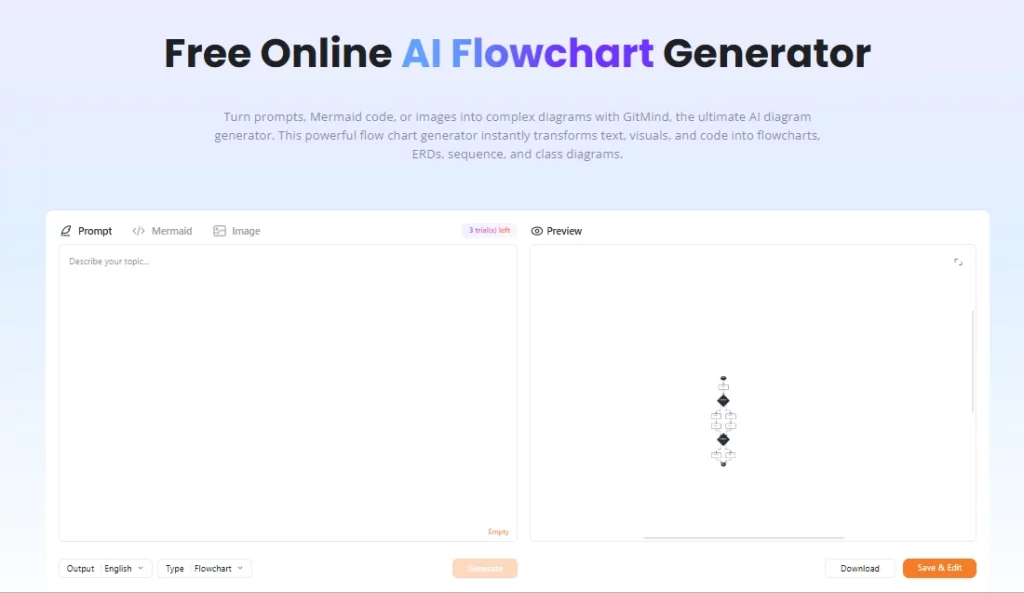
Au-delà des cartes mentales, GitMind prend en charge les organigrammes, les tableaux blancs, les diagrammes UML, les organigrammes hiérarchiques, les diagrammes d'Ishikawa (diagrammes en arêtes de poisson) et les diagrammes entité-relation. Ceci est important pour les équipes techniques qui ont besoin de plus qu'une simple carte mentale. toile de brainstormingUn ingénieur logiciel peut générer un AI Élaborer un organigramme à partir des notes de projet, visualiser les dépendances du système et partager le diagramme sous forme de présentation en une seule session.
GitMind organise les espaces de travail d'équipe en unités appelées « Planètes », chacune fonctionnant comme un environnement de collaboration partagé. Plusieurs utilisateurs peuvent modifier simultanément les cartes en direct, laisser des commentaires et suivre les modifications, ce qui est particulièrement pratique pour les équipes distribuées menant des sessions de planification agile ou des ateliers de découverte produit. La version gratuite permet de créer une seule planète, les versions payantes en débloquent davantage, et la version Business offre un nombre illimité de planètes et de membres.
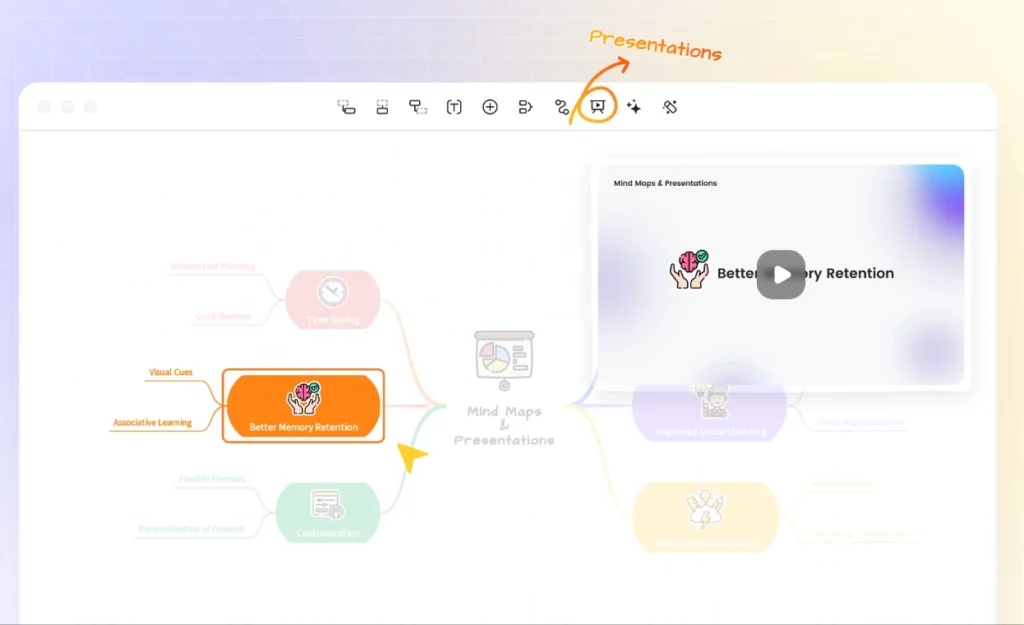
Dans GitMind, chaque carte mentale peut être convertie en présentation en un clic grâce au mode Présentation intégré. Les enseignants, formateurs et consultants l'utilisent pour passer d'une idée brute à un diaporama prêt à être présenté en salle de réunion, sans quitter la plateforme. Les options d'exportation incluent PNG, JPG, PDF et TXT, avec une exportation HD disponible à partir de la formule Basique.
GitMind fonctionne comme une application web et propose également des clients de bureau pour Windows et Mac, ainsi que des applications mobiles pour iOS et Android. Grâce à la synchronisation des données via le cloud, passer d'un ordinateur portable à une tablette en cours de session se fait instantanément. La connexion s'effectue via Google, Apple, Facebook ou par e-mail, ce qui accélère l'intégration des nouveaux membres de l'équipe.
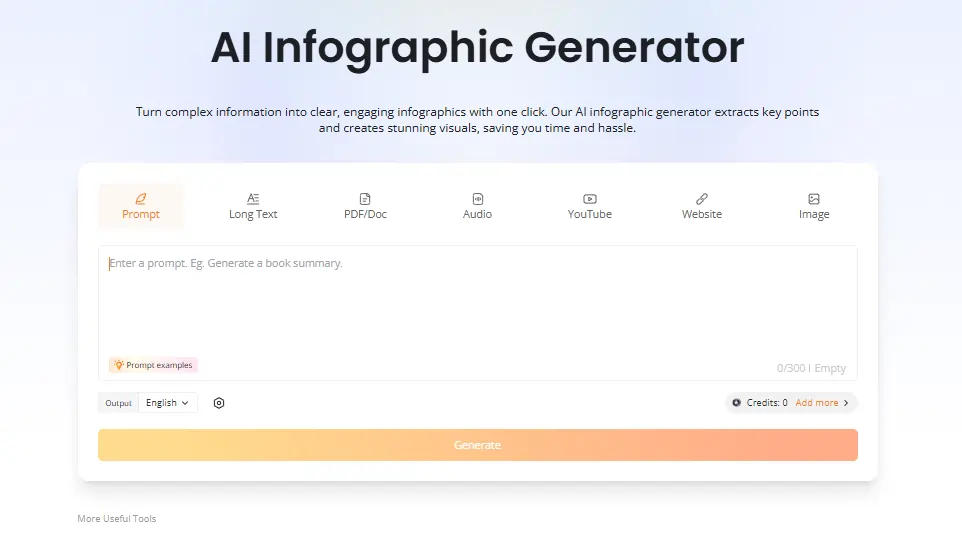
Les abonnements payants débloquent une fonctionnalité intégrée AI Chatbot pour interroger directement les documents téléchargés dans l'espace de travail, ainsi qu'un AI Générateur d'infographies transformant données et contenus en résumés visuels. Les ingénieurs et chercheurs apprécient particulièrement la fonction de chat pour identifier les lacunes de la documentation sans quitter l'environnement de cartographie. Ces deux fonctionnalités consomment AI crédits prélevés sur le forfait mensuel.
Plans tarifaires GitMind
| Plan | Coût (annuel) | AI Les crédits | cloud Storage | Images par carte | Planètes | Membres par planète |
|---|---|---|---|---|---|---|
| Gratuit | $0 | Édition | Non spécifié | Fonction Plug & Play | 1 | Édition |
| Fonction Plug & Play | $ 4.92/mois | Aucun | 10 GB | 50 | 1 | 5 |
| Pro | $ 5.75/mois | 2,000 / mois | 10 GB | 100 | 1 | 5 |
| « Ultra » | $ 11.58/mois | 4,000 / mois | 30 GB | 500 | 1 | 20 |
| Entreprise | 17.42 $/mois par siège | 5,000 / mois | 50 GB | 800 | Illimité | Illimité |
GitMind pour les équipes d'entreprise
GitMind se révèle particulièrement utile aux équipes commerciales qui traitent d'importants volumes d'informations. La possibilité de transformer un enregistrement de réunion, un long briefing client ou une pile de PDF en cartes visuelles exploitables réduit considérablement les cycles de planification.
Pour les équipes marketing, stratèges de contenuPour les chefs de produit et les responsables de produit, le flux de travail de type « prompt-to-map » permet de définir le cadre initial du projet en quelques minutes plutôt qu'en une heure de séance de brainstorming. Le plan d'affaires's en temps réel AI Le suivi des crédits par membre ajoute une dimension pratique à la gestion des ressources que les équipes en pleine croissance apprécieront.
Avantages et inconvénients
- Convertit les fichiers vidéo, audio et PDF en cartes mentales.
- Rapide AI Génération de la carte en moins de 10 secondes.
- Multiplateforme, y compris pour ordinateurs et appareils mobiles.
- Collaboration d'équipe en temps réel intégrée.
- Plusieurs types de diagrammes dans un seul outil.
- Le mode Présentation permet d'économiser des logiciels supplémentaires.
- Le forfait gratuit a un nombre de fichiers limité.
- AI Les crédits s'épuisent rapidement en cas d'utilisation intensive.
- Aucune intégration native avec Slack ou Notion.
- Le service client peut être lent à répondre.
GitMind pour les enseignants et les chercheurs
GitMind s'est imposé auprès des enseignants, des étudiants et des chercheurs, notamment grâce à sa capacité à transformer les enregistrements de cours, les articles universitaires et le contenu des manuels scolaires en structures visuelles prêtes à la révision. Le générateur de résumés de transcriptions YouTube, à lui seul, est utilisé par les étudiants pour extraire et organiser le contenu des cours sans avoir à prendre de notes manuellement.
Les enseignants utilisent le générateur de résumés d'articles et le mode Présentation pour préparer et dispenser leurs cours à partir d'un seul outil. Pour ceux qui manipulent régulièrement des documents sources denses, l'abonnement Pro à 5.75 $ par mois (facturé annuellement) offre un excellent rapport qualité-prix.
Meilleures alternatives à GitMind
| AI Outil de cartographie mentale et d'espace de travail visuel | AI Vitesse de génération de la carte | Valeur sans plafond de crédit |
|---|---|---|
| edrawmind | Rapide, généreux AI limites sur les forfaits payants | Un excellent rapport qualité-prix pour un accès illimité AI utilisé |
| XMind | Modérer, AI moins performant que GitMind | Bon pour la structure, plus fragile AI génération |
| Miro | Fonctionnalité secondaire, axée sur le tableau blanc | Idéal pour les tableaux de collaboration d'entreprise |
| Lucidchart | Édition AI génération de cartes | Plus performant pour les flux de travail de création de diagrammes techniques |



