


Enamik inimesi maandub Hugging Face'ile , jõllitab modellinimede seina ja klõpsab 30 sekundi jooksul minema. Suur viga.
Samal ajal kui kõik vaidlevad selle üle, milline AI tööriista eest tasub maksta, kümned tuhanded ehitajad kasutavad vaikselt Hugging Face'i selle käivitamiseks, peenhäälestamiseks ja laev AI-toega rakendused — täiesti tasuta. See's mitte ainult mudelite kogu. See's platvorm, kus Google, Meta, Mistral ja sooloarendajad töötavad kõik samas ruumis.
Üle miljoni mudeli, üle 500 1 andmestiku ja tasuta rakenduste hostimine – ühe konto all. Siin on täielik kirjeldus selle kohta, mis see on ja kuidas seda tegelikult kasutada.
Mis kallistav nägu tegelikult on (enamik inimesi saab sellest valesti aru)
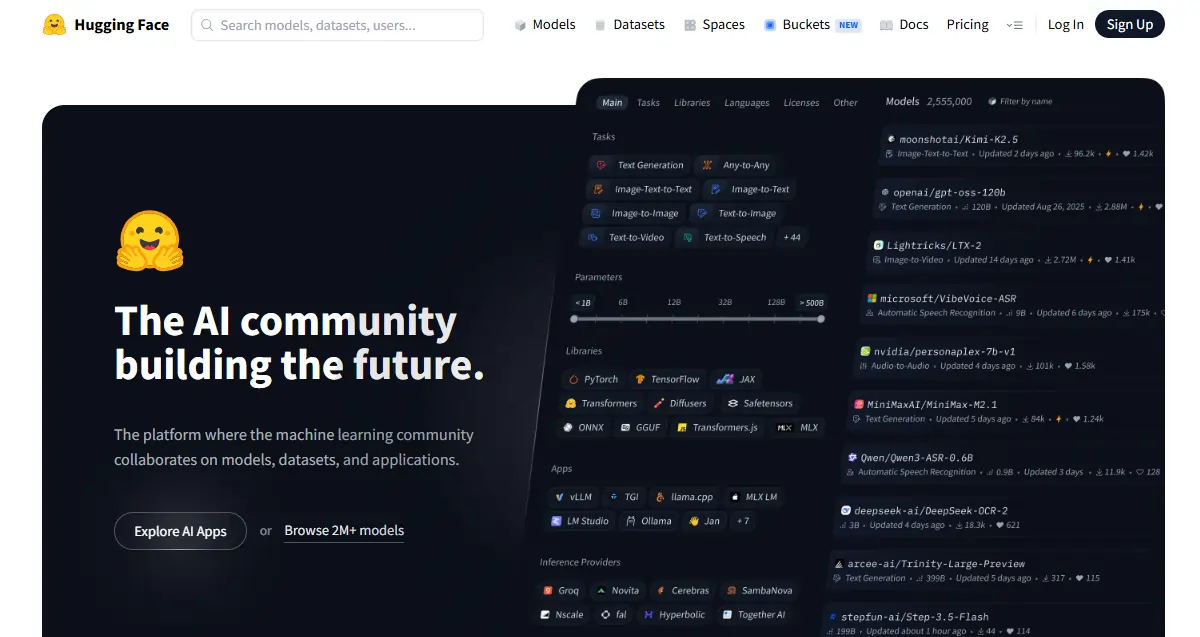
Silti „ Masinõppe GitHub ” kasutatakse palju. See kehtib ühes suunas – avalikud repositooriumid, versioonikontroll, kogukonna panus. Aga see laguneb kiiresti. Hugging Face käitab ka reaalajas järeldusi, majutab tehisintellektil põhinevaid rakendusi ja pakub täielikku koolitusinfrastruktuuri. GitHub ei tee midagi sellist.
Ettevõte ise alustas NLP vestlusrobotite idufirmana, seejärel läks üle avatud lähtekoodiga tarkvarale. AI tööriistade loomisel ja pole kunagi tagasi vaadanud. Avalik platvorm is fvaba ja kogukonnakeskne; ettevõtte tooted on see, kuidas nad raha teenivad. Algajatele katab tasuta aste kõik vajaliku. Mudelid avaldatakse siin. enne nad teevad pealkirju – kui tehisintellektis midagi uut ilmub, ilmub see esimesena Hugging Face'is.
Kolm sammast – teadke neid enne kõike muud
Kõik Hugging Face'i sisu jaguneb kolme põhiosasse:
| sammas | Mis see on | Miks see on oluline |
|---|---|---|
| Mudelid | 1M+ eelkoolitatud AI mudelid | Jäta treening nullist täielikult vahele |
| Andmekogumid | Toorandmed treenimiseks ja testimiseks | Standardiseeritud, laadimiseks valmis andmed |
| Spaces | Tasuta hostitud AI apps | Testi mudeleid ilma juurutuskoodi puudutamata |
Harjuge kõigi kolmega – need on ehitamise käigus pidevalt omavahel seotud.
Modellikeskus – koht, kus veedad suurema osa ajast
Filtripaneel on siin teie parim sõber: ülesande tüüp, raamistik (PyTorch, TensorFlow, JAX), keel, litsents ja mudeli suurus. Sorteeri enim allalaaditute järgi , et näha lahinguväljal testitud valikuid; sorteeri hiljuti uuendatute järgi , kui vajate uusi valikuid.
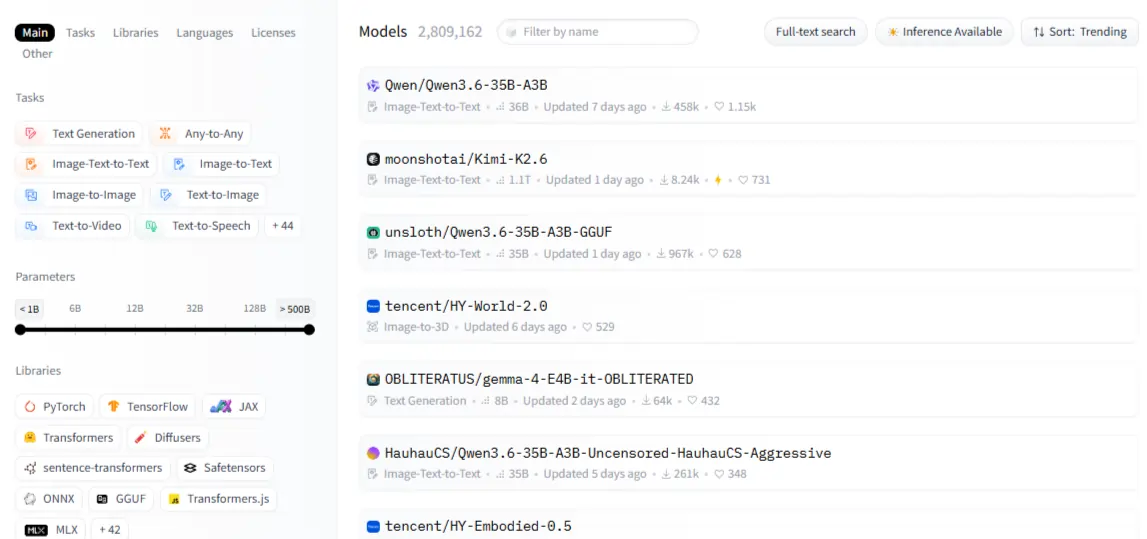
Igal mudelil on kaart – loe seda. Kasutuseesmärgi osa ütleb sulle, milleks mudel loodi; piirangute osa näitab, kus see puudujääke tekitab. See teine osa on väärtuslikum kui ükski võrdlusnäitaja. Mudeli kategooriad hõlmavad NLP-d (teksti klassifitseerimine, kokkuvõtete tegemine, tõlkimine, küsimustele vastamine), nägemist (piltide klassifitseerimine, objektide tuvastamine, genereerimine), heli (ASR, TTS) ja multimodaalseid ülesandeid , näiteks visuaalset küsimustele vastamist.
Üks asi, mida algajad kahe silma vahele jätavad: mitte kõik mudelid pole vabalt allalaaditavad. Piiratud mudelid, nagu Meta Llama, vajavad enne juurdepääsu kinnitamist kinnitust. Kui see on kinnitatud, autentitakse teid juurdepääsutokeniga. Enne ehitamist kontrollige alati litsentsi – mõned mudelid keelavad ärilise kasutamise täielikult.
Transformerite raamatukogu — kood, mis töötab poolt ajast AI Maailm
. transformers raamatukogu on ühtne Python pakend mis standardiseerib mis tahes mudeli laadimist ja käitamist keskuses PyTorchi, TensorFlow ja JAX-i kaudu sama API abil.

. pipeline() funktsioon on koht, kust enamik algajaid peaks alustama – see koondab tokeniseerimise, mudeli laadimise ja järeltöötluse ühte kõnesse. Sentimentide analüüs, teksti genereerimine, piltide klassifitseerimine – kõik järgivad täpselt sama mustrit. Niipea kui vajate väljundite üle täpset kontrolli, saate kirjutada kohandatud järelduskoodi. Seni aga hoolitsevad torujuhtmed kõige eest.
Ära jäta tokeniseerimist vahele. Toores tekst ei saa otse mudelisse minna. AutoTokenizer haldab konverteerimist ja sobitab alati automaatselt õige tokenisaatori õige kontrollpunktiga. Sobimatud tokenisaatorid põhjustavad algajatele kõige segasemaid vigu – ja neid on 100% võimalik vältida.
| Ülesanne | Torujuhtme nimi | Näidismudel |
|---|---|---|
| Sentimentide analüüs | text-classification | distillbert-base-uncase |
| Teksti genereerimine | text-generation | Mistral-7B |
| Kokkuvõte | summarization | facebook/bart-large-cnn |
| Kõnetuvastus | automatic-speech-recognition | openai/sosinabaas |
| Piltide klassifikatsioon | image-classification | google/vit-base-patch16 |
Andmekogumid ja ruumid – kaks funktsiooni, mida keegi piisavalt ei kasuta
. datasets teek laadib andmeid Apache Arrow vormingus – kiire, mälusäästlik ja loodud andmekogumite käsitlemiseks, mis ei mahu muutmällu. load_dataset("name", split="train") on kõik, mida alustamiseks vaja läheb. Enne kui treeningkäivituse jaoks mis tahes andmestikule pühendute, kasutage Data Studio brauseris eelvaate kuvamiseks ja filtreerimiseks ilma ühtegi koodirida kirjutamata.
Ruumid on koht, kus AI Demod avaldatakse tasuta. Teie rakendus saab jagatava URL-i minutitega ilma DevOps-i vaevata. Tasuta protsessoritasand saab hakkama kergemate demodega; tasulised GPU-toega Spaces'id saavad hakkama raskemate mudelitega.
Kasutage Gradiot kiirete mudelite demode jaoks minimaalse koodiga; kasutage Streamlitit , kui teie rakendus vajab andmemahukamat armatuurlaua paigutust. Trendiva Space'i kloonimine on kiireim viis alustamiseks – valige oma kategooriast üks, jagage see harudeks ja kohandage.
Konto õige seadistamine
Tasuta aste hõlmab mudeli sirvimist, protsessoriruume, kiirusepiiranguga API-kõnesid ja täielikku juurdepääsu kogukonnale. Pro lisab prioriteetsed graafikakaardiruumid, laiendatud järeldusvõimalused ja privaatsed repositooriumid. Enamiku algajate jaoks on tasuta aste piisav.
Juurdepääsutokeni genereerimine all seaded → LigipääsutokenidLugemistokenid toimivad allalaadimiseks; kirjutamistokenid on vajalikud mudelite või andmestike edastamiseks. Autentimine Pythonis koos huggingface_hub.login()Teie installi jaoks:

sisse lööma
pip install transformers datasets huggingface_hublisama accelerate, peftja trl kui peenhäälestamine on plaanis. Google Colab on kiireim keskkond täiesti algajatele – tasuta GPU, pole midagi lokaalselt seadistada.
Oma esimese mudeli käivitamine ja seejärel selle enda omaks tegemine
Meeleolu analüüsi jaoks: helistama pipeline("text-classification"), edasta string, loe label ja score tagasi. Teksti genereerimiseks: kasutage max_new_tokens, temperatureja do_sample et kontrollida, kui loominguline ja kui järjepidev tulemus on. Sama pipeline() Muster töötab tõlkimise, kõnetuvastuse ja piltide klassifitseerimise puhul – API ei muutu, muutub ainult ülesande nimi.
Kui asjad katki lähevad:
Kui põhitõed on paigas, on järgmine samm peenhäälestus. Eelnevalt treenitud mudelid on üldised; peenhäälestatud mudelid on täpsed. Peenhäälestusest on abi siis, kui töötate valdkonnapõhiste andmetega, vajate järjepidevat käitumist või soovite järelduskulusid vähendada väiksema spetsialiseeritud mudeli käitamisega.
PEFT külmutab suurema osa mudelist ja treenib ainult kergeid adaptereid – 10 000 dollari suurust graafikakaarti pole vaja. QLoRA viib selle veelgi kaugemale kvantiseerimisega, võimaldades 7B parameetriga mudeli peenhäälestamist ühel tarbija graafikakaardil.
. Trainer API haldab kogu tsüklit – partiidena töötlust, hindamist, kontrollpunktide täitmist – ja kui oled lõpetanud, võtab keskusele tagasi saatmine ühe rea.
Järeldused ilma oma serverita
Majutatud Inference API annab teile koheselt REST-lõpp-punkti mis tahes avaliku mudeli jaoks. Tasuta astmel on kiirusepiirang – see sobib testimiseks, mitte tootmiseks. Päris rakenduste jaoks pakuvad Inference Endpoints spetsiaalset privaatset API-t, mis skaleerub jõudeolekus automaatselt nullini, hoides muutuva liikluse kulud hallatavad.
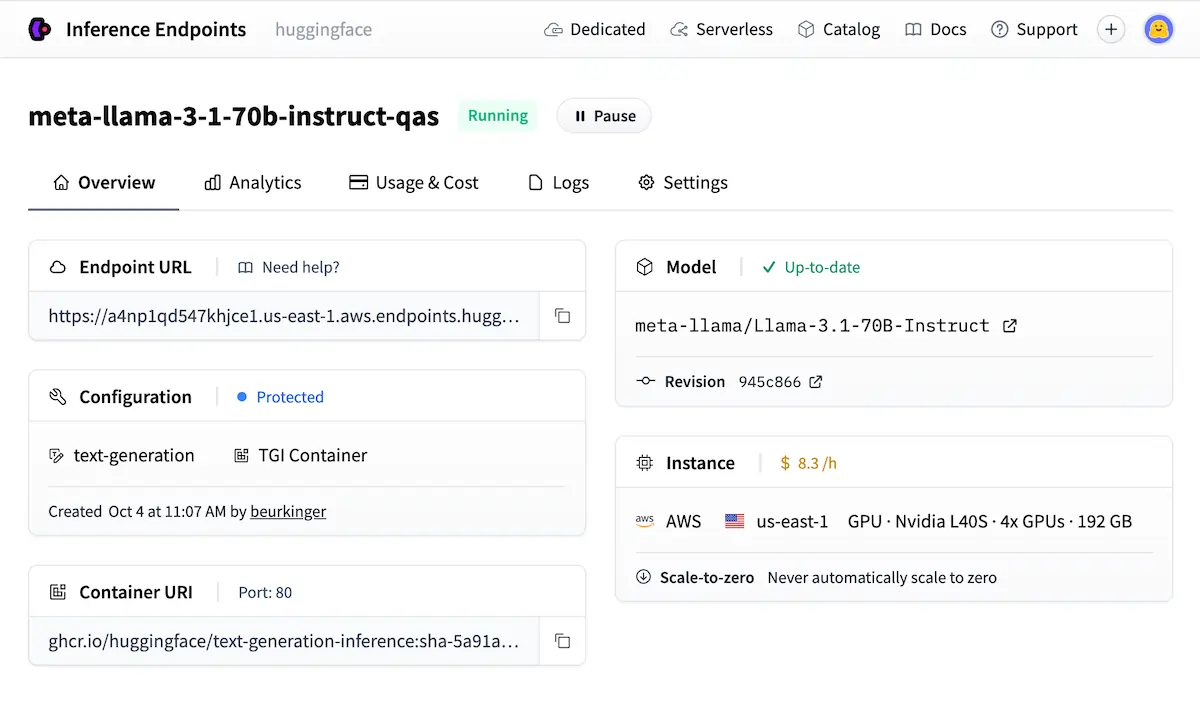
Kui andmete privaatsus või latentsus ei ole läbiräägitavad, on tootmisvalmis lahendus isehostimine TGI (Text Generation Inference) või vLLM abil.
Kogukond, edetabelid ja miks see kõik muu edestab
. Avatud LLM edetabel reastab mudeleid võrdlusaluste alusel – kasulik eelvaliku tegemiseks, kuid enne tulemuste usaldamist kontrollige alati oma tegeliku kasutusjuhtumi põhjal. Organisatsioonikontod võimaldavad meeskondadel hallata jagatud mudelikogusid kontrollitud juurdepääsuga; Meta AI, Google ja EleutherAI kõik jooksuorganisatsiooni kontod otse keskuses.
Teadlaste ja organisatsioonide jälgimine annab sulle reaalajas voo uute mudelite väljalasete kohta ilma, et peaksid sotsiaalmeediat jälgima.
| Platvorm | Open Source | Mudel Variety | Tasuta tase | Peenhäälestamise tööriistad |
|---|---|---|---|---|
| Kallistav nägu | ✅ Täis | ✅ 1M+ | ✅ Helde | ✅ Täispakk |
| TensorFlow jaotur | ✅ Jah | 🔶 Piiratud | ✅ Jah | ❌ Põhiline |
| Google'i modelliaed | ❌ Osaline | 🔶 Kureeritud | 🔶 Ainult GCP | 🔶 Ainult GCP |
| avatudAI API | Ei | ❌ Suletud | ❌ Ainult tasuline | 🔶 Piiratud |
Vead, mis maksavad teile tunde
- Suurima mudeli valimine, kui väiksem, ülesandespetsiifiline mudel töötab kiiremini ja odavamalt
- Modellikaardi vahelejätmine's piirangute jaotis enne millegi peale ehitamist
- Mudeli muudatusi ei kinnitata – mudelid uuenevad vaikselt ja väljundid nihkuvad hoiatuseta
- Tasuta Inference API kasutamine kõige jaoks, mis vajab järjepidevat tootmise käideolekuaega
- Toores teksti edastamine otse mudelisse ilma seda eelnevalt tokenisaatorist läbi viimata
AiMojo soovitab:
Kuhu siit edasi minna
Hugging Face'i tasuta kursused aadressil hf.co/learn hõlmavad NLP-d, heli ja süvaõpet struktureeritud radadel, mis on loodud spetsiaalselt selle platvormi jaoks. Parim esimene projekt: peenhäälestage kohandatud andmestikul tekstiklassifikaatorit, mässige see Gradiosse ja juurutage see Space'ina.
See üksainus ehitus puudutab ühe korraga mudeleid, andmekogumeid, peenhäälestust ja ruume. Kui see on tehtud's Laadige mudel reaalajas üles ja kirjutage korralik mudelikaart – mis hõlmab kavandatud kasutust, treeningandmeid ja piiranguid.
Nii tehakse kasulikke avalikke panuseid ja nii hakatakse avatud lähtekoodiga tehisintellekti valdkonnas reaalset kohalolekut looma.


 BONUS: Hankige meie 200 dollaritAI "Meisterlikkuse tööriistakomplekt" TASUTA registreerumisel!






