

Sabio AI Ideas clave
¿Qué es Wisecut AI?
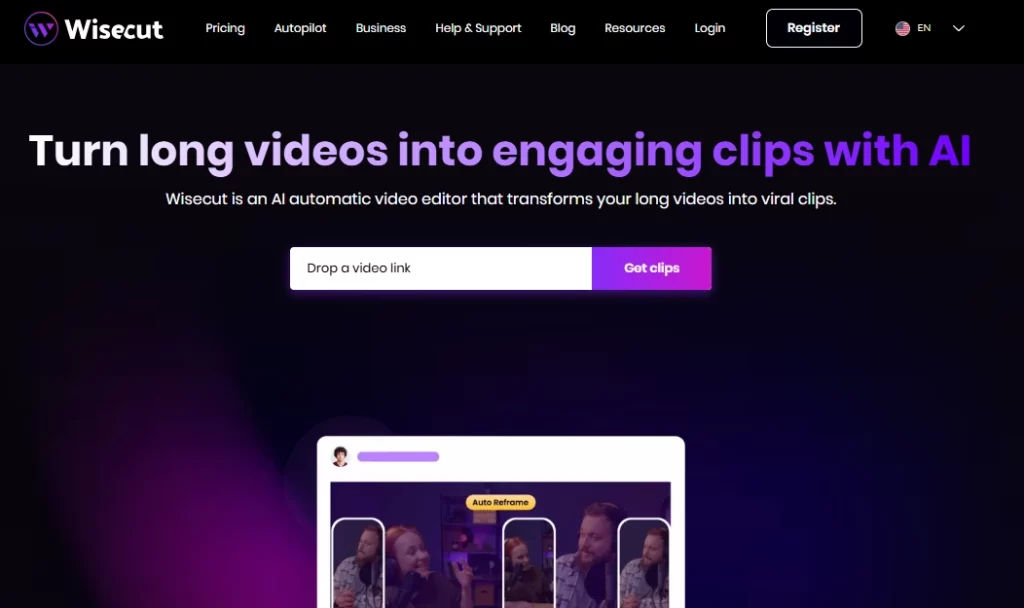
Inteligencia artificial Wisecut es un editor de video automático basado en la nube que utiliza inteligencia artificial y reconocimiento de voz para convertir videos largos en clips cortos y atractivos listos para las redes sociales. La plataforma está diseñada para creadores de contenido, YouTubers, podcasters y equipos de marketing que necesitan reutilizar grabaciones rápidamente sin habilidades de edición tradicionales. Al subir un solo video, los usuarios obtienen AI destacados generados, subtítulos automáticosEliminación del silencio y aplicación de música de fondo inteligente en minutos.
Sabio AI Elimina la tediosa tarea manual de editar la línea de tiempo y la reemplaza con un flujo de trabajo de guion gráfico basado en texto. Esto significa que cualquiera puede producir contenido breve y pulido para TikTok, Instagram Reels, YouTube Shorts y LinkedIn sin necesidad de usar un programa de edición tradicional. Cuenta con la confianza de más de un millón de creadores y equipos de medios en todo el mundo.
Wisecut analiza todo tu metraje y localiza automáticamente los momentos más interesantes. AI identifica segmentos con fuerte patrones de habla, momentos emotivos y cambios de tema para generar clips listos para compartir en redes sociales. Esto ahorra horas de revisión manual de grabaciones sin editar.
En lugar de usar una línea de tiempo tradicional con fotogramas clave, Wisecut genera una transcripción completa de tu video y la convierte en un guion gráfico editable . Puedes reorganizar o eliminar escenas simplemente moviendo bloques de texto. Esto hace que el proceso de edición sea accesible para cualquiera que sepa leer y arrastrar, sin necesidad de conocimientos técnicos.
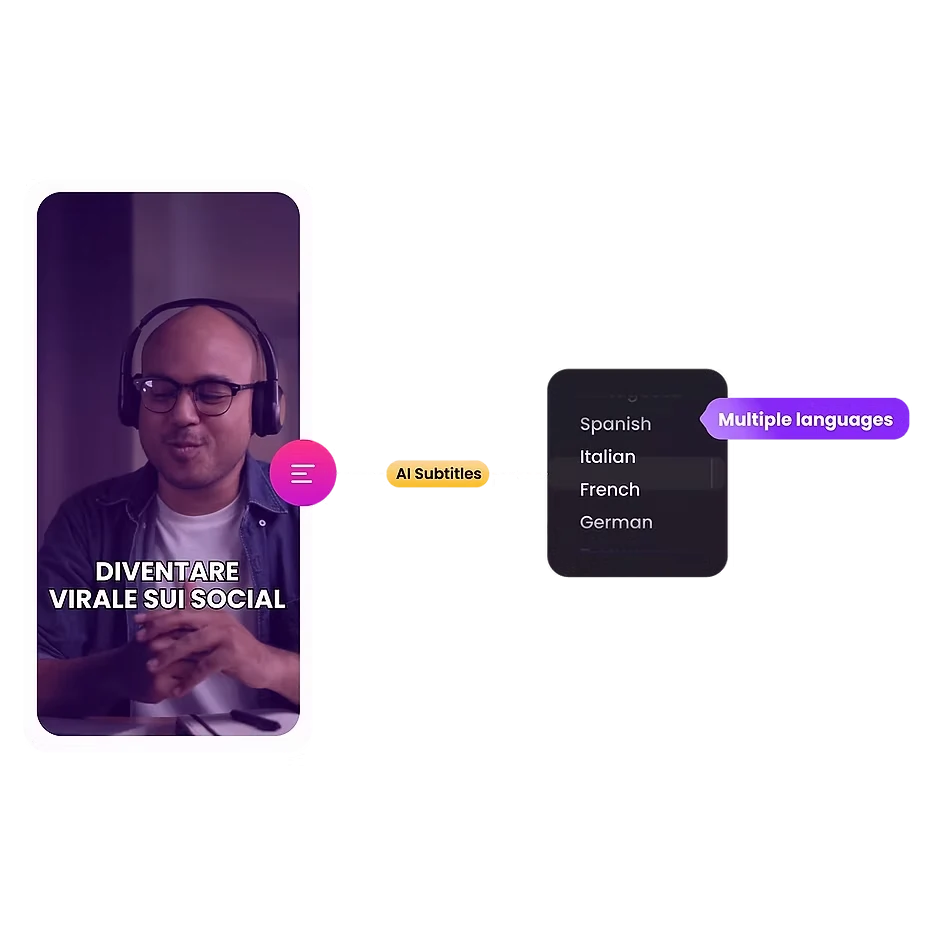
La plataforma genera subtítulos precisos automáticamente y admite 13 idiomas para la traducción. Dado que casi el 70 % de los espectadores ven videos sin sonido en público, esta función aumenta directamente la interacción y amplía el alcance de tu audiencia en los mercados globales.
Wisecut selecciona música de fondo libre de derechos que se ajusta al tono de tu video. Luego, aplica automáticamente la atenuación de audio, bajando el volumen de la música cuando alguien habla y aumentándolo durante las pausas. El resultado es un equilibrio de audio con calidad de transmisión sin necesidad de mezcla manual.
Los silencios prolongados perjudican la atención del espectador. Wisecut detecta y elimina las pausas silenciosas en todo el vídeo en cuestión de segundos. Además, aplica transiciones de zoom automático en momentos clave, creando efectos de acercamiento que captan la atención durante los segmentos más largos de entrevistas.
Sabio AI Planes de Precios
| Nombre del Plan | Costo | Tiempo de Procesamiento | Resolución máxima | Tamaño máximo de archivo |
|---|---|---|---|---|
| Free | $0 | 30 min / mes | 720p | 4 GB |
| Starter | $15.75/mes | 480 min / mes | 1080p Full HD | 4 GB |
| Básico + | $23.25/mes | 480 min / mes | 1080p Full HD | 4 GB |
| Desarrollo profesional | $75.67/mes | 1800 min / mes | 4K Ultra HD | 5 GB |
| Profesional+ | $83.25/mes | 1800 min / mes | 4K Ultra HD | 5 GB |
| Empresa | Personalizado | Personalizado | Personalizado | Personalizado |
Primeros pasos con Wisecut AI
- Paso 1: Visitar wisecut.ai y regístrate para obtener una cuenta gratuita usando tu correo electrónico o inicio de sesión de Google.

- Paso 2: Sube tu archivo de vídeo de larga duración (hasta 4 GB en el plan gratuito) directamente desde tu dispositivo.
- Paso 3: Seleccione la configuración de salida que prefiera, incluyendo el idioma, la relación de aspecto (vertical, cuadrada u horizontal) y el estilo de los subtítulos.
- Paso 4: Deje que el AI Procesa tu vídeo. Wisecut generará automáticamente los momentos más destacados, eliminará los silencios, añadirá subtítulos y aplicará música de fondo.
- Paso 5: Consulte el documento AI Genera el guion gráfico, realiza las ediciones de texto que necesites y exporta o programa tus clips directamente en las redes sociales.
¿Quién debería usar la IA de Wisecut?
Sabio AI es ideal para YouTubers en solitario, presentadores de podcasts con contenido de vídeoy gestores de redes sociales que manejan grandes volúmenes de contenido reutilizado. Si tu flujo de trabajo implica grabar entrevistas largas, videoblogs o seminarios web y luego dividirlos en clips cortos para plataformas como TikTok o Reels, esta herramienta te ahorrará mucho tiempo.
Las agencias de marketing que gestionan múltiples cuentas de clientes también se beneficiarán de las funciones de programación y publicación automática en redes sociales. Sin embargo, los editores profesionales que necesiten líneas de tiempo multipista, corrección de color o efectos visuales deberían buscar otras opciones.
Cómo Wisecut AI Gestiona el procesamiento de audio.
La calidad de audio suele ser un factor clave que distingue el contenido amateur del profesional. Wisecut soluciona este problema con su sistema de reducción de ruido integrado, que elimina el silbido y el zumbido de fondo de tus grabaciones. La función de mejora de audio optimiza la claridad de la voz para que suene más parecida a un podcast o una emisión grabada en estudio.
Combinada con el sistema de atenuación automática para música de fondo, la plataforma ofrece un audio impecable sin necesidad de un DAW o software de mezcla independiente. Para los creadores que graban en entornos imperfectos, esto por sí solo justifica la suscripción.
Pros y contras
- Conversión de vídeo a clips con un solo clic.
- La edición de texto no requiere ninguna habilidad.
- Soporte para subtítulos automáticos en 13 idiomas.
- Música de fondo inteligente con atenuación.
- Programación de publicaciones en redes sociales integrada.
- Reducción de ruido y mejora de audio.
- No admite la edición multicámara.
- Controles de edición manual limitados.
- Los proyectos caducan a los 30 días.
Sabio AI para la reutilización de contenido a gran escala
La verdadera fuerza de Wisecut AI muestra cuándo necesitas volumen. Una sola grabación de una hora puede producir docenas de clips cortos sin tener que revisar manualmente el material original. AI La detección de momentos destacados, combinada con el reencuadre automático, significa que tus clips verticales de TikTok y las miniaturas horizontales de YouTube provienen de la misma carga.
Para los equipos de contenido que gestionan calendarios de publicación semanales o diarios en múltiples plataformas, esta ventaja de velocidad se multiplica con el tiempo. Los planes "+" con publicación automática hacen que todo el flujo de trabajo, desde la grabación hasta la publicación, sea prácticamente automático.
El mejor Wisecut AI Alternativas
| AI Editor de vídeo / Herramienta para reutilizar vídeos | Eliminación automática del silencio | Idiomas soportados |
|---|---|---|
| Clip de la obra | ✅ | 8 idiomas, |
| Descripcion | ✅ | 23+ idiomas |
| AGUAS | ✅ | 125+ idiomas |
| Kapwing | ✅ | 75+ idiomas |



