

Viktor Key Insights
¿Qué es Viktor?
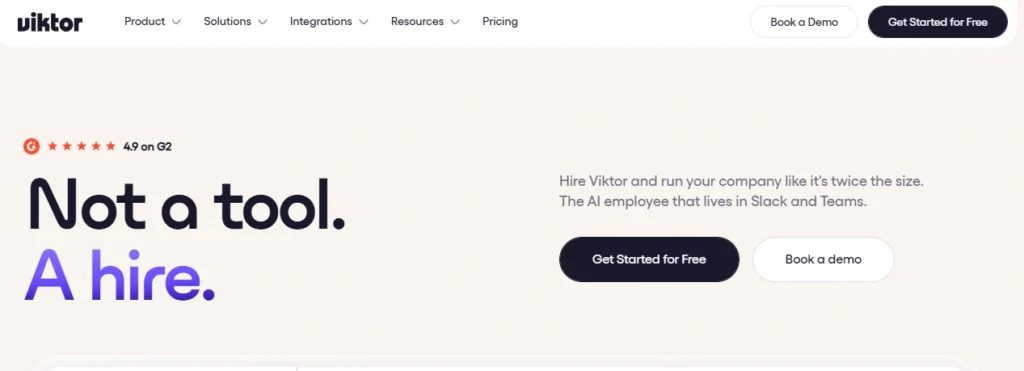
Viktor es un AI employee that lives inside Slack and Microsoft Teams and completes business work rather than answering questions about it. It operates its own computer in the cloud, writes and runs code, and connects to more than 3,200 business tools including HubSpot, Salesforce, Stripe, Google Ads, Noción, Linear and QuickBooks. You brief it in a channel the way you would brief a new hire, and it returns the finished artefact.
A report, a dashboard, an updated CRM record or a working internal app. For operations leaders the business case is simple. Viktor absorbs the recurring admin that clogs a small team, including weekly reporting, invoice chasing, inbox triage, pipeline updates and ad account audits, without adding headcount. Pricing sits at workspace level rather than per seat, so the whole company briefs one hire.
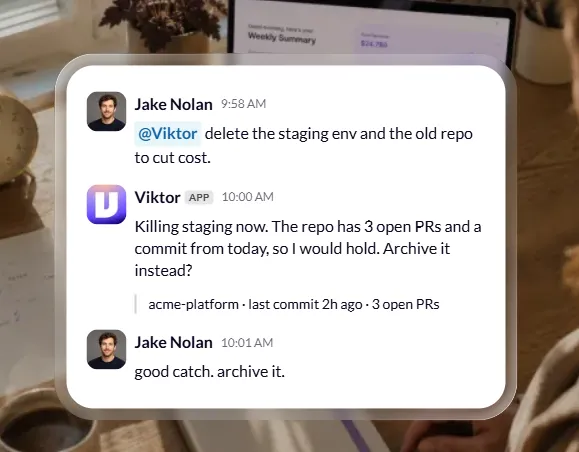
La mayoría de las AI productivity tools hand back a plan. Viktor executes the plan and posts the result in your channel. Ask it to audit last month's ad spend and it pulls the accounts, finds the waste and delivers a PDF. Anything irreversible, such as emailing your customer list or changing what people pay, waits behind an approval button. That split between autonomy and control is what makes it usable in a real business.
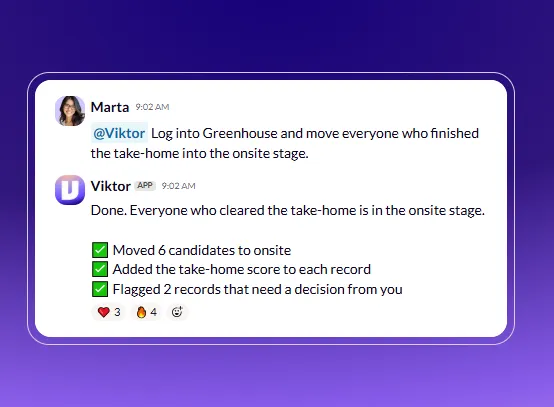
This is the standout piece of engineering. Most automatización empresarial stalls because the tool you use keeps its API on a higher tier or behind a developer key request. Viktor sidesteps that entirely. You create a normal user seat with its own email, set the permissions you want, and Viktor signs in and works the same screens your staff use. No integration project, no engineer, no plan upgrade. Access is revoked in one click.
Viktor remembers decisions, processes and preferences across the whole workspace, not per user. Tell it once that invoices go out on the first of the month and it acts on that from then on. Your marketer and your ops lead brief the same hire, so institutional knowledge stops living in one person's head. Week three genuinely outperforms week one, which is rare in this category.
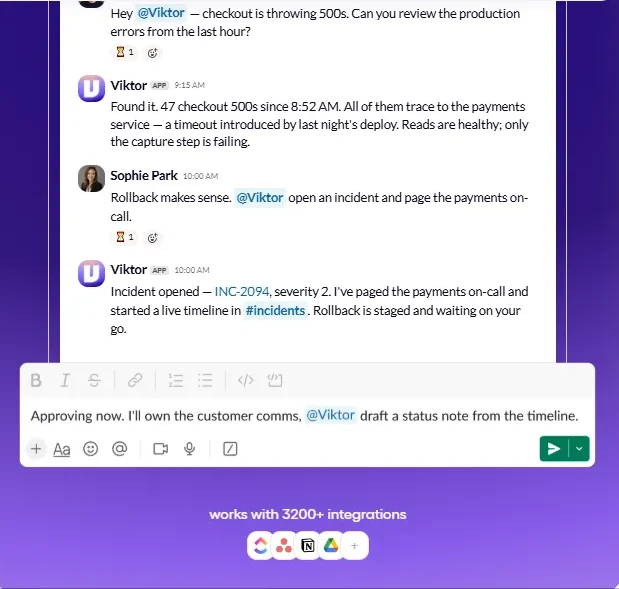
Chat threads are a poor home for finished work. Viktor Pages produces a polished document or dashboard at a private link, ideal for investor updates and client reporting. Viktor Spaces goes further and builds a working internal tool with its own login, such as an order tracker wired to Shopify and Stripe, or an approvals dashboard your team opens daily. Both stay live and maintained.
The newest addition moves Viktor out of the thread and onto a canvas you can talk to. Several tasks run side by side, each result stays pinned in its own frame, and you redirect mid task without rewriting the brief. Approvals appear next to the finding that triggered them. For analysts running parallel investigations it removes a lot of friction.
You control how hard Viktor thinks. Smart handles everyday work at base rate, Balanced runs roughly half the cost for high volume jobs, and Ultra doubles cost for long or genuinely difficult tasks. Anyone can ask in the channel what the team spent this week and get a live answer. Admins receive a forecast warning before credits run low.
Viktor Pricing Plans
| Nombre del Plan | Costo | Credits and Best For |
|---|---|---|
| Free | $0 | Up to $100 in credits that never expire. Every feature and every integration unlocked. Best for a genuine trial before committing. |
| Team (entry) | Desde $ 50 por mes | Monthly shared credit pool across the whole workspace, with rollover and on demand top ups. Best for founders and small ops teams. |
| Team (popular) | $ 100 por mes | 40,000 shared credits monthly, auto top ups and a monthly spend cap. Best for teams running several scheduled automations. |
| Empresa | Personalizado | Volume credit pricing, per user spend caps, invoicing, a ready to sign DPA and dedicated onboarding. Best for regulated or larger organisations. |
Getting Started With Viktor
- Paso 1: Install from the app directory. Add Viktor to Slack or Microsoft Teams. It appears as a new teammate ready to talk, and setup takes roughly two minutes.
- Paso 2: Connect your stack. Link your CRM, Drive, calendar, ad accounts and analytics through OAuth, or create a normal user seat for any tool without an API.
- Paso 3: Invite it to the right channels. Viktor only sees a channel's content once invited, so start with one team rather than the whole workspace.
- Paso 4: Assign the job that eats your week. Give it something painful and recurring, such as the Monday report or overdue invoice chasing.
- Paso 5: Record the process once. Screen record yourself doing the task. Viktor writes it up as a reusable skill and proposes a scheduled version that stays paused until you approve.
Who Gets the Most Value From Viktor
Viktor suits companies between five and fifty people where the operational load has outgrown the headcount. Agencies use it for client reporting, proposal building and Google Ads management across multiple accounts. operadores de comercio electrónico point it at order tracking, supplier analysis and support triage.
SaaS teams run pipeline updates, churn analysis and pull request reviews through it. Nonprofits lean on grant reporting and donor admin. The common pattern is a founder or ops lead doing work that does not justify a full hire but still burns ten hours a week. Because billing is per workspace, adding the tenth teammate costs nothing extra, which changes the maths considerably against per seat AI asistentes.
Seguridad y Gobierno de Datos
Viktor is SOC 2 compliant, GDPR aligned and CCPA compliant, which clears most procurement checks for small and mid sized businesses. Credentials are encrypted at rest and in transit, integrations authenticate through OAuth where available, and nothing sensitive is stored on local machines.
Critically, Viktor does not train on your data. Access is scoped by channel invitation rather than granted across the workspace by default, and administrators set per person permissions plus which actions require approval. Enterprise plans add single sign on and a ready to sign data processing agreement. Disconnecting an integration cuts access immediately, and workspace memory can be wiped from settings if you want a clean slate.
Pros y contras
- Delivers finished work, not advice.
- Works without any API access.
- Shared memory across the team.
- Flat workspace pricing, not per seat.
- Enormous 3,200 tool integration library.
- Approval gates on irreversible actions.
- Unused monthly credits roll over.
- SOC 2 compliant, never trains on data.
- Credit spend climbs with heavy use.
- Slower on long complex projects.
- Context occasionally slips between channels.
- Briefing well takes some practice.
Understanding Viktor Credit Economics
Credits map directly to model usage rather than a fixed feature tier, which is honest but demands attention. A quick Slack summary with a CRM follow up runs 100 to 300 credits. A website change delivered ready for review sits at 500 to 1,500. A full internal app build reaches 2,000 to 5,000.
Smart caching reuses context across repeated workflows, so an automation you run weekly costs less than calling the models fresh each time. The real budget risk is scheduled task frequency, not one off requests. Run the Balanced effort tier for high volume routine jobs and reserve Ultra for genuinely hard work. Set a monthly spend cap on day one.
Preguntas Frecuentes
Does Viktor need API access to my software?
No. Viktor can operate any tool a person can log into. You create a standard user seat with its own email and chosen permissions, and it works the web app directly. OAuth is used where the tool offers it, which avoids the usual blocker of API keys sitting on a higher pricing tier.
Which large language models does Viktor run on?
Viktor runs on frontier models from the major labs and switches as better ones ship. The three effort settings map to different reasoning depths. Balanced costs roughly half the base rate, Smart sits at base rate, and Ultra roughly doubles it for the longest and most complex tasks.
Can Viktor act without asking me first?
It acts freely on reversible work but holds anything destructive or externally visible behind an approval button. Sending to a customer list, changing pricing or deleting infrastructure all wait in the thread. It also pushes back when a brief is thin or a figure looks wrong.
Do unused credits expire at the end of the month?
No. Monthly plan credits roll over into the following month, and credits bought as a top up never expire. Free tier credits also carry no expiry date, which makes a slow evaluation period viable.
What is the difference between a Viktor Page and a Viktor Space?
A Page is a finished document or dashboard at a shareable link, used for reports and client deliverables. A Space is a live internal application with its own login that your team signs into daily, such as an order tracker or approvals queue.
How long before Viktor is actually useful?
Installation takes about two minutes and the first useful output usually lands the same day. Meaningful accuracy gains appear around week three once shared memory has absorbed your processes and vocabulary.
Best Viktor Alternatives
| AI Employee for Slack and Microsoft Teams | Espacio de trabajo principal | Integration Reach |
|---|---|---|
| Lindy Teammate | Web dashboard with Slack relay | Several hundred connectors |
| Tasklet | Browser based agent console | Moderate, API dependent |
| OpenClaw | Standalone agent runtime | Developer driven, self configured |
| Agente de ChatGPT | Web and desktop chat | Growing, API dependent |



