

La mayoría “mejores” AI Las recopilaciones de "bases de datos" no son más que listas de herramientas antiguas sin código con la palabra "IA" añadida a la introducción. La mitad de las herramientas que incluyen apenas pueden autocompletar una celda, y mucho menos construir un sistema funcional a partir de una frase.
Esta no es esa lista.
Pasamos horas reales dentro de cada una de estas plataformas, construyendo CRM, ejecutando la generación por lotes en unos cientos de registros, conectando automatizaciones y empujando la AI hasta que cumplió o fracasó. La pregunta que decidía cada clasificación era simple: ¿lo hace? AI ¿Realmente hacen el trabajo por el que normalmente pagarías a una persona, o es una fórmula sofisticada con una gabardina?
Ocho herramientas superaron esa prueba. Una de ellas, Teable, se destacó por ser genuinamente nativa de IA, de código abierto y con un precio que no penaliza el uso de las funciones que se buscan. Ocupa el primer puesto, y al final de este artículo comprenderás perfectamente por qué.
¿Qué hace realmente que una base de datos sea una “AI Base de datos"?
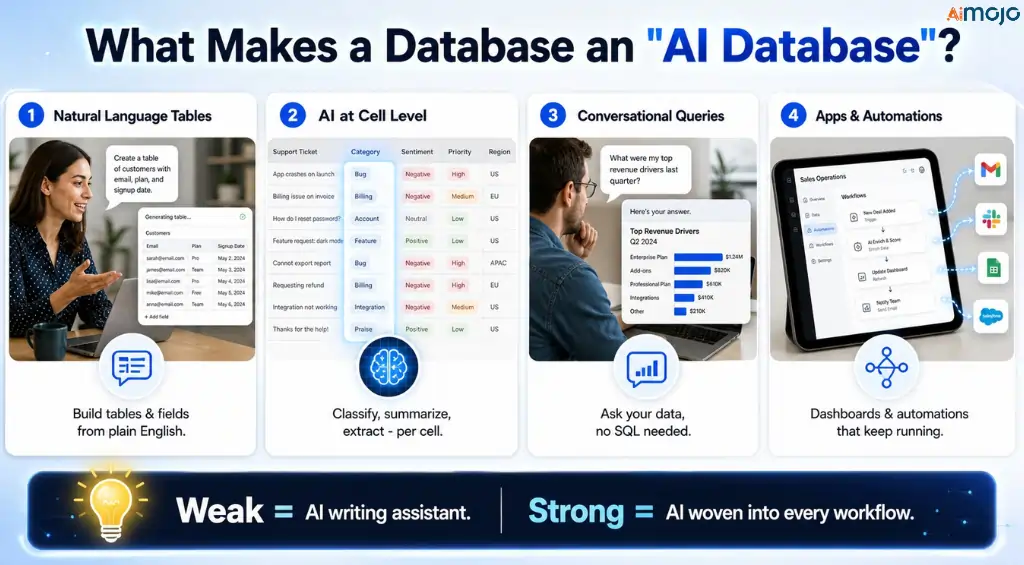
An AI una base de datos es una plataforma de datos sin código o con poco código donde grandes modelos de lenguaje Estas funcionalidades están integradas en el flujo de trabajo principal, no añadidas a posteriori. En lugar de diseñar tablas, etiquetar filas y escribir fórmulas manualmente, usted describe lo que desea en lenguaje sencillo y la plataforma crea estructuras, enriquece registros, responde preguntas sobre sus datos y automatiza el seguimiento.
Los más fuertes comparten cuatro características. Construyen tablas y campos a partir de una solicitud en lenguaje natural. Ejecutan AI A nivel celular, permiten clasificar, resumir, extraer o generar datos. Consultan tus datos de forma conversacional sin necesidad de usar SQL. Además, transforman esos datos en aplicaciones, paneles o automatizaciones que siguen funcionando incluso después de cerrar la pestaña.
Los débiles se detienen en “AI asistente de escritura” y dar por concluido el asunto. Esa distinción es la columna vertebral de esta clasificación.
Cómo clasificamos estos 8 AI Herramientas de base de datos
Evaluamos cada plataforma en función de cinco aspectos, ponderados según lo que le importa a un operador real:
Aquí es donde aterrizaron.
Superior AI Herramientas de bases de datos 2026: Comparación rápida
| Uso recomendado | AI Modelo | Precio inicial | Open Source | |
|---|---|---|---|---|
| Teable | Base de datos nativa de IA a precios justos | Multimodelos (154 LLM) | Gratis; Pro $10/puesto/mes | Sí (AGPL) |
| Airtable | El más potente AI agentes, grandes presupuestos | GPT, Claude vía Bedrock | Gratis; Equipo $20/usuario/mes | No |
| Noción | AI base de datos dentro de un espacio de trabajo todo en uno | GPT-5.2, Claude, Gemini 3 | Gratis; Empresas $20/usuario/mes | No |
| SmartSuite | AI Sistema operativo de trabajo para equipos de operaciones | Agentes multimodelos | Gratis; Equipo ~$10/usuario/mes | No |
| apilable | Opción económica, traiga la suya AI clave | Trae tu propio navegador (OpenAI, Gemini, Claude) | Gratis; Económico ~$5/usuario/mes | No |
| fila base | De código abierto AI Puedes alojarlo tú mismo | Ollama local configurable | Gratis; Premium ~5 €/usuario/mes | Sí (MIT) |
| Basefusible | AI base de datos más portales de clientes | Propiedad AI agentes | Solo a modo de prueba, luego cita | No |
| NocoDB | Interfaz de usuario preparada para IA sobre su base de datos SQL existente. | Emergentes | Alojamiento gratuito sin alojamiento propio; más ~$9 por asiento. | Fuente disponible |
1. Teable: Los AI Agente de base de datos que se gana el primer puesto
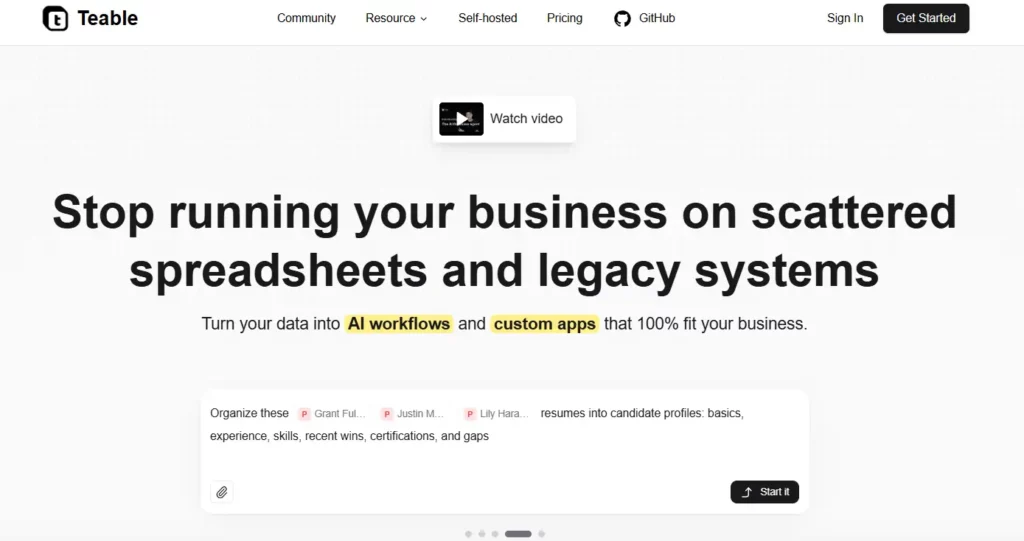
Teable es lo que sucede cuando alguien construye un AI base de datos desde la base de datos en lugar de pegar un chatbot a una hoja de cálculo. Internamente, se ejecuta en PostgreSQL, lo que significa que maneja millones de filas sin la lentitud que hace que herramientas como Notion se ralenticen a gran escala. Encima de eso se encuentra un AI agente Eso lo construye todo por ti.
Escribe “créame un CRM con estado de clientes potenciales y fechas de seguimiento” y creará las tablas, los campos y las relaciones en segundos. Sin necesidad de buscar plantillas, configurar campos ni aprender a usarlo.
Esa fluidez que va del diálogo a la construcción es lo más destacado, pero la profundidad es lo que la mantiene en el primer puesto. AI Los campos se ejecutan dentro de celdas individuales para etiquetar, clasificar, resumir y enriquecer automáticamente los datos a medida que llegan, con un menú de 154 modelos de lenguaje y 17 modelos de imagen para elegir.
AI El chat te permite consultar tus datos en lenguaje sencillo y obtener gráficos e informes. El creador de aplicaciones convierte cualquier tabla en una aplicación web en vivo, un panel de control o la landing page Conectada a datos reales, no a una maqueta estática. Respaldada por ZhenFund y Baidu Ventures, con más de 20 000 estrellas en GitHub y las certificaciones ISO 9001 e ISO 27001, es una plataforma seria, no un proyecto de fin de semana.
Características principales:
🤖 Real AI ¿O automatización? Inteligencia artificial real, y una de las más convincentes aquí. Teable's El agente razona sobre tu solicitud, crea estructuras y ejecuta modelos en tiempo real dentro de los campos. No se trata de un motor de reglas que pretende pensar.
Teable es la opción si quieres el techo de un AI Base de datos y la plataforma de una de código abierto. Ningún otro producto de esta lista ofrece esa combinación a este precio.
2. Airtable: El más poderoso AI Agentes, si te lo puedes permitir.
Airtable dedicó 2024 y 2025 a realizar una renovación completa.AI “refundido”, y el resultado es el conjunto de agentes más capaz de la categoría. Omni es el constructor conversacional: describe una aplicación y genera tablas, interfaces y automatizaciones en tiempo real, y construir con él no cuesta créditos.
Los agentes de campo son fundamentales para el trabajo diario, ya que se ejecutan dentro de cada registro para analizar documentos , buscar en la web, generar imágenes, traducir contenido y extraer información relevante de las transcripciones, de forma automática y a gran escala. Para una tarea de investigación de 10 000 filas donde se necesita aplicar la misma instrucción a cada entrada, esto resulta realmente impresionante.
El problema radica en la factura. Airtable es por usuario, y el salto de Team a Business supone un aumento de precio del 125 por ciento por usuario. Además de eso, AI Las acciones consumen créditos, y un análisis exhaustivo de documentos puede consumir entre 500 y 1,500 créditos en una sola ejecución.
Fundada en 2012 y valorada ahora en alrededor de 11.7 millones de dólares tras su Serie F, Airtable es estable y de nivel empresarial. También es la forma más cara de obtener AI Aquí se realiza un trabajo con bases de datos, y el medidor de crédito añade una incertidumbre presupuestaria real.
Características principales:
🤖 Real AI ¿O automatización? Inteligencia artificial real y las herramientas para agentes más avanzadas de esta comparativa. Los agentes de campo que se ejecutan continuamente en miles de registros representan un avance significativo con respecto al simple autocompletado.
3. Noción: Los AI Base de datos integrada en todo tu espacio de trabajo
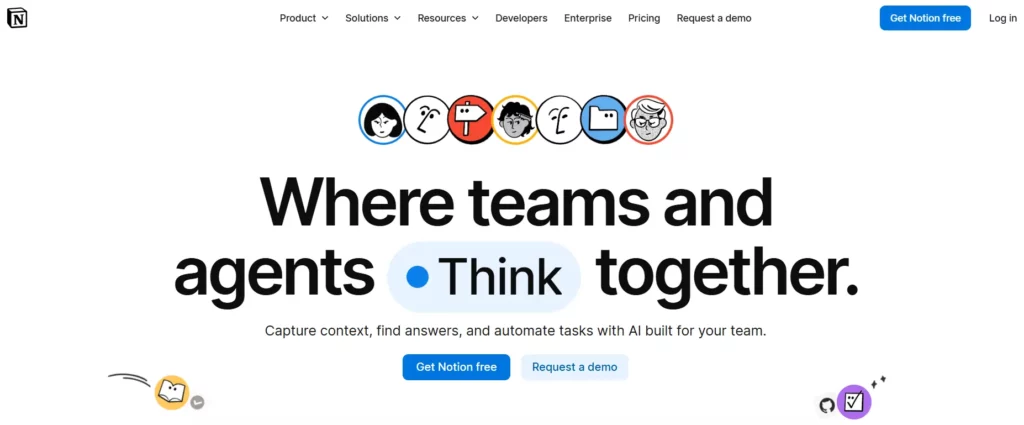
Noción's La ventaja es el contexto. Sus bases de datos viven en el mismo lugar que sus documentos, wikis y proyectos, por lo que su AI Los agentes pueden acceder a toda la información a la vez. Desde Notion 3.0, en septiembre de 2025, la plataforma pasó de ser un asistente que sugiere a un agente que ejecuta, trabajando de forma autónoma durante un máximo de 20 minutos en cientos de páginas.
Los agentes personalizados , lanzados en febrero de 2026, se ejecutan según programaciones y activadores, de modo que un agente puede supervisar una base de datos, validar una nueva fila y notificar a tu equipo sin que tengas que hacer nada. Incluso puedes elegir tu modelo, pudiendo optar por GPT-5.2, Claude Opus 4.5 o Gemini 3, o dejar que el sistema automático decida.
Específicamente para trabajos con bases de datos, AI La función de autocompletar es la más destacada. Basta con definir una propiedad como sentimiento o categoría y Notion la rellena en segundo plano para cada fila, incluidas las nuevas. La única limitación es la escalabilidad.
Las bases de datos de Notion comienzan a mostrar una ralentización del rendimiento alrededor de las 5,000 a 10,000 filas, lo cual está bien para el trabajo de conocimiento y las operaciones ligeras, pero es un problema si sus datos son realmente grandes. Es la mejor AI Base de datos para equipos que trabajan con documentos, y la incorrecta para datos estructurados complejos.
Características principales:
🤖 Real AI ¿O automatización? Inteligencia artificial real, con ejecución genuinamente activa. acceso multimodelo y las carreras autónomas de 20 minutos van mucho más allá de la IA meramente estética.
4. SmartSuite: Los AI Sistema operativo de trabajo diseñado para equipos de operaciones.
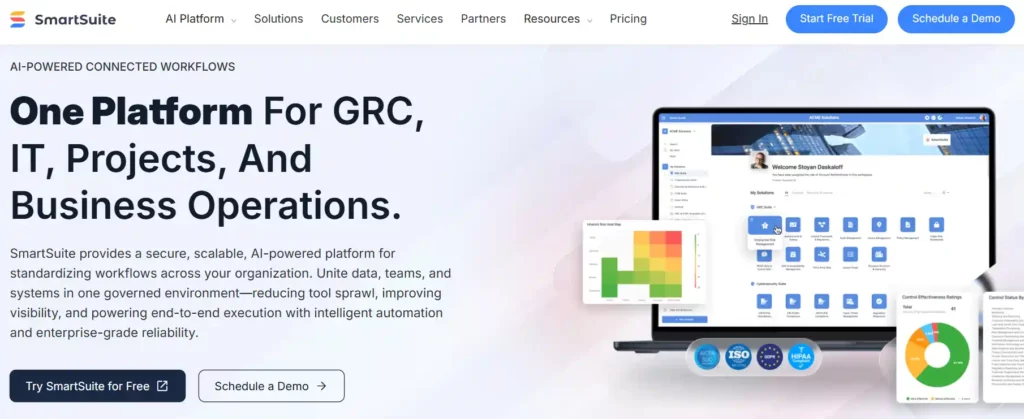
SmartSuite se autodenomina un sistema operativo de trabajo nativo de IA, y por una vez, la etiqueta le sienta bien. Combina una base de datos relacional con orquestación de flujos de trabajo, automatización, permisos e informes, y luego añade capas AI Los agentes de campo se encargan de resumir los registros, redactar el contenido, clasificar las solicitudes y evaluar el riesgo con una justificación por escrito.
Todo funciona a través de un sistema centralizado. AI Centro de Control, lo cual es un detalle inteligente para los equipos que necesitan gobernanza sobre dónde AI interactúa con sus datos. Puede crear tablas, campos y vistas a partir de indicaciones en lenguaje natural, y la plataforma incluye más de 40 tipos de campos y nueve tipos de vistas, entre ellas Línea de tiempo, Mapa y Gráfico.
Su posición en el ranking se debe a su profundidad operativa. Los equipos han consolidado Airtable, Asana, Smartsheet y un montón de hojas de cálculo en un único espacio de trabajo de SmartSuite, y, según se informa, una empresa ahorró 450 000 dólares al año al migrar más de 300 licencias de Salesforce.
Es más asequible a gran escala que Airtable, aunque requiere un mínimo de tres usuarios en los planes de pago y tiene una curva de aprendizaje considerable. Esta plataforma está pensada para quienes gestionan procesos, no para quienes buscan una mesa rápida.
Características principales:
🤖 Real AI ¿O automatización? IA real. Los agentes de campo producen resultados razonados como puntuaciones de riesgo con explicaciones, lo cual es significativamente más que automatización de plantillas.
5. apilable: La opción más económica que te permite usar tu propia IA
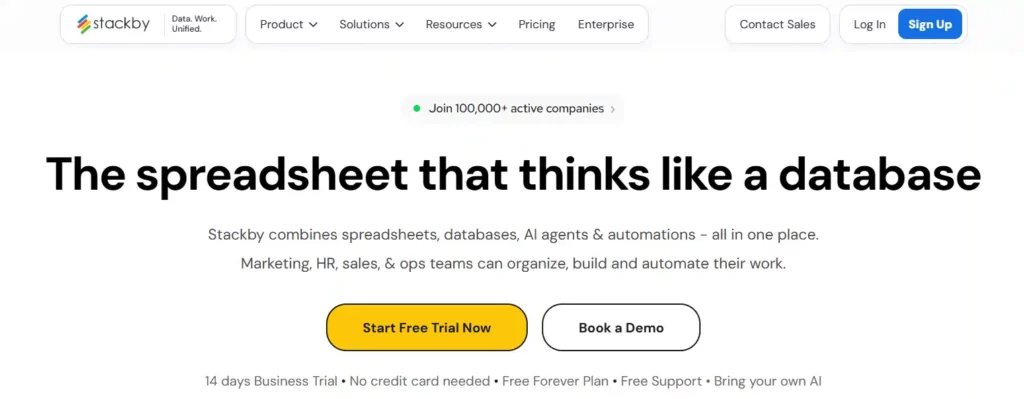
Stackby es la opción más sensata. Tiene la apariencia y la sensación de una hoja de cálculo, se comporta como una base de datos relacional y ofrece múltiples capas. AI En la parte superior, puedes usar tu propia clave API de OpenAI, Gemini o Anthropic. Esta última parte es sencillamente brillante: en lugar de pagar una tarifa de crédito con sobreprecio, conectas tu propio modelo y pagas directamente a los proveedores al precio de coste.
Dentro de un campo, el AI Puede generar contenido, categorizar registros, resumir y analizar documentos. El otro diferenciador es Stackby.'s sin código Conectores APIque extraen datos en tiempo real directamente a las columnas desde servicios como YouTube, Ahrefs, Clearbit y Hunter.io. Muy pocas herramientas realizan el enriquecimiento de API a nivel de columna de forma tan limpia.
Stackby cuenta con la confianza de más de 100 000 empresas y se está transformando activamente en un creador de aplicaciones nativo de IA, por lo que su hoja de ruta apunta en la dirección correcta. Ofrece ocho vistas, más de 30 tipos de columnas y formularios con lógica condicional.
No es la herramienta más completa de esta lista, y algunas plantillas resultan algo limitadas, pero por su precio ofrece casi todas las funciones de Airtable sin complicaciones. Si tu presupuesto es ajustado y tus necesidades son prácticas, esta es una compra inteligente.
Características principales:
🤖 Real AI ¿O automatización? Inteligencia artificial real, impulsada por el modelo que conectes. Dado que tú proporcionas la clave, la inteligencia es tan potente como el modelo LLM que elijas.
6. fila base: El código abierto AI Base de datos que realmente puedes poseer
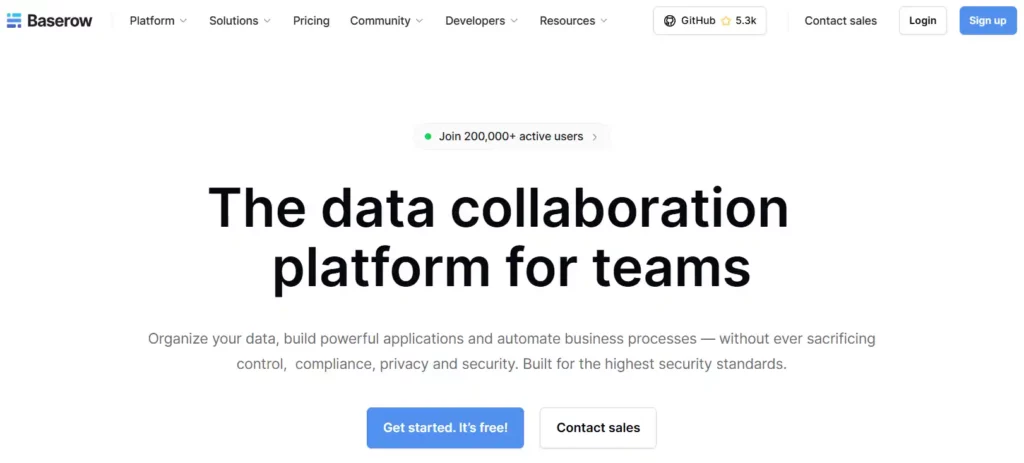
Si la propiedad de los datos es innegociable, Baserow es la solución. Su núcleo está bajo licencia MIT, es genuinamente de código abierto y se puede autoalojar mediante Docker, Kubernetes o una configuración manual. Sobre esta base, ha construido una plataforma legítima. AI capa: un asistente llamado Kuma que te ayuda a crear estructuras y fórmulas, AI campos que ejecutan generación, resumen, clasificación y análisis repetibles directamente dentro de tablas, y flujos de trabajo de agentes más recientes.
El detalle que lo diferencia de todas las herramientas cerradas aquí es que Baserow autoalojado puede conectarse directamente a su propio AI Proveedores a nivel de espacio de trabajo, incluyendo un modelo Ollama local para configuraciones sin conexión o aisladas de la red. Tanto sus datos como su modelo pueden permanecer en su infraestructura.
Baserow te ofrece la familiar cuadrícula de hoja de cálculo, fórmulas al estilo Excel que incluso quienes no son desarrolladores pueden interpretar, y un creador de aplicaciones para herramientas internas y paneles de control sobre tus datos. Cumple con el RGPD, la HIPAA y la SOC 2, lo cual es importante para los equipos regulados.
La edición gratuita autoalojada no tiene límites de filas. Se queda atrás de Airtable en cuanto a pulido y ecosistema, y aún no hay una aplicación móvil nativa, pero para software de código abierto AI Trabajo con bases de datos que cumplen con los estándares de cumplimiento normativo reales; no hay nada que se le acerque.
Características principales:
🤖 Real AI ¿O automatización? Inteligencia artificial real, y con una flexibilidad inusual. Gracias a la configuración del modelo, se pueden ejecutar modelos LLM de vanguardia o uno completamente local, algo poco común en esta categoría.
7. Basefusible: Los AI Base de datos integrada en portales de clientes
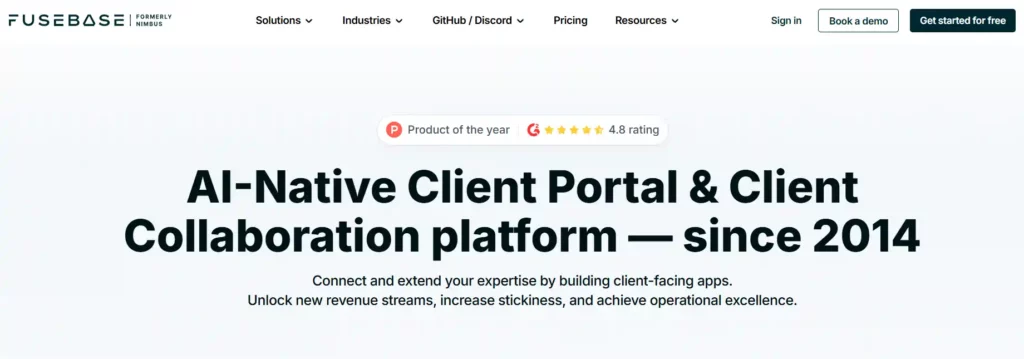
FuseBase, antes conocida como Nimbus, llegó a esta lista por un camino diferente. Es menos una base de datos tradicional y más una plataforma de colaboración con el cliente impulsada por IA, y esa es precisamente la razón por la que las empresas de servicios la aprecian tanto.
Combina un sólido gestor de tablas y una base de conocimientos con portales de clientes de marca y, lo que es crucial, AI Agentes que realizan un trabajo real: resumir reuniones, asignar tareas, enviar recordatorios, generar resúmenes listos para el cliente y ejecutar flujos de trabajo basados en sus procedimientos operativos estándar.
Puedes crear un agente para Ventas, Soporte, Recursos Humanos o Finanzas en menos de un minuto e implementarlo en un portal, en tu navegador mediante una extensión o a través de una automatización. Incluso es compatible con el Protocolo de Contexto de Modelo para integraciones más avanzadas.
La reconstrucción añadió el cumplimiento de SOC 2 y HIPAA, firmas electrónicas y transcripción, y la empresa ahora presta servicios a más de 3,000 clientes. La contrapartida es el enfoque. Si lo que busca es una base de datos puramente de alta escala, esta no lo es, y la AI Las funciones aún están en desarrollo según las revisiones recientes. Pero si su problema de datos es realmente un problema del cliente, gestionar documentos, incorporación y comunicación en un espacio de marca, FuseBase convierte un AI base de datos en un sistema operativo orientado al cliente.
Características principales:
🤖 Real AI ¿O automatización? Cuenta real AI Agentes orientados a las operaciones con el cliente, más que al análisis de datos. Actúan en su nombre, lo que va más allá de un chatbot, aunque sus funcionalidades son más recientes que las de los líderes del sector.
8. NocoDB: La capa preparada para IA sobre su base de datos SQL existente
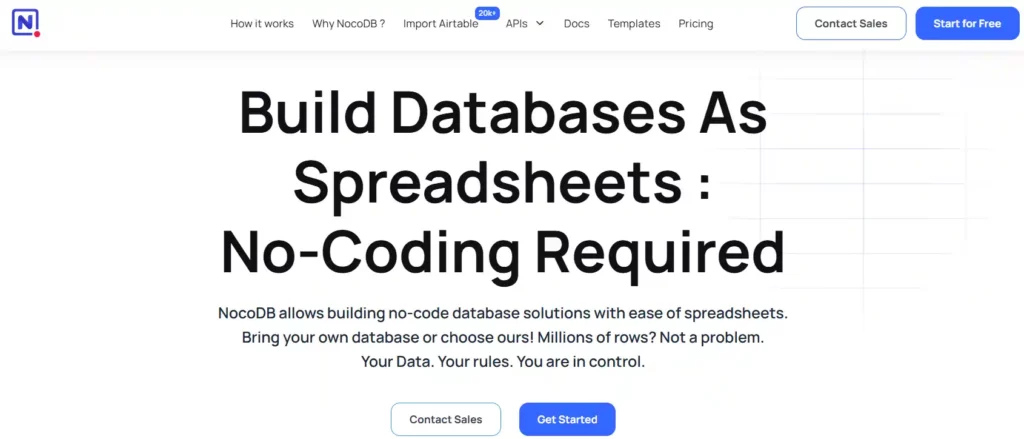
NocoDB se distingue por una filosofía que las demás no comparten. En lugar de pedirte que migres a otra plataforma, te conecta a una base de datos que ya tienes. Conecta una instancia de MySQL, PostgreSQL, MSSQL, SQLite o MariaDB y, en cuestión de segundos, obtendrás una interfaz tipo hoja de cálculo sobre tu esquema real, además de una API REST y GraphQL autogenerada y webhooks para cada tabla.
Tus datos nunca salen de tu infraestructura. Con más de 50 000 estrellas en GitHub y su uso en producción en empresas como Google, Walmart y American Express, es la opción de código abierto más probada para ofrecer una interfaz de usuario intuitiva para datos importantes.
Verificación de honestidad, ya que esto es un AI lista: NocoDB's AI es la más delgada aquí. Su fortaleza es la conectividad y la propiedad de los datos, no los agentes, y su nativa AI El desarrollo de herramientas aún está en fase inicial en comparación con el resto de esta clasificación.
También cambió de AGPL a una licencia de uso sostenible disponible en el código fuente en la versión 0.301, por lo que el autoalojamiento para uso interno es gratuito, pero revenderlo como un servicio administrado requiere una licencia. Si sus datos ya se encuentran en SQL y desea una interfaz preparada para IA y basada en API sobre ellos, NocoDB es la herramienta adecuada. Si desea la AI Para crear la base de datos, consulta la parte superior de esta lista.
Características principales:
🤖 Real AI ¿O automatización? El más ligero AI En este resumen, NocoDB se incluye porque es la interfaz de base de datos de código abierto más popular y está incorporando inteligencia artificial, pero actualmente su capa de inteligencia está por detrás de todas las demás herramientas aquí mencionadas.
Cuenta real AI Automatización disfrazada frente a automatización: cómo distinguirlas
La palabra "IA" tendrá un papel muy importante en las páginas de destino de los proveedores en 2026. Aquí tienes una prueba práctica que puedes realizar en diez minutos con cualquier herramienta antes de tomar una decisión.
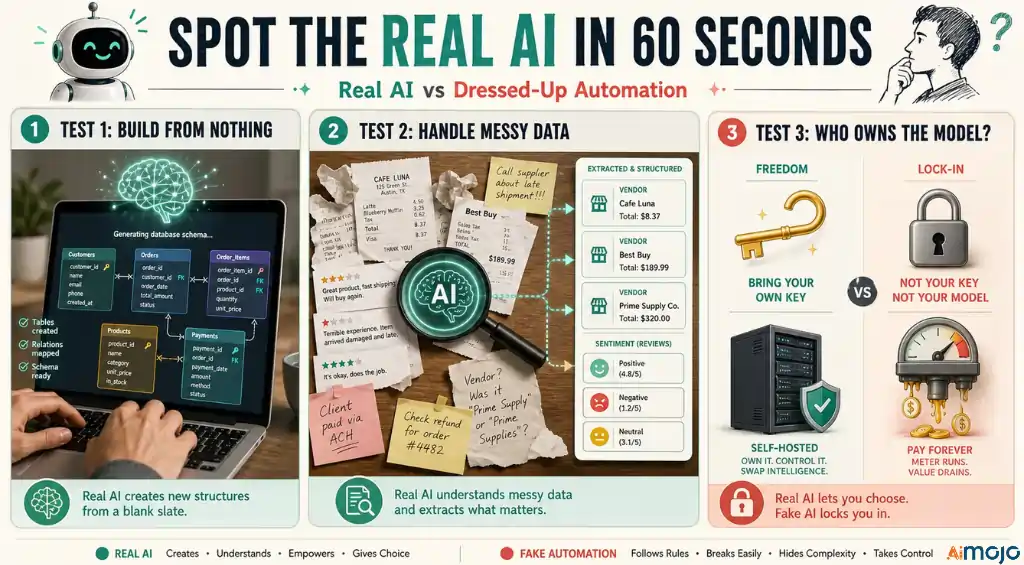
Pídele que construya algo desde cero. Escribe "crear un sistema de inventario con proveedores, niveles de existencias y alertas de reordenamiento" y observa lo que sucede. Un verdadero AI La base de datos crea las tablas, las relaciones y la lógica. Una automatización avanzada te pide que elijas una plantilla. Teable, Airtable, Notion y SmartSuite superan esta prueba con creces. Las herramientas menos eficientes se estancan.
Luego, implementa la IA a nivel de campo. Proporciónale datos desordenados, como una carpeta de recibos o una columna de comentarios de clientes sin procesar, y pídele que extraiga información estructurada . Los campos LLM auténticos extraerán nombres de proveedores, totales, opiniones y categorías. La automatización basada en reglas devuelve errores o celdas vacías en cuanto la entrada se desvía del formato esperado.
Finalmente, verifica quién es el propietario del modelo. Las herramientas que te permiten usar tu propia clave (Stackby) o apuntar a un modelo local (Baserow, Teable autoalojado) te brindan información valiosa y fácilmente reemplazable. Las herramientas que te imponen un límite de crédito fijo apuestan a que no notarás el sobreprecio. Esta simple pregunta distingue las plataformas que respetan tu presupuesto de las que no.
Cómo elegir el derecho AI Base de datos para tu equipo
No necesitas los ocho. Necesitas el que se ajuste a tus necesidades específicas.
La mayoría de los equipos optan por Teable como sistema principal y le añaden una herramienta especializada. Se trata de un paquete de entre 10 y 30 dólares al mes que cubre todo el sistema. AI Flujo de trabajo de datos, y es mejor que pagar tarifas empresariales por funciones que no usarás.
Preguntas frecuentes
¿Qué es lo mejor AI ¿Herramienta de base de datos en 2026?
Teable es el mejor en todos los sentidos. AI Herramienta de base de datos en 2026. Combina un enfoque de conversación a construcción. AI agente, a nivel celular AI Teable ofrece campos con 154 modelos de lenguaje, escalabilidad PostgreSQL, una edición autoalojada de código abierto y créditos facturados al costo sin recargo. Airtable cuenta con herramientas de agente más avanzadas, pero su precio es mucho mayor, razón por la cual Teable se posiciona como la mejor opción para la mayoría de los equipos.
Cual AI ¿Las herramientas de bases de datos son gratuitas?
Varios ofrecen niveles realmente gratuitos. Teable's El plan gratuito incluye AI campos, AI Chat y generación de aplicaciones. Stackby es gratuito para hasta 5 usuarios. Baserow y NocoDB tienen planes en la nube gratuitos, además de ediciones autoalojadas gratuitas. Airtable, Notion y SmartSuite también tienen niveles gratuitos, aunque completos. AI El acceso a Notion y SmartSuite generalmente requiere un plan de pago.
¿Estas herramientas utilizan datos reales? AI ¿O simplemente automatización?
Las principales plataformas utilizan modelos de lenguaje grandes y genuinos. Teable, Airtable, Notion, SmartSuite, Stackby, Baserow y FuseBase ejecutan modelos de lenguaje grandes reales que razonan, generan y extraen. NocoDB es la excepción en esta lista, con el modelo más delgado. AI capa. Una prueba rápida consiste en pedirle a la herramienta que cree una base de datos a partir de una solicitud en lenguaje sencillo. Real AI La herramienta lo construye, mientras que la automatización te proporciona una plantilla.
Cual AI ¿Qué base de datos es la mejor opción para grandes conjuntos de datos?
Teable y Airtable manejan mejor los conjuntos de datos grandes. Teable se ejecuta en PostgreSQL y gestiona millones de filas sin ralentizaciones, mientras que Airtable escala a más de 500 000 registros en niveles superiores. Notion es el menos eficiente a gran escala, mostrando una disminución del rendimiento entre 5,000 y 10 000 filas, por lo que es más adecuado para el trabajo de conocimiento que para datos estructurados complejos.
¿Puedo ser mi propio anfitrión? AI base de datos?
Sí. Teable, Baserow y NocoDB ofrecen alojamiento propio. Teable's La edición comunitaria es gratuita bajo la licencia AGPL con filas ilimitadas y le permite traer sus propios archivos. AI Baserow cuenta con licencia MIT y puede conectarse a un modelo Ollama local para su uso sin conexión. NocoDB se instala sobre su base de datos SQL existente. El autoalojamiento le otorga la propiedad de los datos y elimina los costos de la nube por usuario.
¿Es Teable mejor que Airtable?
Para la mayoría de los equipos, sí. Teable coincide con Airtable.'s centro AI características de base de datos, agrega una opción de autoalojamiento de código abierto, escala en PostgreSQL y fija precios. AI Créditos al precio de coste sin recargo. Airtable's Los agentes de campo son más potentes y su ecosistema es más maduro, pero sus precios por usuario y los costes de los créditos aumentan rápidamente. Teable ofrece mayor valor y libertad para la mayoría de los casos de uso.
¿Cuánto AI ¿Cuánto costarán las herramientas de bases de datos en 2026?
Los precios de entrada varían desde gratis hasta aproximadamente $20 por usuario al mes. Table Pro cuesta $10 por usuario, Stackby Economy alrededor de $5 y Baserow Premium alrededor de €5. Airtable Team y Notion Business tienen un precio de $20 por usuario al mes para IA. Esté atento a los planes basados en créditos. AI La facturación en Airtable y Notion añade costes de uso al precio del usuario.
¿Qué es un AI ¿Agente de base de datos?
An AI Un agente de base de datos es un sistema que construye y opera una base de datos mediante lenguaje natural. En lugar de crear tablas y escribir fórmulas manualmente, usted describe lo que necesita y el agente construye la estructura, enriquece los registros, responde preguntas sobre los datos y automatiza el trabajo posterior. Teable fue pionera en el término, y Airtable's Omni y Notion's Los agentes son contrapartes cercanas.
The Verdict
El AI La categoría de bases de datos maduró rápidamente, y en 2026 la brecha entre los líderes y los aspirantes es amplia. Airtable tiene los agentes más potentes si puedes asumir el costo. Notion es imbatible si tu trabajo reside en documentos. SmartSuite, Stackby, Baserow, FuseBase y NocoDB ganan cada uno un nicho específico, desde gobernanza de operaciones a portales de clientes a la propiedad de datos brutos.
Pero para la gama más amplia de equipos, Teable es con quien empezar. Te brinda potencia de base de datos nativa de IA, libertad de código abierto, escalabilidad PostgreSQL y precios que no te penalizan por usar la AI Para lo que te registraste. Empieza con el plan gratuito, crea un sistema real en una tarde y actualiza solo cuando realmente alcances un límite. Ese es el camino honesto hacia un AI Una base de datos que funciona, y empezar no cuesta nada.
AiMojo recomienda:


 BONUS: Obtenga nuestros $200 “AI “Mastery Toolkit” ¡GRATIS cuando te registras!



