
Weiser Schnitt AI Wichtige Erkenntnisse
Was ist Wisecut AI?
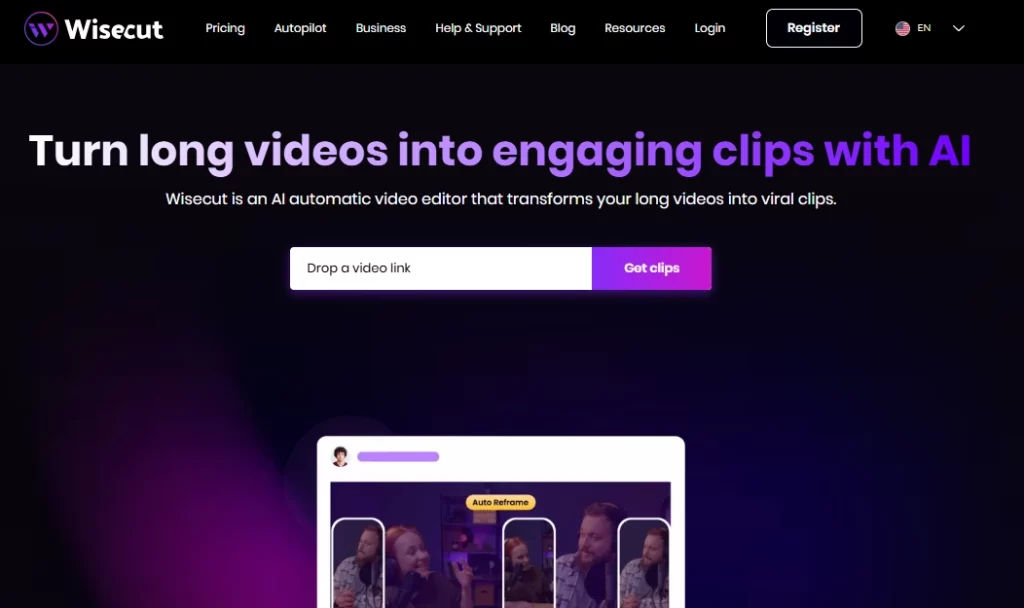
Wisecut KI ist ein cloudbasierter, automatischer Videoeditor, der mithilfe von künstlicher Intelligenz und Spracherkennung lange Videos in kurze, ansprechende Clips für soziale Medien verwandelt. Die Plattform richtet sich an Content-Ersteller, YouTuber, Podcaster und Marketingteams, die Aufnahmen schnell und ohne herkömmliche Bearbeitungskenntnisse wiederverwenden möchten. Durch das Hochladen eines einzigen Videos erhalten Nutzer… AI generierte Highlights, automatische UntertitelStilleentfernung und intelligente Hintergrundmusik werden innerhalb weniger Minuten angewendet.
Weiser Schnitt AI Die manuelle Bearbeitung von Timelines entfällt und wird durch einen textbasierten Storyboard-Workflow ersetzt. So kann jeder professionelle Kurzvideos für TikTok, Instagram Reels, YouTube Shorts und LinkedIn erstellen – ganz ohne herkömmliche Schnittsoftware. Weltweit vertrauen über eine Million Kreative und Medienteams auf diese Lösung.
Wisecut analysiert Ihr gesamtes Videomaterial und identifiziert automatisch die spannendsten Momente. AI identifiziert Segmente mit starker SprachmusterEmotionale Höhepunkte und Themenwechsel werden genutzt, um Clips zu erstellen, die sich ideal zum Teilen in sozialen Medien eignen. Dadurch entfällt stundenlanges manuelles Durchsehen der Rohaufnahmen.
Anstatt einer herkömmlichen Zeitleiste mit Keyframes erstellt Wisecut ein vollständiges Transkript Ihres Videos und wandelt es in ein bearbeitbares Storyboard um . Szenen lassen sich einfach durch Verschieben von Textblöcken neu anordnen oder löschen. So ist die Bearbeitung für jeden zugänglich, der lesen und Texte verschieben kann – ganz ohne technische Vorkenntnisse.
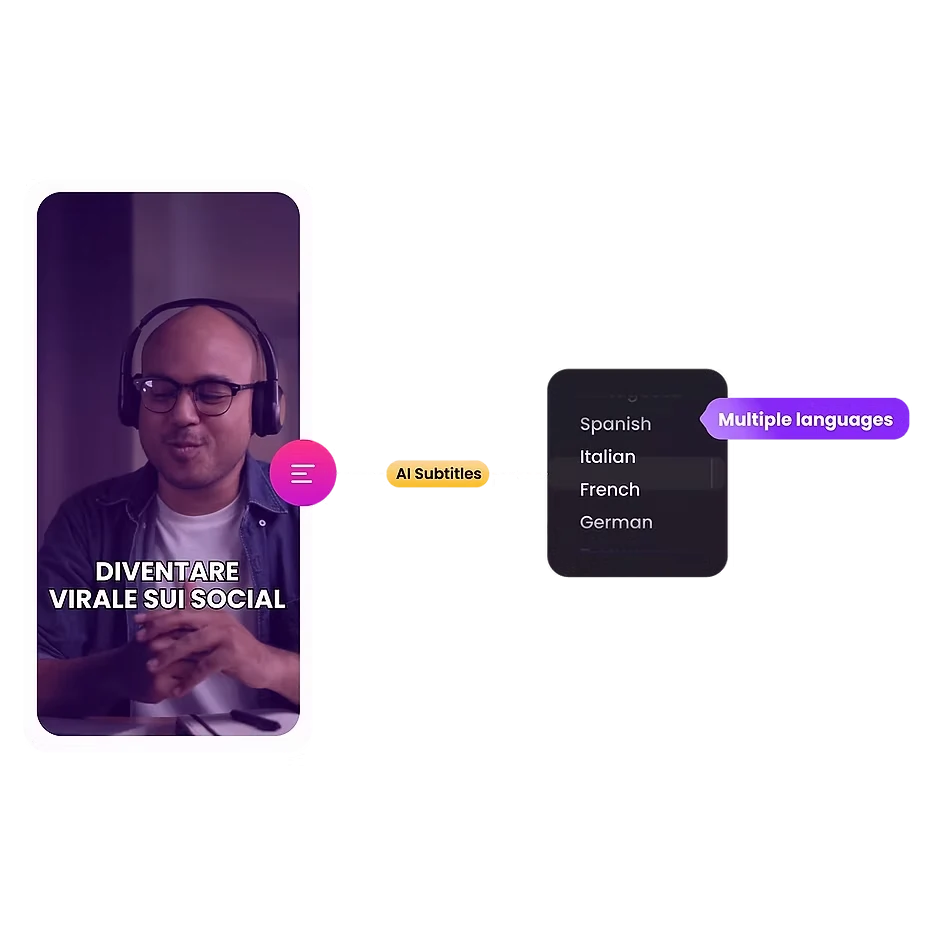
Die Plattform generiert automatisch präzise Untertitel und unterstützt Übersetzungen in 13 Sprachen. Da fast 70 % der Zuschauer Videos in der Öffentlichkeit stummgeschaltet ansehen, steigert diese Funktion die Interaktion und erweitert Ihre Reichweite auf globalen Märkten.
Wisecut wählt lizenzfreie Hintergrundmusik aus, die zum Ton Ihres Videos passt. Anschließend wird automatisch Audio-Ducking angewendet, d. h. die Musiklautstärke wird bei Sprechpassagen reduziert und in Pausen erhöht. Das Ergebnis ist eine professionelle Audiobalance ohne manuelles Mischen.
Stille und Pausen stören die Aufmerksamkeit der Zuschauer. Wisecut erkennt und entfernt diese Pausen in Sekundenschnelle in Ihrem gesamten Video. Zusätzlich werden an wichtigen Stellen automatische Zoom-Übergänge angewendet, wodurch Einblendeffekte entstehen, die die Aufmerksamkeit während längerer Sprecherpassagen fesseln.
Weiser Schnitt AI Tarifpläne
| Plan Name | Kosten | Bearbeitungszeit | Max Auflösung | Maximale Dateigröße |
|---|---|---|---|---|
| Frei | $0 | 30 Min./Monat | 720p | 4 GB |
| Starter | $ 15.75 / Monat | 480 Min./Monat | 1080p Full HD | 4 GB |
| Anfänger + | $ 23.25 / Monat | 480 Min./Monat | 1080p Full HD | 4 GB |
| Professional | $ 75.67 / Monat | 1800 Min./Monat | 4K Ultra HD | 5 GB |
| Professionell+ | $ 83.25 / Monat | 1800 Min./Monat | 4K Ultra HD | 5 GB |
| Unternehmen | Maßgeschneidert | Maßgeschneidert | Maßgeschneidert | Maßgeschneidert |
Erste Schritte mit Wisecut AI
- Schritt 1: Besuchen Sie wisecut.ai und registrieren Sie sich für ein kostenloses Konto mit Ihrer E-Mail-Adresse oder Ihrem Google-Login.
- Schritt 2: Laden Sie Ihre Langvideodatei (bis zu 4 GB im kostenlosen Tarif) direkt von Ihrem Gerät hoch.
- Schritt 3: Wählen Sie Ihre bevorzugten Ausgabeeinstellungen, einschließlich Sprache, Seitenverhältnis (vertikal, quadratisch oder horizontal) und Untertitelstil.
- Schritt 4: Lassen Sie die AI Bearbeiten Sie Ihr Video. Wisecut erstellt automatisch Highlights, entfernt Stille, fügt Untertitel hinzu und spielt Hintergrundmusik ein.
- Schritt 5: Überprüfen Sie die AI Generieren Sie ein Storyboard, nehmen Sie alle notwendigen textbasierten Änderungen vor und exportieren oder planen Sie Ihre Clips direkt in den sozialen Medien.
Für wen ist Wisecut AI geeignet?
Weiser Schnitt AI ist ideal für Solo-YouTuber und Podcast-Hosts mit Video-ContentDieses Tool eignet sich besonders für Social-Media-Manager, die große Mengen an wiederverwendeten Inhalten bearbeiten. Wenn Sie regelmäßig längere Interviews, Vlogs oder Webinare aufzeichnen und diese anschließend in kurze Clips für Plattformen wie TikTok oder Reels schneiden, sparen Sie mit diesem Tool wertvolle Zeit.
Marketingagenturen, die mehrere Kundenkonten betreuen, profitieren ebenfalls von den Funktionen zur Planung von Social-Media-Beiträgen und zum automatischen Posten. Professionelle Cutter, die mehrspurige Timelines, Farbkorrektur oder visuelle Effekte benötigen, sollten sich jedoch nach Alternativen umsehen.
Wie weise geschnitten AI Verarbeitet Audiodaten
Die Audioqualität ist oft der entscheidende Faktor, der Amateuraufnahmen von professionellen Produktionen unterscheidet. Wisecut begegnet diesem Problem mit einer integrierten Rauschunterdrückung, die Hintergrundrauschen und Brummen aus Ihren Aufnahmen entfernt. Die Audiooptimierungsfunktion verbessert die Sprachverständlichkeit und sorgt so für einen Klang, der dem einer Studioaufnahme eines Podcasts oder einer Radiosendung sehr nahekommt.
In Kombination mit der automatischen Ducking-Funktion für Hintergrundmusik liefert die Plattform professionellen Klang, ohne dass eine separate DAW oder Mischsoftware benötigt wird. Für Kreative, die in suboptimalen Umgebungen aufnehmen, kann allein dies das Abonnement rechtfertigen.
Vor-und Nachteile
- Videokonvertierung in Clips mit einem Klick.
- Textbasierte Bearbeitung erfordert keine Vorkenntnisse.
- Automatische Untertitelung in 13 Sprachen.
- Intelligente Hintergrundmusik mit Ducking-Funktion.
- Integrierte Social-Media-Planung.
- Rauschunterdrückung und Audioverbesserung.
- Keine Unterstützung für die Bearbeitung mit mehreren Kameras.
- Begrenzte manuelle Bearbeitungskontrollen.
- Projekte laufen nach 30 Tagen ab.
Weiser Schnitt AI für die Wiederverwendung von Inhalten in großem Umfang
Die wahre Stärke von Wisecut AI zeigt, wann Sie Lautstärke benötigen. Eine einzige einstündige Aufnahme kann Dutzende kurzer Clips erzeugen, ohne dass das Rohmaterial manuell erneut gesichtet werden muss. AI Die Highlight-Erkennung in Kombination mit automatischer Neurahmung bedeutet, dass Ihre vertikalen TikTok-Clips und horizontalen YouTube-Thumbnails aus demselben Upload stammen.
Für Content-Teams, die wöchentlich oder täglich auf verschiedenen Plattformen veröffentlichen, verstärkt sich dieser Geschwindigkeitsvorteil mit der Zeit. Die „+“-Tarife mit automatischer Veröffentlichung ermöglichen einen nahezu vollständig automatisierten Workflow von der Aufnahme bis zur Veröffentlichung.
Best Wisecut AI Alternativen
| AI Video-Editor / Video-Wiederverwendungstool | Automatische Geräuschunterdrückung | Unterstützte Sprachen |
|---|---|---|
| Opus-Clip | ✅ | 8 Sprachen |
| Beschreibung | ✅ | Über 23 Sprachen |
| SEHEN | ✅ | Über 125 Sprachen |
| Kapwing | ✅ | Über 75 Sprachen |



