

Ако някога сте експортирали видеоклип и сте забелязали, че лицата изглеждат меки, текстът е размазан или целият клип става блоков в момента, в който се движи, не сте сами. Повечето хора губят часове в настройване на произволни настройки, когато истинското решение е първо да изберат правилния подход за подобряване – мащабиране, премахване на шум, изостряне, стабилизиране или корекция на цветовете.
Това е пътят, който ще следваме тук, след което ще го стесним до Топ 6 инструмента за подобряване на видео, които си струва да изпробвате. Това сравнение е за създатели, маркетолози и редактори, които се нуждаят от по-чисти кадри бързо – без да гадаят какво всъщност подобрява всеки инструмент.
Защо ви трябват специализирани инструменти за подобряване на видео през 2026 г.
Тъй като очакванията на публиката се изместват към безупречно 4K възпроизвеждане, стандартният софтуер за редактиране често не успява да постигне желаните резултати. Основните филтри за изостряне обикновено подчертават пикселизацията, докато традиционното намаляване на шума просто размива важни визуални детайли.
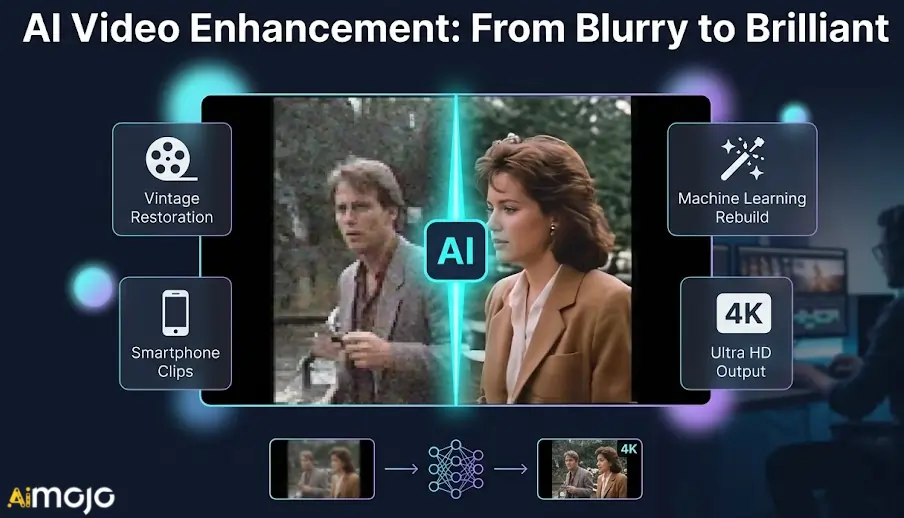
През 2026 г. специализираните инструменти за подобряване на видео решават точно тези ограничения, използвайки машинно обучение. Вместо да прилагат генерични филтри, те активно възстановяват липсващите данни чрез... AI мащабиране и интелигентно генериране нови рамки за по-плавно движение.
Независимо дали възстановявате винтидж кадри или спасявате слабо осветени клипове от смартфон, имате нужда от софтуер, създаден специално за интензивна обработка. Нека разгледаме точните технически характеристики, които отличават истинските инструменти за подобряване на качеството от основните редактори.
AI Видео подобрители, които незабавно подобряват качеството на видеото ви
| Най-добрият инструмент за подобряване на видео | Първичен AI Особеност | Основна цел на подобрението |
|---|---|---|
| Хигсфийлд AI | AI Видео мащабиране | Коригиране на трептящи медийни файлове |
| Akool | Интелигентна смяна на лица | Локализиране на глобални кампании |
| OpenArt AI | Изображение към видео | Анимиране на статични ресурси |
| Пикасо ИИ | Реалистично мащабиране на текстури | Генериране на 4K видео |
| Веед | Незабавно почистване на звука | Редактиране, базирано на браузър |
| Топаз видео AI | Невронно 8K мащабиране | Възстановяване на архивни кадри |
1. Хигсфийлд AI
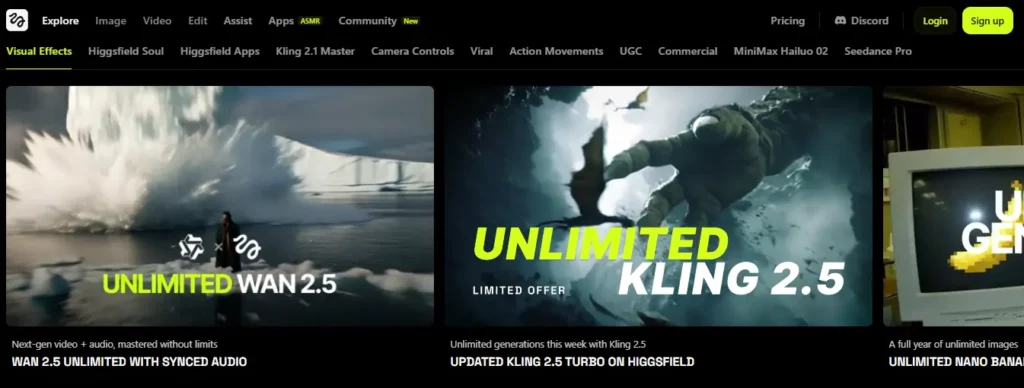
Когато имате проблеми с генериране на изображения с ниска резолюция или трептене AI кадри, намирането на надеждни инструменти за подобряване на видео става от съществено значение за поддържането им визуална последователностХигсфийлд AI предоставя специално мащабиране и премахване на трептене на видео комплект, специално разработен за стабилизиране и подобряване на синтетични среди.
Тази платформа е предназначена за създатели на съдържание и маркетолози, които трябва да усъвършенстват суровите си материали. AI резултати преди публикуване. Чрез изглаждане на артефактите от движението и увеличаване на плътността на пикселите, потребителите могат уверено да използват този софтуер за подобряване на видео, за да подготвят кинематографични клипове, кратки филми за социални медии и рекламни материали за гледане с висока разделителна способност.
Хигсфийлд AI Основни функции:
Използвайте случай:
Ценови планове: Абонаментите варират от $9 до $199 месечно, предлагайки различно разпределение на кредити за стандартни и премиум поколения.
Най-доброто за: Най - доброто за AI създатели и маркетолози, нуждаещи се от надеждна платформа за усъвършенстване и мащабиране на синтетично видео съдържание.
2. Akool

Akool интегрира висококачествена смяна на лица и генериране на аватари директно в монтажния процес, откроявайки се като един от по-специализираните инструменти за подобряване на видео. Маркетинговите екипи често са изправени пред предизвикателството да адаптират съществуващите визуални ресурси за различни демографски групи, без да губят визуална прецизност.
Проектирана за рекламни агенции и създатели на рекламни материали, тази платформа се отличава с персонализиране на корпоративните медии, като същевременно запазва естествените изрази. Чрез използването на усъвършенствани алгоритми за обработка, потребителите могат безпроблемно да превеждат маркетингови видеоклипове или да сменят водещи, като същевременно гарантират, че крайният експорт запазва изискан вид с висока резолюция, подходящ за професионални кампании.
Ключови празници на Akool:
Използвайте случай:
Ценови планове: Ценообразуването включва безплатен пакет, с платени планове от $15 до $249 месечно, базирани на използването на кредит.
Най-добро за: Най-подходящо за маркетингови агенции, изискващи надеждна персонализация на видео с висока резолюция и мащабируеми възможности за смяна на лица за глобални кампании.
3. OpenArt AI

Художниците и разработчиците често трябва да мащабират своите визуални концепции в motion формати, без да правят компромис с оригиналния стил.'s отчетливост. Въпреки че е известен предимно с генерирането на изображения, OpenArt AI функционира редом със съвременни инструменти за подобряване на видео, като предлага висококачествени трансформации от изображение към видео.
Този уеб-базиран пакет е създаден за дигитални артисти и мениджъри на социални медии, които искат да анимират статични материали чисто. Чрез използването на първокласни модели за обработка, тази платформа гарантира, че генерираните анимации запазват желаната резолюция и структурна цялост, което я прави изключително практична за създаване на последователно, визуално привлекателно кратко съдържание.
OpenArt AI Основни функции:
Използвайте случай:
Ценови планове: Плановете варират от $14 до $240 месечно, като предоставят различни суми кредити за генериране на изображения и видео.
Най-добро за: Най-подходящо за дигитални артисти, търсещи надеждна среда за обучение на модели и генериране на последователни визуални анимации.

4. Пикасо ИИ

Пикасо AI навлиза в разговора за инструменти за подобряване на видео, като предлага достъп до усъвършенствани рендериращи системи с плащане при ползване, като например Клинг и УАН. Постигането на ултрареалистични медийни резултати често изисква щателна последваща обработка и достъп до модели за генериране от корпоративен клас.
Насочена към независими творци и бутикови агенции, тази платформа предоставя усъвършенствани инструменти за усъвършенстване на визуалните текстури и генериране на кадри с висока разделителна способност. С интегрирани инструменти за мащабиране на кожата и възможности за 4K изход, потребителите могат да подобрят своя медиен работен процес, като гарантират, че всеки генериран клип отговаря на строгите стандарти за качество, изисквани за съвременното цифрово излъчване.
Пикасо AI Основни функции:
Използвайте случай:
Ценови планове: Използва гъвкава система за плащане при ползване, с пакети Gem, вариращи от $6 до $240 без месечни ангажименти.
Най-добро за: Най-подходящо за независими създатели, които искат рентабилно, висококачествено генериране на видео и реалистично подобряване на текстурите без обвързване с абонамент.
5. veed.io
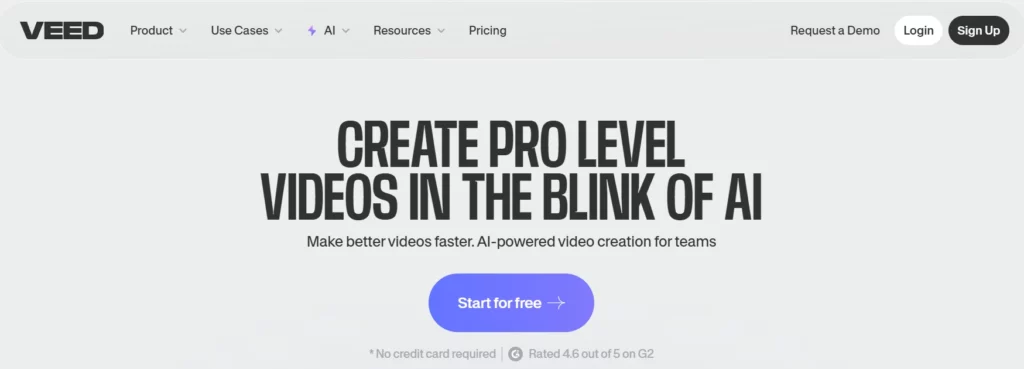
Veed.io модернизира работния процес на редактиране, като вгражда практични инструменти за подобряване на видео директно в достъпна, облачна времева линия. Редакторите, базирани на браузър, традиционно са се борили със скоростта на рендиране и яснотата на изхода, което е разочаровало много потребители от пикселизираните експорти.
Тази платформа е идеална за подкастъри, преподаватели и мениджъри на социални медии, които се нуждаят от бързи отговори, без да жертват качеството. Като предлага намаляване на шума с едно щракване, почистване на звука и възможности за експортиране в 4K, този софтуер гарантира, че стандартните записи от уеб камера и екранните снимки се подобряват систематично за ясно и професионално потребление от аудиторията.
Ключови характеристики на Veed.io:
Използвайте случай:
Ценови планове: Платените абонаменти започват от $12 месечно за основни функции, с премиум AI инструменти, достъпни на по-високи нива.
Най-добро за: Най-подходящо за създатели на съдържание за ежедневна употреба, които се нуждаят от интуитивен, многофункционален уеб редактор с вградени аудио и визуални подобрения.
6. Топаз Лаборатории

Топаз Видео AI е широко признат сред първокласните инструменти за подобряване на видео заради способността си да възстановява липсващи пиксели, използвайки дълбоко обучени невронни мрежи. Спасяването на силно компресирани кадри или мащабирането на архивни медийни файлове е сложно техническо предизвикателство, с което основният софтуер не може да се справи.
Проектиран за професионални видеографи, архивисти и студия за постпродукция, този настолен софтуер се фокусира единствено върху измеримо визуално подобрение. Чрез интелигентно намаляване на зърнистостта, интерполиране на честотата на кадрите и увеличаване на резолюцията до 8K, потребителите могат надеждно да възстановяват влошени мултимедийни файлове, за да отговарят на съвременните стандарти за излъчване с висока разделителна способност.
Основни характеристики на Topaz Labs:
Използвайте случай:
Ценови планове: Топаз Видео AI Предлага се като абонамент, обикновено на цена от около $37 месечно или $396 годишно.
Най-добро за: Най-подходящо за професионалисти в постпродукцията, изискващи водещо в индустрията, локално обработено видео възстановяване и висококачествени възможности за мащабиране.
Как да увеличите максимално качеството на изхода, използвайки инструменти за подобряване на видеото
Дори и най-напредналите AI Инструментите за подобряване на видео изискват правилните настройки, за да се получат естествени, професионални резултати, без да изглеждат изкуствени. Разчитането единствено на автоматични предварително зададени настройки понякога може да съсипе един добър клип.
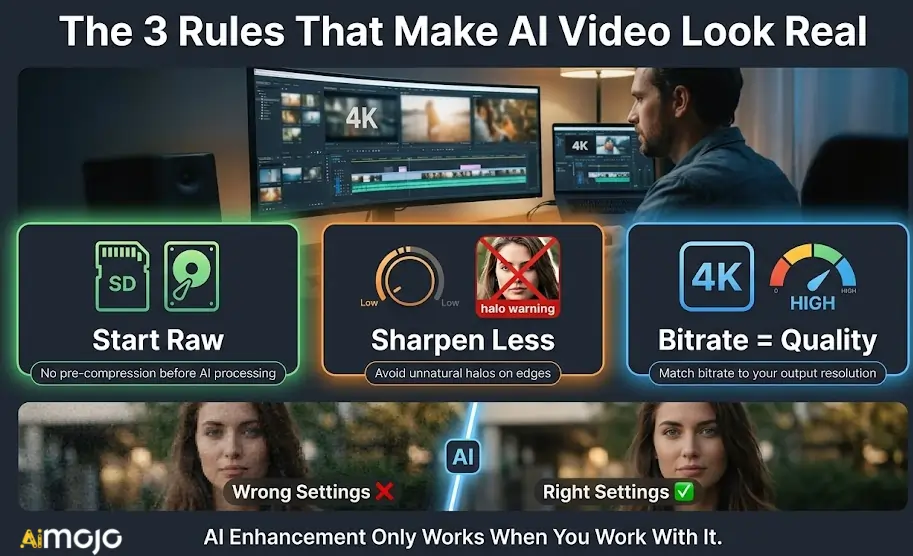
За да получите най-чистите рендери, фокусирайте се върху тези критични корекции:
Чрез внимателно управление на тези параметри, вие гарантирате, че крайният ви експорт изглежда наистина възстановен, а не прекалено обработен.
Обобщаване на най-добрите инструменти за подобряване на качеството на видеото
Не всяко видео се нуждае от една и съща корекция. Някои клипове се нуждаят от премахване на зърнистостта, други се нуждаят от изглаждане на кадрите, а трети просто се нуждаят от повишаване на резолюцията, преди да изглеждат представително. Шестте платформи, разгледани тук, се справят с определена част от този процес по-добре от останалите.
Започнете с това, от което вашите кадри всъщност се нуждаят, съпоставете ги с правилния инструмент и тествайте върху кратък клип, преди да се ангажирате с пълно рендериране. Повечето от тези инструменти за подобряване на видео предлагат пробен достъп, така че наистина няма натиск да се ангажирате на сляпо.
Най-добрата редакция е тази, която публиката ви никога не забелязва, че е била поправена.
AiMojo препоръчва:



 БОНУС: Вземете нашите 200 долараAI „Набор от инструменти за майсторство“ БЕЗПЛАТНО при регистрация!








